
Xhos - Minecraft Skins & Skin History
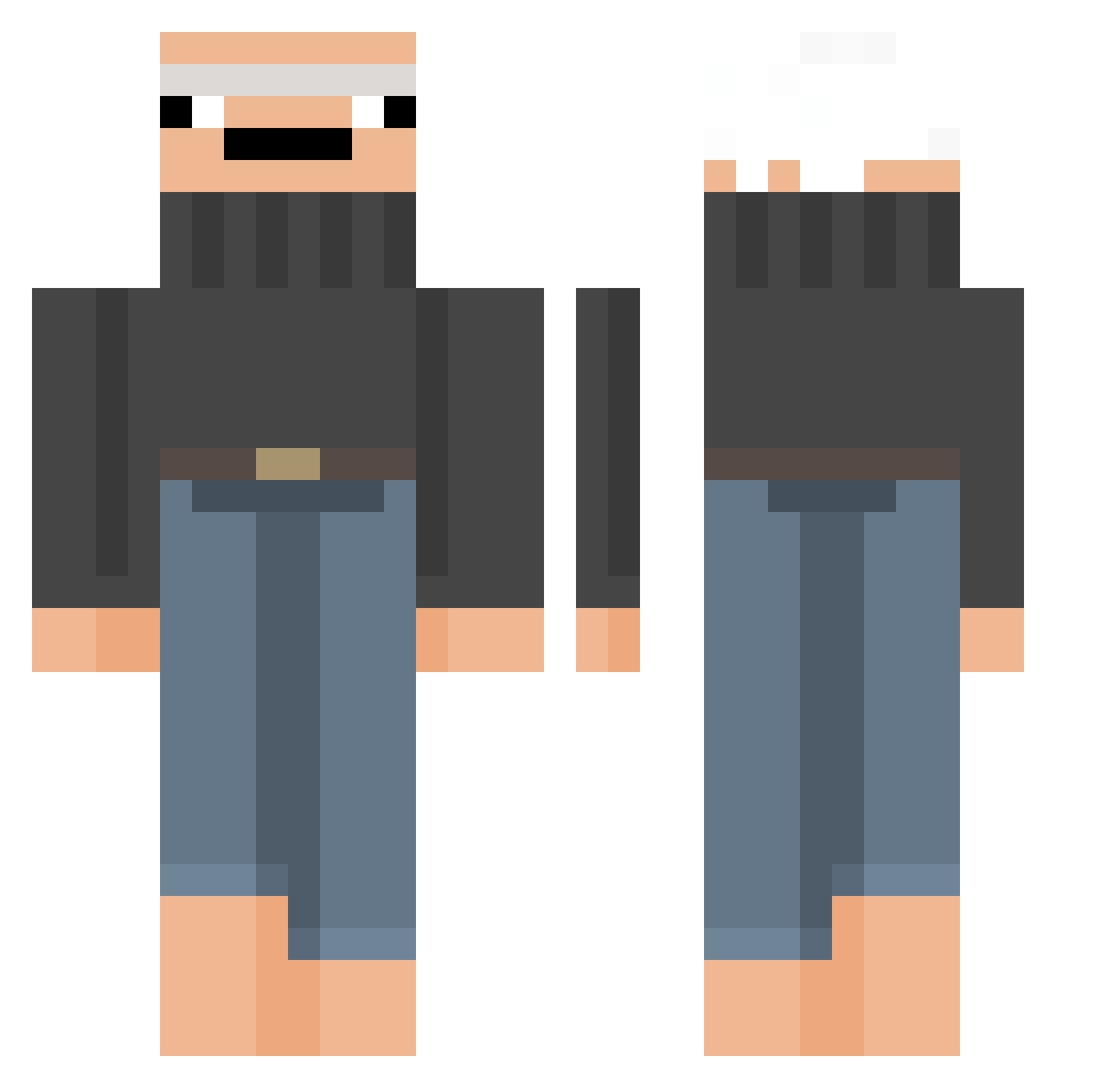
Current Minecraft skin of the player Xhos, loaded from the official Mojang API. Rotate the 3D model with your mouse or finger, then download the skin as a PNG file and use it in Minecraft: Bedrock Edition or Java Edition for free. When Xhos changes their skin, this page updates automatically and the old skin stays in the history below.
Other players with this skin (301)
Xhos was the 200th player we have seen with this skin, first spotted on 30.09.2026. The same skin was seen on these players. Open a nickname to see their current skin and skin history.
 SnowFlak3s ImRmm sarinbout Schponga Lucsac hippiedippiee BeHzxc Baloo2265 recodera realyze_ hairypaws nonoScop Sami34173 RegalPrince2345 shebaq_ Morticiano Oukali x2no its_grandfather Jimaly Oqwkaer MikzZlik_ Havasa_ Mystics0_0 AskTom ThePersonGuy namuru67 this_mak EinTier REISSIK DerSpahn skelletooor YEAAAAAAAAAAAAAH ankasaurusrex_ Nickukins Zazglay RawestBEEF MindChxxt hilbo_baggins FrOzzer0912 debilissime mrduko1 almdudlerFan Becks66613 ItssLou CrasyCandy DiegoDark An4_ Ditis_Pater Michalpajac Surzl chichebb Sebi_the_crab PrettyRickyyy Notorious_Willi OGporro G4DarkFrost Marian_o1o7 chrisevansbiceps ImTempest_
More Baldi Minecraft skins
How to install the Xhos skin
- Press the Download button above to save the skin as a PNG file.
- Minecraft: Bedrock Edition (PE): open the Dressing Room from the main menu (or tap your character → Edit Character), go to Classic Skins → Owned, press the + (new skin) button, choose the downloaded PNG and pick the Classic (Steve) model. Works on PC and mobile; consoles cannot import custom skins.
- Minecraft: Java Edition: open the Minecraft Launcher, go to the Skins tab, click New Skin, load the PNG, pick the Classic (Steve) model and press Save & Use. You can also upload it at minecraft.net → Profile → Change Skin.
The skin does not show up after import - what should I do?
Restart Minecraft and open the Dressing Room again - imported skins sometimes appear only after a restart. Also make sure you selected the imported skin and picked the Classic (Steve) model.
Which model should I choose, Classic or Slim?
This skin is designed for the Classic (Steve) model. If you pick the wrong model, the arms of the skin will look stretched or squeezed.
Is the skin of Xhos free to download?
Yes. Press Download, save the PNG file and use it in Minecraft: Bedrock Edition or Java Edition - no payment or registration needed. The skin also works on multiplayer servers and Realms.
More skins
Looking for more? Go back to all Minecraft skins and check the top skins of the week, month and all time, or find any player's skin by nickname.