
X_Critics_X - Minecraft Skins & Skin History
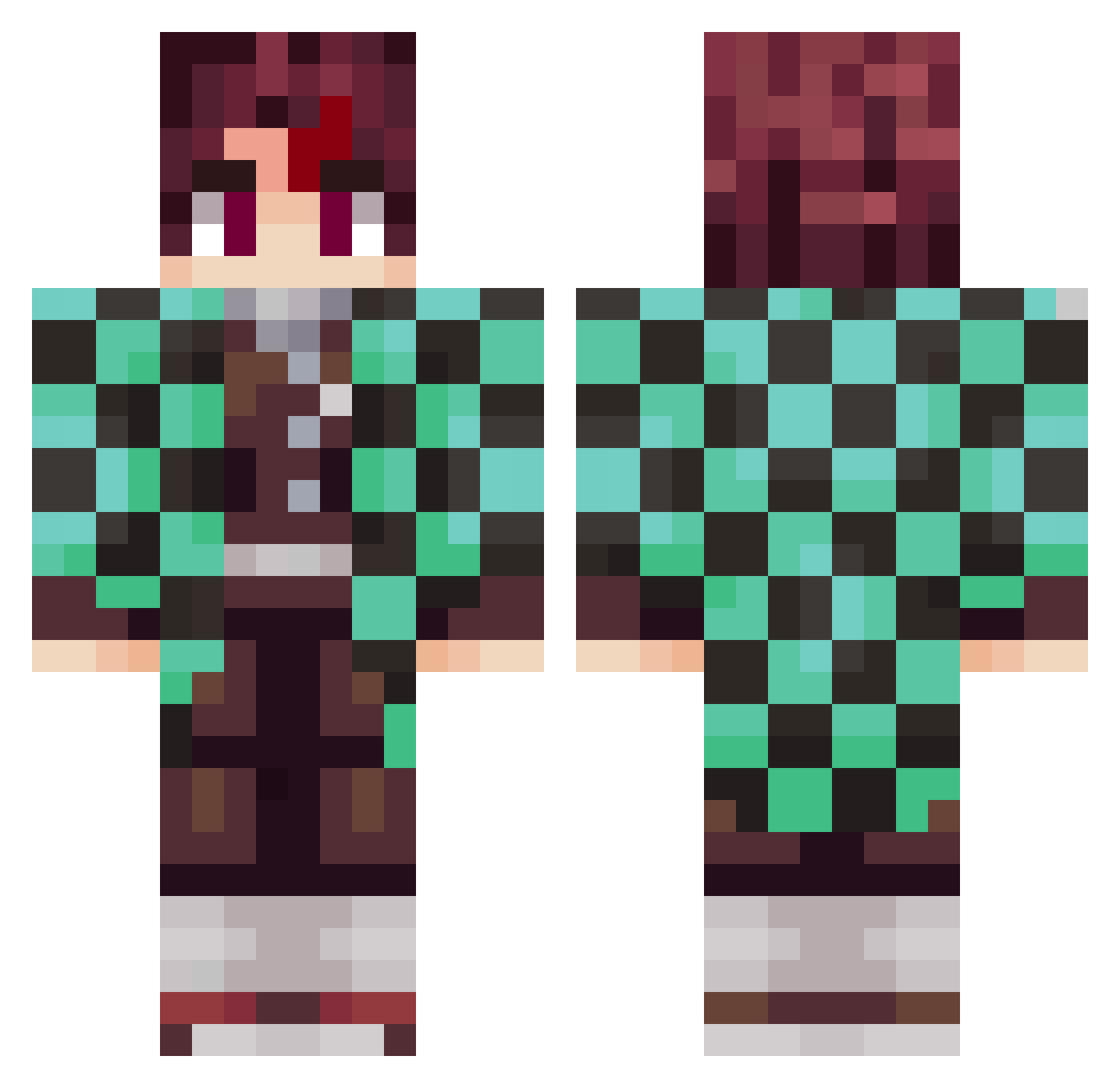
Current Minecraft skin of the player X_Critics_X, loaded from the official Mojang API. Rotate the 3D model with your mouse or finger, then download the skin as a PNG file and use it in Minecraft: Bedrock Edition or Java Edition for free. When X_Critics_X changes their skin, this page updates automatically and the old skin stays in the history below.
Other players with this skin (797)
X_Critics_X was the 712th player we have seen with this skin, first spotted on 13.10.2026. The same skin was seen on these players. Open a nickname to see their current skin and skin history.
 Vast0Zero0 L1borko TeenagerPRO Kaok Gery006 marquesleo BowedChaff25 Angelrodridri jasonkai919 andrea241092 SushiLocomotive Loftilius pbcraft Blueyes25 toamto_0012 Ro1gata FloCraft1 canefe07 aspepe Jogy35 Killykinimod john214 cinesio ialokin7 FanDeGumball SUHL2 Superluigi234 itsjerebear Matheow17 Pil7hur SirJumNa Sulaiman16 larrayy w3bsterrr Sunchine0Eagle WachirawitP ItzRealFewer RaringColt94344 Gnugg123 na1d3one thedream_machine WackyPluto OGDushane Qefays RenegadeMa5ter Itona455 Levity_ DragonKingZx Increase8381 Flunkyy iTanjiroR6 TrinoRamos R4TXD Frwaivy IoFisho00 ifriteur Nethaa_ taiki92 Timznnn Kiba03E
More Tanjiro Kamado Minecraft skins
See all 388 Tanjiro Kamado skins
How to install the X_Critics_X skin
- Press the Download button above to save the skin as a PNG file.
- Minecraft: Bedrock Edition (PE): open the Dressing Room from the main menu (or tap your character → Edit Character), go to Classic Skins → Owned, press the + (new skin) button, choose the downloaded PNG and pick the Classic (Steve) model. Works on PC and mobile; consoles cannot import custom skins.
- Minecraft: Java Edition: open the Minecraft Launcher, go to the Skins tab, click New Skin, load the PNG, pick the Classic (Steve) model and press Save & Use. You can also upload it at minecraft.net → Profile → Change Skin.
The skin does not show up after import - what should I do?
Restart Minecraft and open the Dressing Room again - imported skins sometimes appear only after a restart. Also make sure you selected the imported skin and picked the Classic (Steve) model.
Which model should I choose, Classic or Slim?
This skin is designed for the Classic (Steve) model. If you pick the wrong model, the arms of the skin will look stretched or squeezed.
Is the skin of X_Critics_X free to download?
Yes. Press Download, save the PNG file and use it in Minecraft: Bedrock Edition or Java Edition - no payment or registration needed. The skin also works on multiplayer servers and Realms.
More skins
Looking for more? Go back to all Minecraft skins and check the top skins of the week, month and all time, or find any player's skin by nickname.