
XIAOMIX1 - Minecraft Skins & Skin History
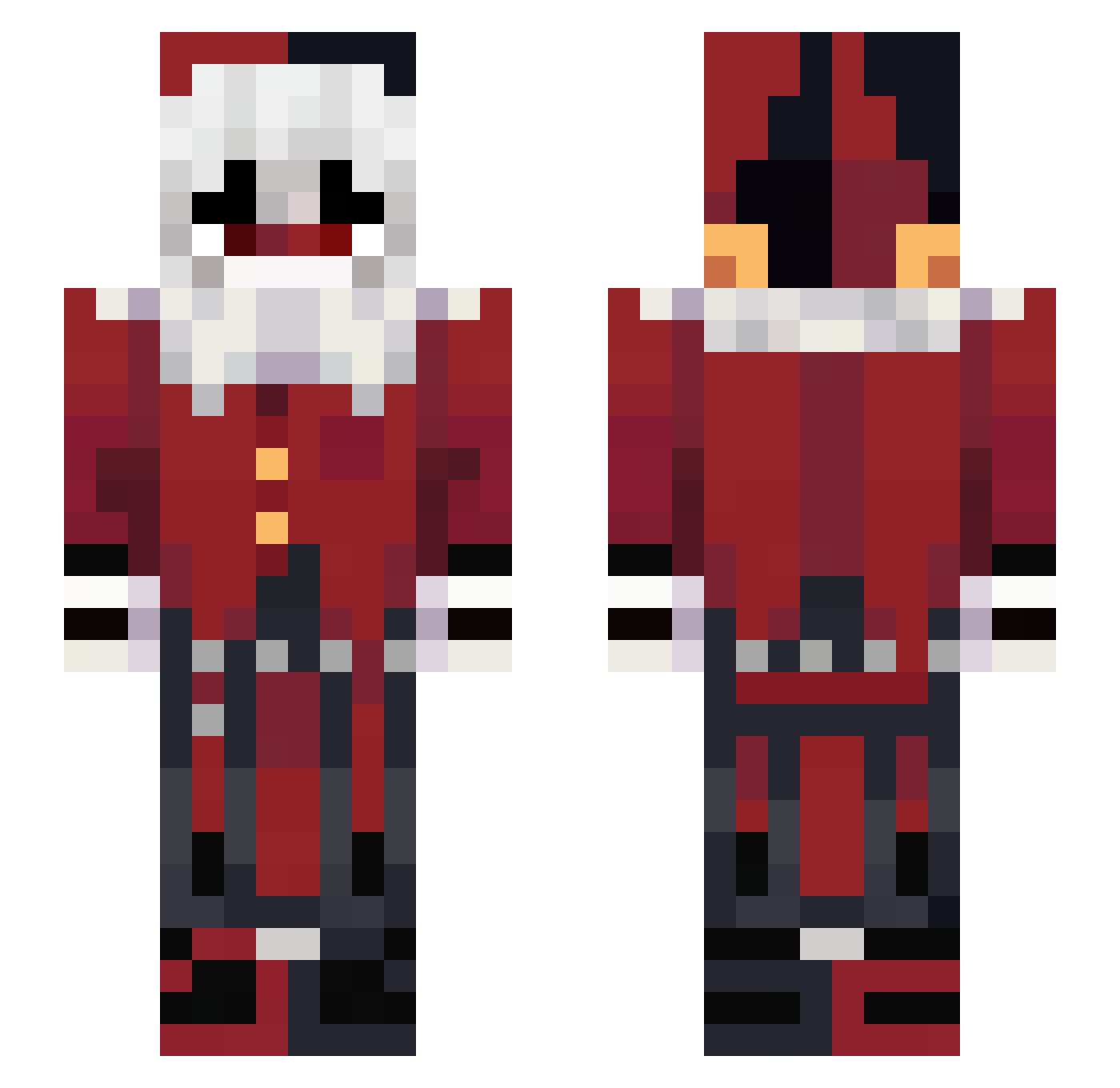
Current Minecraft skin of the player XIAOMIX1, loaded from the official Mojang API. Rotate the 3D model with your mouse or finger, then download the skin as a PNG file and use it in Minecraft: Bedrock Edition or Java Edition for free. When XIAOMIX1 changes their skin, this page updates automatically and the old skin stays in the history below.
Other players with this skin (39)
XIAOMIX1 was the 21st player we have seen with this skin, first spotted on 18.09.2026. The same skin was seen on these players. Open a nickname to see their current skin and skin history.
 239k EMMMMMYYYYYYY togaed Sterbori Oliver_Radcliffe coagule CraveShot Akarosek Monophy SneMandXD Real_Epicness HiddenParadoxer
 Sajola MeninoDoTDAH JoJoamongas Gengar47 overseeds Hera_65 Shivani_6969 Madam_Kaguya Cyneqo_ WhatAboutLove SleepWalz ChesterChickenn Milabo69 Wikusia00 Santoszz__ DukeOfErizzia _ara_mis_ esperar Melody98 lilToesforyou cliondei Marko1GG
 Yeet_boi_25 MagmaKami Yukoiix Omimoss Foolith
Previous skins of XIAOMIX1
Skins that XIAOMIX1 wore before, newest first. Click a skin to open its page and download it.
More Harley Quinn Minecraft skins
How to install the XIAOMIX1 skin
- Press the Download button above to save the skin as a PNG file.
- Minecraft: Bedrock Edition (PE): open the Dressing Room from the main menu (or tap your character → Edit Character), go to Classic Skins → Owned, press the + (new skin) button, choose the downloaded PNG and pick the Slim (Alex) model. Works on PC and mobile; consoles cannot import custom skins.
- Minecraft: Java Edition: open the Minecraft Launcher, go to the Skins tab, click New Skin, load the PNG, pick the Slim (Alex) model and press Save & Use. You can also upload it at minecraft.net → Profile → Change Skin.
The skin does not show up after import - what should I do?
Restart Minecraft and open the Dressing Room again - imported skins sometimes appear only after a restart. Also make sure you selected the imported skin and picked the Slim (Alex) model.
Which model should I choose, Classic or Slim?
This skin is designed for the Slim (Alex) model. If you pick the wrong model, the arms of the skin will look stretched or squeezed.
Is the skin of XIAOMIX1 free to download?
Yes. Press Download, save the PNG file and use it in Minecraft: Bedrock Edition or Java Edition - no payment or registration needed. The skin also works on multiplayer servers and Realms.
More skins
Looking for more? Go back to all Minecraft skins and check the top skins of the week, month and all time, or find any player's skin by nickname.