
XD7OOX - Minecraft Skins & Skin History
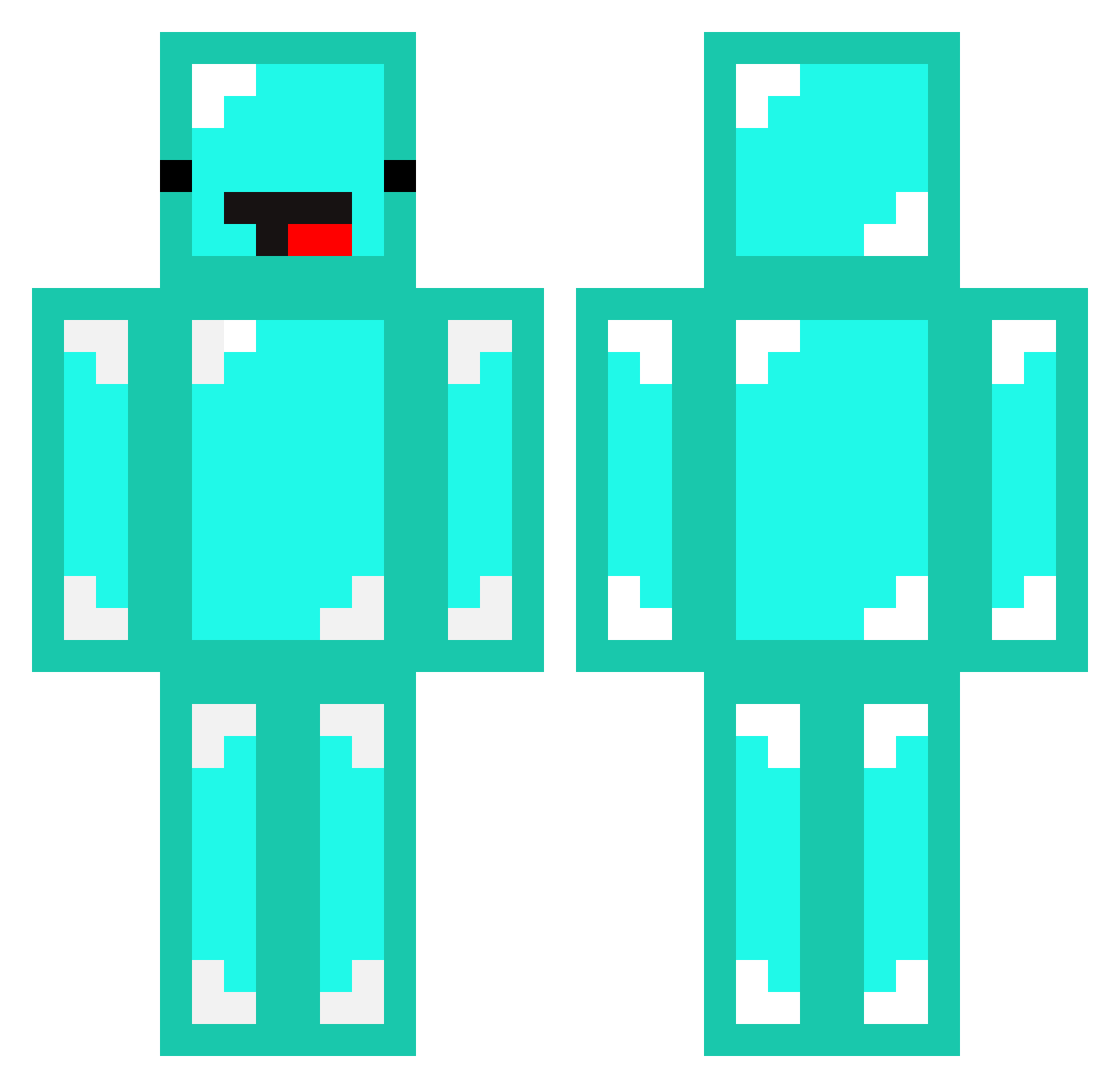
Current Minecraft skin of the player XD7OOX, loaded from the official Mojang API. Rotate the 3D model with your mouse or finger, then download the skin as a PNG file and use it in Minecraft: Bedrock Edition or Java Edition for free. When XD7OOX changes their skin, this page updates automatically and the old skin stays in the history below.
Other players with this skin (99)
XD7OOX was the 84th player we have seen with this skin, first spotted on 30.10.2026. The same skin was seen on these players. Open a nickname to see their current skin and skin history.
 Jorden6 Kinghyeon09 Cowboys26 mopiluminune LoxoUwU Yucenn changbumi gadakguman Krabikrabi08 bluebluetaeyun Smoothye pinkpurple2753 xingzibb Ladn01538 Butuso newsforyou420 GenuineWalker JaeKan mincraft4114 XxhunterxX1120 eco_inv _Steve_B0Y solling Avery_very NycLament Skeppy_VIRUS CJTheReV SKEPPYFORTNITE14 MAT7542 boddyslamer l1628 already_circle ohwowie Ntsu33 Dug2deep Swoovey GizmoIsMyCat1 CowSpawner28 Exodus2b2t ggininderla1213 elprogamer7983 Nampetch GueSki Pallateline king025 Daisy233 Youzart liubenwei Georgnofound anatolianbeat Theolinil Minecraftohio Derp_Skeppy7777 victorsh15 AydenNg1 stre2156 GazyuMarma diamond_saur foxfire8 Clandestine123
More Meme Face Minecraft skins
How to install the XD7OOX skin
- Press the Download button above to save the skin as a PNG file.
- Minecraft: Bedrock Edition (PE): open the Dressing Room from the main menu (or tap your character → Edit Character), go to Classic Skins → Owned, press the + (new skin) button, choose the downloaded PNG and pick the Classic (Steve) model. Works on PC and mobile; consoles cannot import custom skins.
- Minecraft: Java Edition: open the Minecraft Launcher, go to the Skins tab, click New Skin, load the PNG, pick the Classic (Steve) model and press Save & Use. You can also upload it at minecraft.net → Profile → Change Skin.
The skin does not show up after import - what should I do?
Restart Minecraft and open the Dressing Room again - imported skins sometimes appear only after a restart. Also make sure you selected the imported skin and picked the Classic (Steve) model.
Which model should I choose, Classic or Slim?
This skin is designed for the Classic (Steve) model. If you pick the wrong model, the arms of the skin will look stretched or squeezed.
Is the skin of XD7OOX free to download?
Yes. Press Download, save the PNG file and use it in Minecraft: Bedrock Edition or Java Edition - no payment or registration needed. The skin also works on multiplayer servers and Realms.
More skins
Looking for more? Go back to all Minecraft skins and check the top skins of the week, month and all time, or find any player's skin by nickname.