
X0XMOAX0X - Minecraft Skins & Skin History
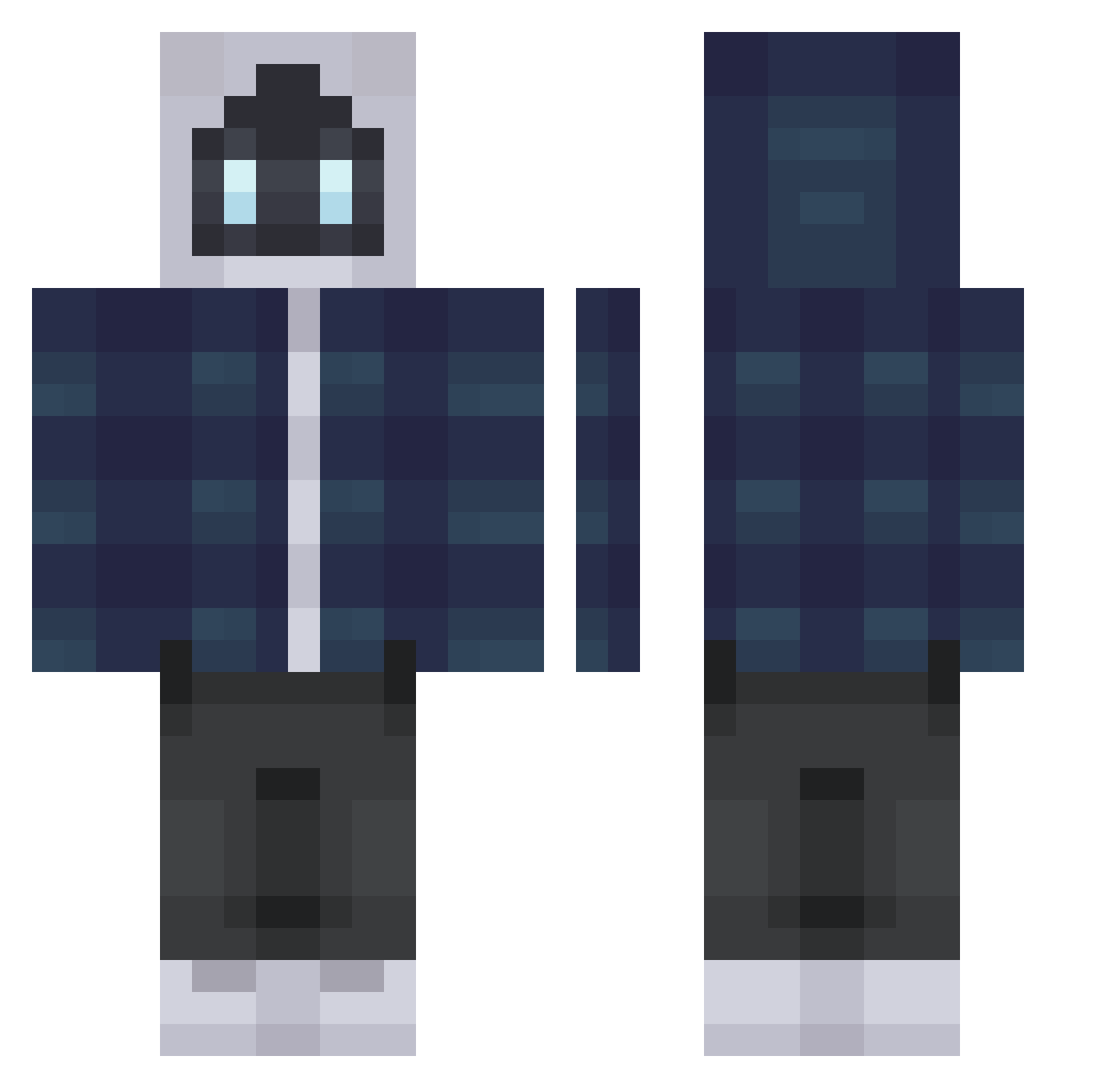
Current Minecraft skin of the player X0XMOAX0X, loaded from the official Mojang API. Rotate the 3D model with your mouse or finger, then download the skin as a PNG file and use it in Minecraft: Bedrock Edition or Java Edition for free. When X0XMOAX0X changes their skin, this page updates automatically and the old skin stays in the history below.
Other players with this skin (316)
X0XMOAX0X was the 56th player we have seen with this skin, first spotted on 11.08.2026. The same skin was seen on these players. Open a nickname to see their current skin and skin history.
 Robsy34 313Bert ByKalde Info49 mcdonaldistasty1 NeptuneUI68 tuyuribr Keisonn tomatomato_256 RustyRoot
 Dark_But_Cool
 Dysura SpenTen69 Willizin moti_mochi vladxii ILaughU3000 wiaonec Grand_L_A_ KRKM0 another1up That_door SquishyWaffles aaooq FiveMarS SkyHouss SerkanUnlu ModdeyDog Pabois FranGamerGx Maximizer21 Alex_Blxt AremisV Stompisuseless MMineral TheTripTrip mango466 KAIXIN_TW xHugTacos SoulSency Wolfshot8856 DDayun_ Dzhemky Bananek123 Authenticc_ VettoxPL HiveinThisBih SkySpartan137 giber Cr1ptoz hojin03 BullseyeSlick kiwi2366 WhiteGoth lostman48 ragnarokawakens Yonag 7Soldier DeadLife20 Toominu
More Robot Minecraft skins
How to install the X0XMOAX0X skin
- Press the Download button above to save the skin as a PNG file.
- Minecraft: Bedrock Edition (PE): open the Dressing Room from the main menu (or tap your character → Edit Character), go to Classic Skins → Owned, press the + (new skin) button, choose the downloaded PNG and pick the Classic (Steve) model. Works on PC and mobile; consoles cannot import custom skins.
- Minecraft: Java Edition: open the Minecraft Launcher, go to the Skins tab, click New Skin, load the PNG, pick the Classic (Steve) model and press Save & Use. You can also upload it at minecraft.net → Profile → Change Skin.
The skin does not show up after import - what should I do?
Restart Minecraft and open the Dressing Room again - imported skins sometimes appear only after a restart. Also make sure you selected the imported skin and picked the Classic (Steve) model.
Which model should I choose, Classic or Slim?
This skin is designed for the Classic (Steve) model. If you pick the wrong model, the arms of the skin will look stretched or squeezed.
Is the skin of X0XMOAX0X free to download?
Yes. Press Download, save the PNG file and use it in Minecraft: Bedrock Edition or Java Edition - no payment or registration needed. The skin also works on multiplayer servers and Realms.
More skins
Looking for more? Go back to all Minecraft skins and check the top skins of the week, month and all time, or find any player's skin by nickname.