
Wzozyy_ - Minecraft Skins & Skin History
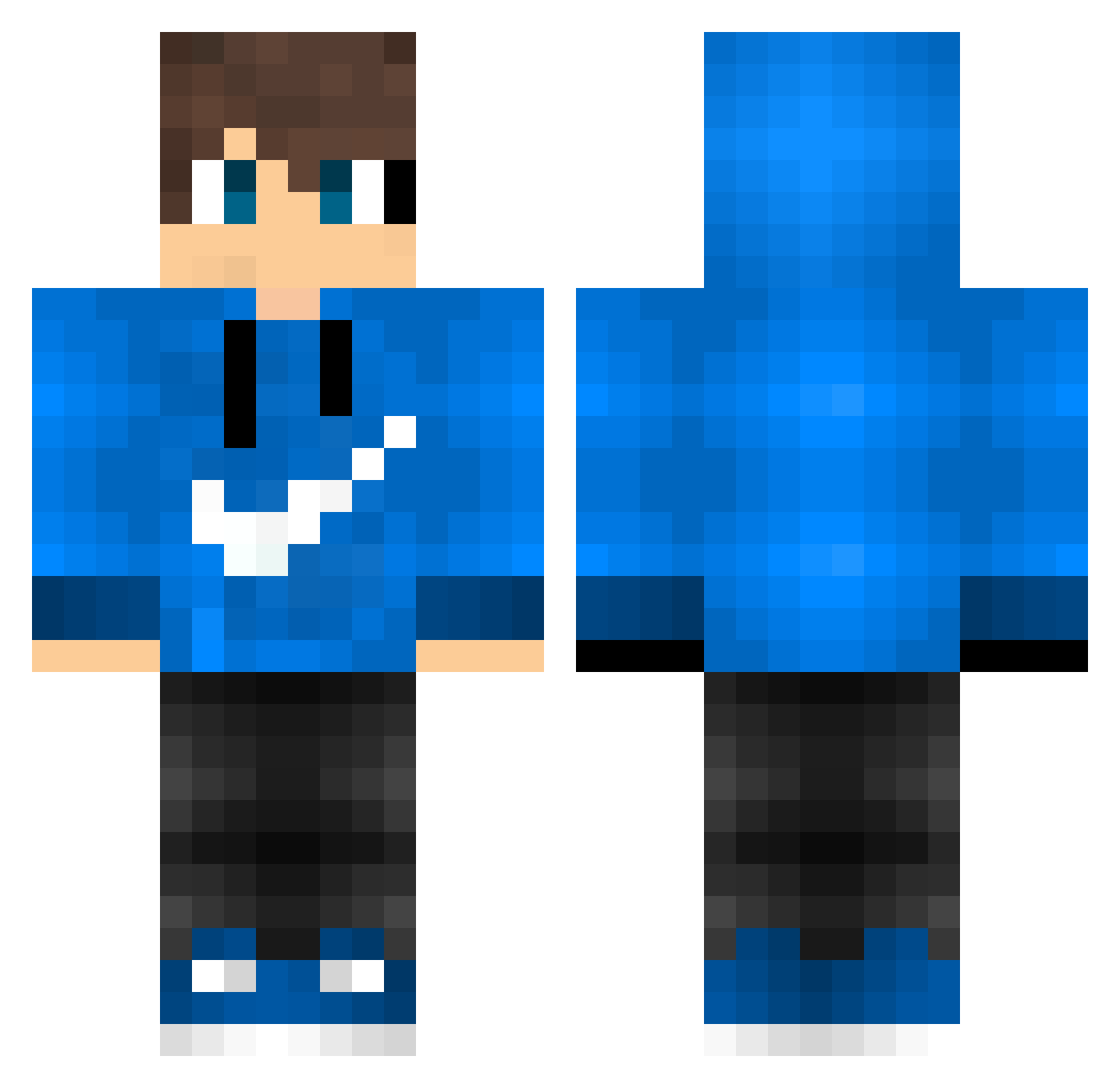
Current Minecraft skin of the player Wzozyy_, loaded from the official Mojang API. Rotate the 3D model with your mouse or finger, then download the skin as a PNG file and use it in Minecraft: Bedrock Edition or Java Edition for free. When Wzozyy_ changes their skin, this page updates automatically and the old skin stays in the history below.
Other players with this skin (595)
Wzozyy_ was the 424th player we have seen with this skin, first spotted on 20.10.2026. The same skin was seen on these players. Open a nickname to see their current skin and skin history.
 LukiLuki500 The_one_Frido_ ArceusR6 KeepCalmAndFoof lolik787 Hotdogwater_XD GDKrisz firefoxwiesbaden Samurai360 uno10 Blue_7k VexxyGalaxy Ravenzoid nanisite Rsabuuu Fruchtzwerg12 Santipro_56 nyoof170 SteveLiu10 Sad_Caffa Luki_Wookiee Mythical_Argos TacoPoney Lexinov NB20yy RafaPB Mido__Gamer Giacche17 derda79 HeLium15 Ferrari0203 Coelho138742 Proxima28 ATOTU091712 PhGamers12 DerNoob_2009 Etoiles8 OlikSVK kiuisan_dayo Honzimir_123 Piadina_Calda_91 yunusemresan yusufucar patryk131 so_mario Paolo92185 AlexTrixx Luke2687 HenrikSverke Klueppi Justinascool894 Fattro Brownblock46 LukeAMG rique233 RodrigoJR007 EXODIA14 KingIsLegend Bruno_YT2 DemiZoulettedu09
How to install the Wzozyy_ skin
- Press the Download button above to save the skin as a PNG file.
- Minecraft: Bedrock Edition (PE): open the Dressing Room from the main menu (or tap your character → Edit Character), go to Classic Skins → Owned, press the + (new skin) button, choose the downloaded PNG and pick the Classic (Steve) model. Works on PC and mobile; consoles cannot import custom skins.
- Minecraft: Java Edition: open the Minecraft Launcher, go to the Skins tab, click New Skin, load the PNG, pick the Classic (Steve) model and press Save & Use. You can also upload it at minecraft.net → Profile → Change Skin.
The skin does not show up after import - what should I do?
Restart Minecraft and open the Dressing Room again - imported skins sometimes appear only after a restart. Also make sure you selected the imported skin and picked the Classic (Steve) model.
Which model should I choose, Classic or Slim?
This skin is designed for the Classic (Steve) model. If you pick the wrong model, the arms of the skin will look stretched or squeezed.
Is the skin of Wzozyy_ free to download?
Yes. Press Download, save the PNG file and use it in Minecraft: Bedrock Edition or Java Edition - no payment or registration needed. The skin also works on multiplayer servers and Realms.
More skins
Looking for more? Go back to all Minecraft skins and check the top skins of the week, month and all time, or find any player's skin by nickname.