
WwohyawW - Minecraft Skins & Skin History
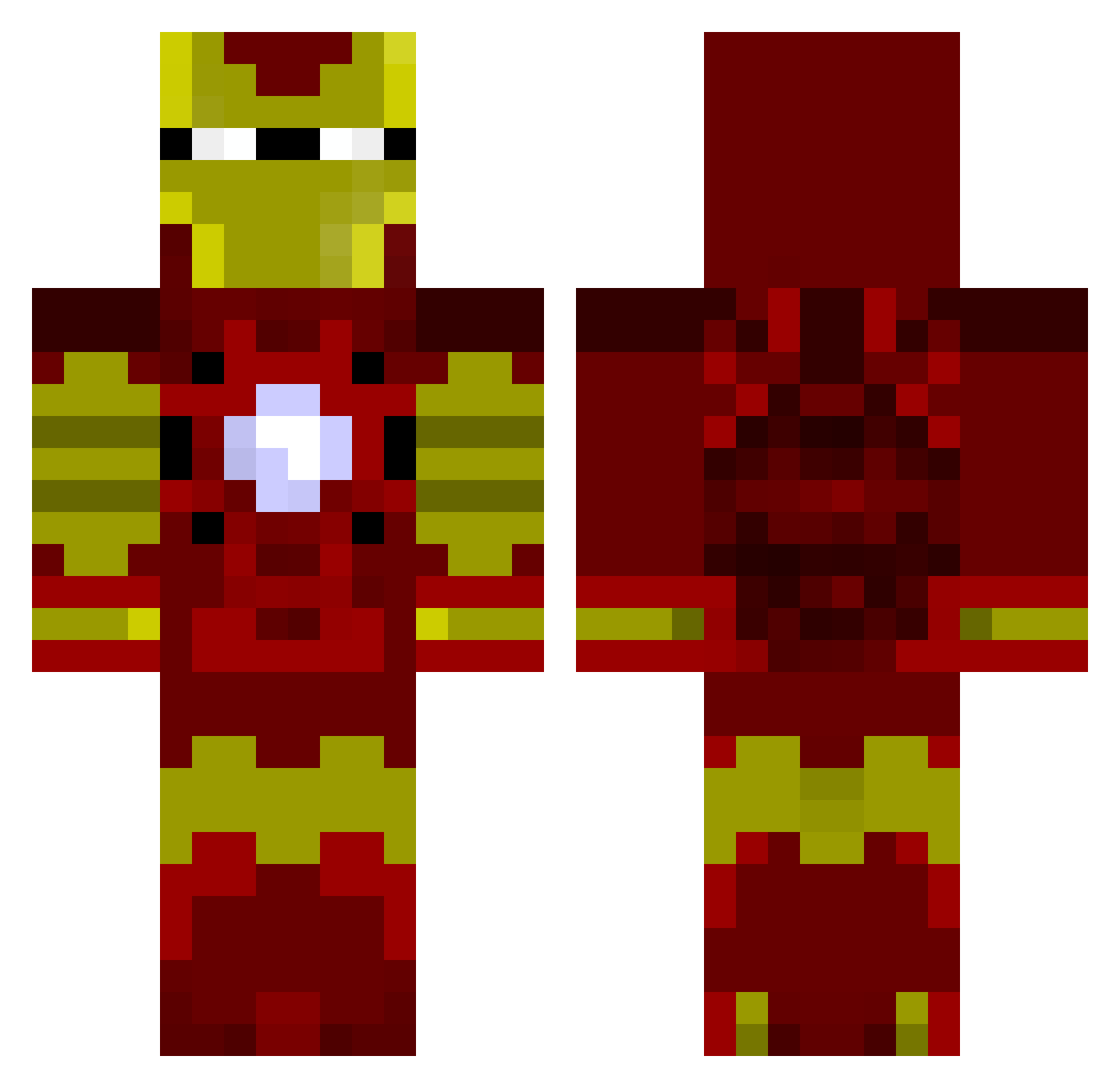
Current Minecraft skin of the player WwohyawW, loaded from the official Mojang API. Rotate the 3D model with your mouse or finger, then download the skin as a PNG file and use it in Minecraft: Bedrock Edition or Java Edition for free. When WwohyawW changes their skin, this page updates automatically and the old skin stays in the history below.
Other players with this skin (805)
WwohyawW was the 632nd player we have seen with this skin, first spotted on 03.10.2026. The same skin was seen on these players. Open a nickname to see their current skin and skin history.
 GladiatorXII KBott GrubyMENI FlameExcalibur Daculla tzno97 oBlur Bigmackiee1 L0G r4zer10 Kalamakid1 Jtpayne1995 TortillaGambler connorb_1996 robertboyer24 Ghost191 Starkrib daley2006 RichardtheGr8 Vampiredancer NathanPepper nbillmayer19 Craig_1690 Gebogend Telyl fosgaterocks rocketp13 trolof Simonwood97 Richgoldman010 liamcool345 NoahCraft560 NightFears77 jethrooo mcfamous hankthehank Roller2205 Haldeboys SKINIx0 Scaddawoo Phitty chriscov03 Darkside468 BenP23 aitoushooru nj81409 Bakasutra Kubiloschus96 gshiv lukeb123456 hugosaxel HaloDad238 liujiuchang Rewles Martin_Mueller Sirnarwhal gashern Threeyedfish Ironnoe Eagledestroyer
More Iron Man Minecraft skins
How to install the WwohyawW skin
- Press the Download button above to save the skin as a PNG file.
- Minecraft: Bedrock Edition (PE): open the Dressing Room from the main menu (or tap your character → Edit Character), go to Classic Skins → Owned, press the + (new skin) button, choose the downloaded PNG and pick the Classic (Steve) model. Works on PC and mobile; consoles cannot import custom skins.
- Minecraft: Java Edition: open the Minecraft Launcher, go to the Skins tab, click New Skin, load the PNG, pick the Classic (Steve) model and press Save & Use. You can also upload it at minecraft.net → Profile → Change Skin.
The skin does not show up after import - what should I do?
Restart Minecraft and open the Dressing Room again - imported skins sometimes appear only after a restart. Also make sure you selected the imported skin and picked the Classic (Steve) model.
Which model should I choose, Classic or Slim?
This skin is designed for the Classic (Steve) model. If you pick the wrong model, the arms of the skin will look stretched or squeezed.
Is the skin of WwohyawW free to download?
Yes. Press Download, save the PNG file and use it in Minecraft: Bedrock Edition or Java Edition - no payment or registration needed. The skin also works on multiplayer servers and Realms.
More skins
Looking for more? Go back to all Minecraft skins and check the top skins of the week, month and all time, or find any player's skin by nickname.