
Wrld_EL1TE - Minecraft Skins & Skin History
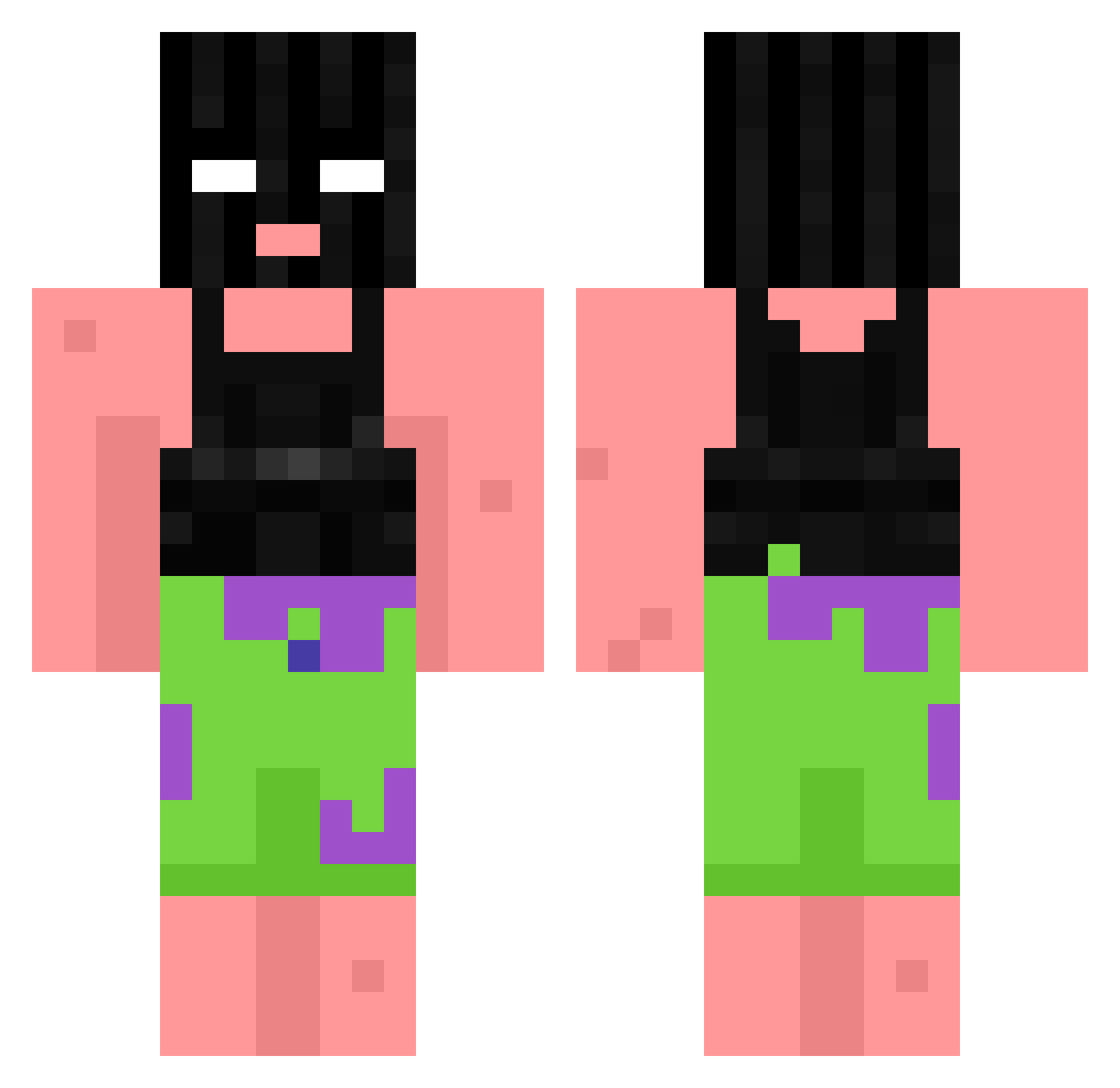
Current Minecraft skin of the player Wrld_EL1TE, loaded from the official Mojang API. Rotate the 3D model with your mouse or finger, then download the skin as a PNG file and use it in Minecraft: Bedrock Edition or Java Edition for free. When Wrld_EL1TE changes their skin, this page updates automatically and the old skin stays in the history below.
Other players with this skin (1061)
Wrld_EL1TE was the 974th player we have seen with this skin, first spotted on 10.11.2026. The same skin was seen on these players. Open a nickname to see their current skin and skin history.
 Creeperboy22 xbreejx Big_Luddy UsedShoolace cayosama2133 Rasple19 FurkanSgrl Jablonka123 rek369 majewek Minecraftnegr Cloudy347sponge moussman7 Ayidenn Darknight1_1 Monstervirus98 Swertiee Jaysleepy_ JelanixYasir NiMaDerr myS1ave bnkjp15 Dowloady bigballliker TheGingerStump GushyGumbo Nuqqies Ghost_herb Persik123 d_drizzy Moshimodo 14acab88 Gusinhas no_Delta_ lLoliBoy Laqtoast Bros4life2747 Quentin143 BreakU_ mark768 qizah LerKzzz wh7ty I_A_QT a_rihu dtyc king0fdemons ekbar27 WaterFox43 CHIZZLE4 naoeomega wagawaga_aa xldminichop3d Rifflettn_ALT24 NSYNC omesjon Stuck_in_a_bin Silent_22 Slegie Joonsan
More Ski Mask Minecraft skins
How to install the Wrld_EL1TE skin
- Press the Download button above to save the skin as a PNG file.
- Minecraft: Bedrock Edition (PE): open the Dressing Room from the main menu (or tap your character → Edit Character), go to Classic Skins → Owned, press the + (new skin) button, choose the downloaded PNG and pick the Classic (Steve) model. Works on PC and mobile; consoles cannot import custom skins.
- Minecraft: Java Edition: open the Minecraft Launcher, go to the Skins tab, click New Skin, load the PNG, pick the Classic (Steve) model and press Save & Use. You can also upload it at minecraft.net → Profile → Change Skin.
The skin does not show up after import - what should I do?
Restart Minecraft and open the Dressing Room again - imported skins sometimes appear only after a restart. Also make sure you selected the imported skin and picked the Classic (Steve) model.
Which model should I choose, Classic or Slim?
This skin is designed for the Classic (Steve) model. If you pick the wrong model, the arms of the skin will look stretched or squeezed.
Is the skin of Wrld_EL1TE free to download?
Yes. Press Download, save the PNG file and use it in Minecraft: Bedrock Edition or Java Edition - no payment or registration needed. The skin also works on multiplayer servers and Realms.
More skins
Looking for more? Go back to all Minecraft skins and check the top skins of the week, month and all time, or find any player's skin by nickname.