
WortexN - Minecraft Skins & Skin History
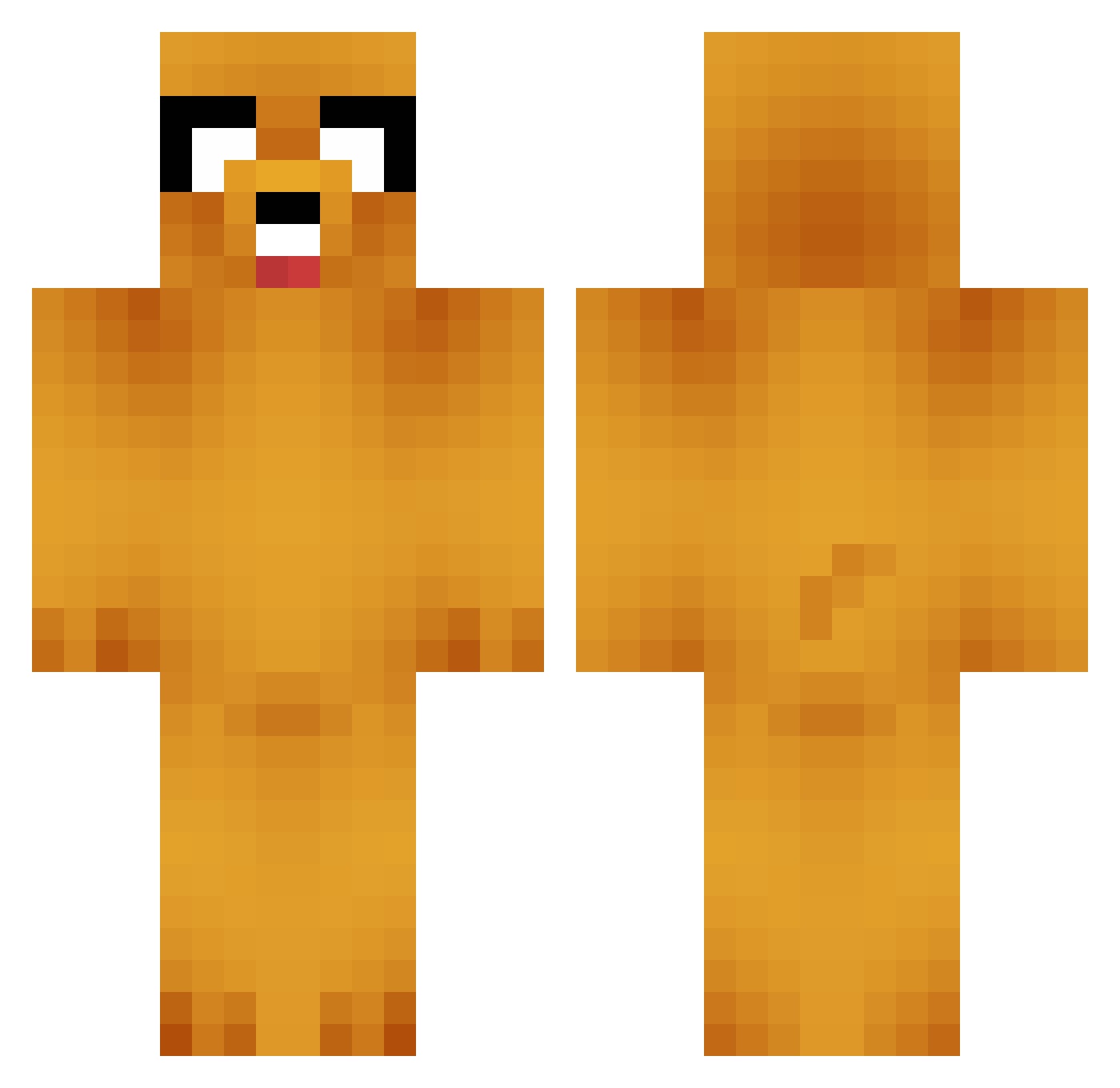
Current Minecraft skin of the player WortexN, loaded from the official Mojang API. Rotate the 3D model with your mouse or finger, then download the skin as a PNG file and use it in Minecraft: Bedrock Edition or Java Edition for free. When WortexN changes their skin, this page updates automatically and the old skin stays in the history below.
Other players with this skin (664)
WortexN was the 557th player we have seen with this skin, first spotted on 09.10.2026. The same skin was seen on these players. Open a nickname to see their current skin and skin history.
 JimmyChen001 Hi_im_Leif Levii_15 pacotesc2008 moxiaoshang66 kangC137 Dsunga gubsnake Kesito888 yeonddo kress_r xoxoSy AnthonyHutch Ohker HaoRan1220 SneakySteaky Lezirya Limdian Jimtegra jegal424 UKUSA Ivek69 happy_wolf alkibia fate1203 ddongpyo17 BLACKNINJA5811 ssk3leton samllD Etsu714 Biggensreal Heaven_ suzuky27 eunwoocha bage6777 Kenzai420 Originalen JIJUN09 Maniacbrother HOON_76 Imguac Aphr0diet tmdxo5094 Kim_the_ripper JackTheDogo galinh0_o Carbuck kimhyea18 ITZGuRuyt KyumaOK Mayyr Artist_bibib1 Lqetr Cayden1229 Congruee FeebleFingers MakapakaAD dans0729 moltisanti90210 Blacraft
More Jake Minecraft skins
How to install the WortexN skin
- Press the Download button above to save the skin as a PNG file.
- Minecraft: Bedrock Edition (PE): open the Dressing Room from the main menu (or tap your character → Edit Character), go to Classic Skins → Owned, press the + (new skin) button, choose the downloaded PNG and pick the Classic (Steve) model. Works on PC and mobile; consoles cannot import custom skins.
- Minecraft: Java Edition: open the Minecraft Launcher, go to the Skins tab, click New Skin, load the PNG, pick the Classic (Steve) model and press Save & Use. You can also upload it at minecraft.net → Profile → Change Skin.
The skin does not show up after import - what should I do?
Restart Minecraft and open the Dressing Room again - imported skins sometimes appear only after a restart. Also make sure you selected the imported skin and picked the Classic (Steve) model.
Which model should I choose, Classic or Slim?
This skin is designed for the Classic (Steve) model. If you pick the wrong model, the arms of the skin will look stretched or squeezed.
Is the skin of WortexN free to download?
Yes. Press Download, save the PNG file and use it in Minecraft: Bedrock Edition or Java Edition - no payment or registration needed. The skin also works on multiplayer servers and Realms.
More skins
Looking for more? Go back to all Minecraft skins and check the top skins of the week, month and all time, or find any player's skin by nickname.