
WoolooDreams - Minecraft Skins & Skin History
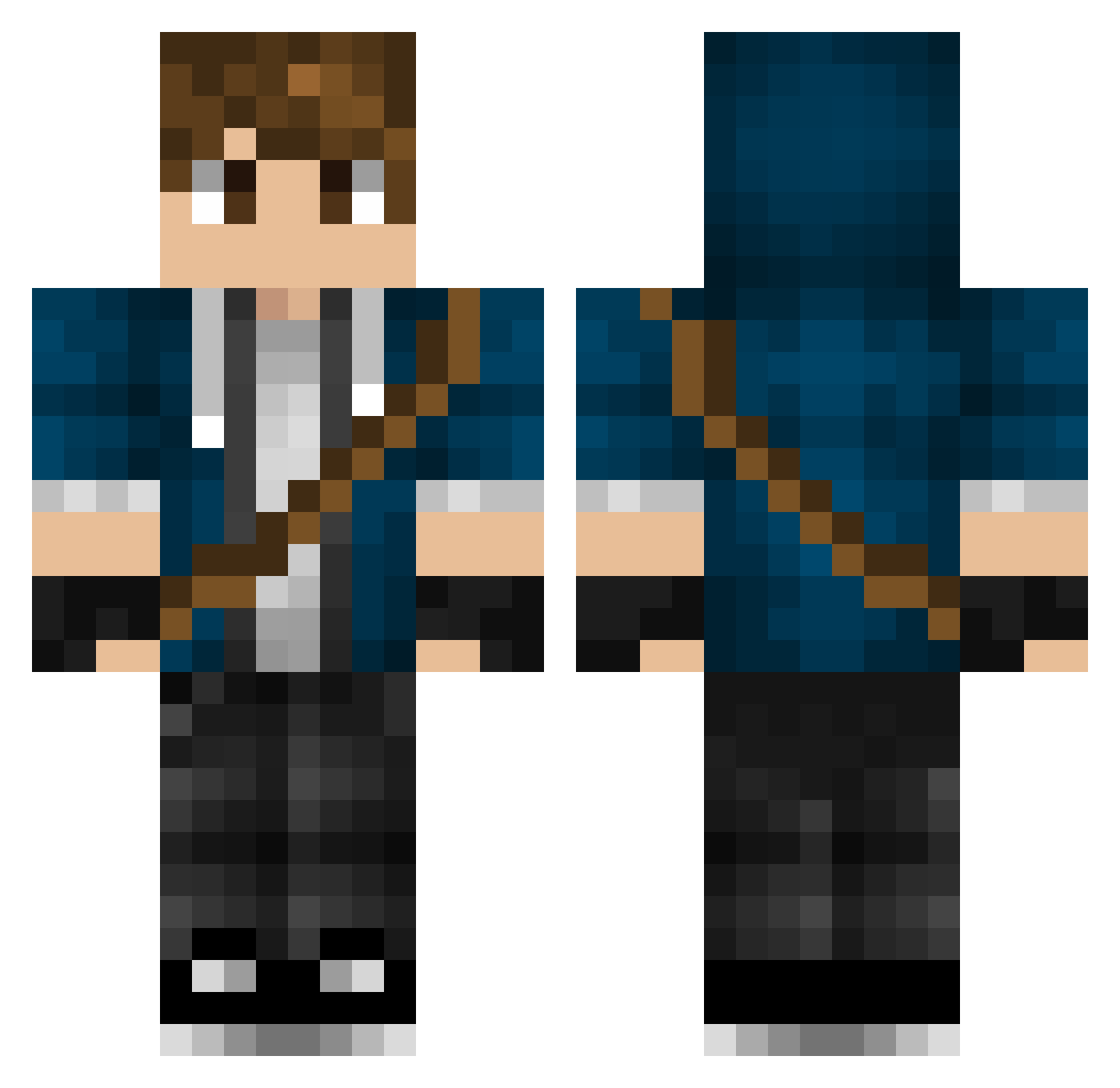
Current Minecraft skin of the player WoolooDreams, loaded from the official Mojang API. Rotate the 3D model with your mouse or finger, then download the skin as a PNG file and use it in Minecraft: Bedrock Edition or Java Edition for free. When WoolooDreams changes their skin, this page updates automatically and the old skin stays in the history below.
Other players with this skin (546)
WoolooDreams was the 523rd player we have seen with this skin, first spotted on 15.11.2026. The same skin was seen on these players. Open a nickname to see their current skin and skin history.
 Nwebis blurello_ Matjeeee Melkiij NITROghost09 lebkanw AdventureHero257 LefarTv MindOfBubble PapiChocolate1 liamkimber Tomyy58 Conner_LC TVARGAS ArmyHun18 Masimo2000 AbraxassDarbadak voni18 Krillixx tinkersc Pauky_ drolelol han_ata chimericdream Iste12 Maru8930 SteveSanta jeonghuihan Scorbane GianBloxYT invader_alu Sayler166 Wolfstar_550 HsiaYa DracoTheHunter Franks110 Smarthoowen Archeor Jkbowen97 24JARHEAD24 SicLuca MUADUN GERMAN_GAMER_72 G_u_r_i_l_l_a Trawex edpcreative xFURRY_POLICEx Buyle firstkey28679 Mattwiz1 FinnDestructor DRGoodrich SteveKopacz m4xskin Thomas_1119 Mortibiris NightH4wk3r iSxql_ Mailo97 CaptainEvans
More Messenger Bag Minecraft skins
See all 617 Messenger Bag skins
How to install the WoolooDreams skin
- Press the Download button above to save the skin as a PNG file.
- Minecraft: Bedrock Edition (PE): open the Dressing Room from the main menu (or tap your character → Edit Character), go to Classic Skins → Owned, press the + (new skin) button, choose the downloaded PNG and pick the Classic (Steve) model. Works on PC and mobile; consoles cannot import custom skins.
- Minecraft: Java Edition: open the Minecraft Launcher, go to the Skins tab, click New Skin, load the PNG, pick the Classic (Steve) model and press Save & Use. You can also upload it at minecraft.net → Profile → Change Skin.
The skin does not show up after import - what should I do?
Restart Minecraft and open the Dressing Room again - imported skins sometimes appear only after a restart. Also make sure you selected the imported skin and picked the Classic (Steve) model.
Which model should I choose, Classic or Slim?
This skin is designed for the Classic (Steve) model. If you pick the wrong model, the arms of the skin will look stretched or squeezed.
Is the skin of WoolooDreams free to download?
Yes. Press Download, save the PNG file and use it in Minecraft: Bedrock Edition or Java Edition - no payment or registration needed. The skin also works on multiplayer servers and Realms.
More skins
Looking for more? Go back to all Minecraft skins and check the top skins of the week, month and all time, or find any player's skin by nickname.