
Wonderstefan - Minecraft Skins & Skin History
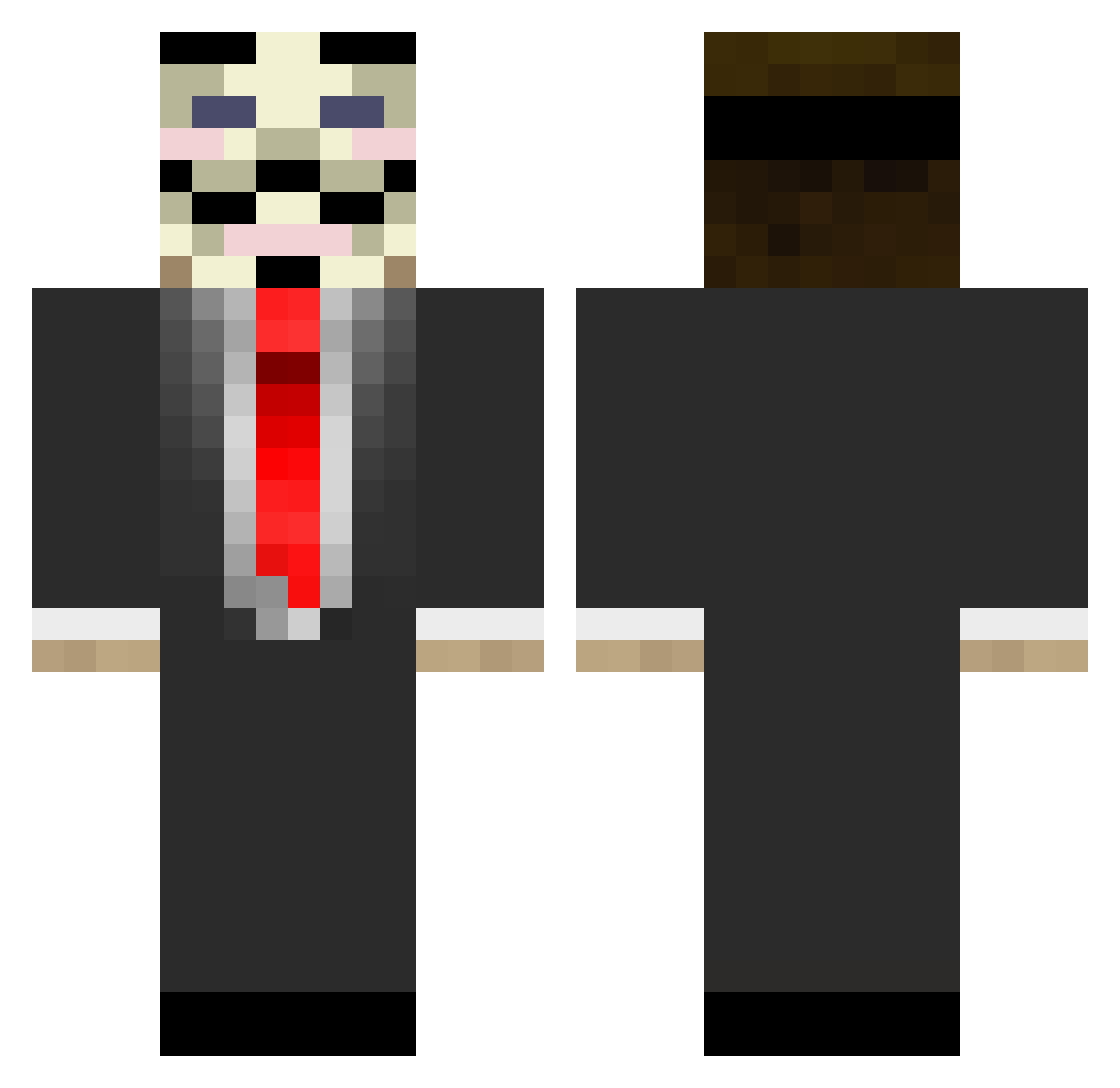
Current Minecraft skin of the player Wonderstefan, loaded from the official Mojang API. Rotate the 3D model with your mouse or finger, then download the skin as a PNG file and use it in Minecraft: Bedrock Edition or Java Edition for free. When Wonderstefan changes their skin, this page updates automatically and the old skin stays in the history below.
Other players with this skin (677)
Wonderstefan was the 577th player we have seen with this skin, first spotted on 10.10.2026. The same skin was seen on these players. Open a nickname to see their current skin and skin history.
 tygo074 yo_semite FrikkSagen Teh_Jay14 TheAnonymousHD OriginalCosmo AnToNy0643 bambam17 micker1313 Brazilianu LolitsPure Hety R2i_Lethal blooper5 darealmufasa 200mathias Don_James Vammmper turboman5000 fatalgrace Dragonxdvz Acebo Rodinhas11 Bearded_Judo Reesethor dr693r TooHighBTW lalito_10000 West_Coast_MC mozze_08 CharlPlays TibixGaming risklifesurvival GermanSlender trompede Mantequilla_ Tuleeyyy zredge gman11 Stryver_ Rbnal ZaartixD mitchlarry DogPiss terrieri2 yummyplate98 Froschwelle PappyFlap Flycoder Andreassim crazyjoe1998 magnusviktor20 Sheldingue Vacxine Deloach garissawe Moller412 RhymeTR PyroTecno TheRemember
More V For Vendetta Minecraft skins
See all 257 V For Vendetta skins
How to install the Wonderstefan skin
- Press the Download button above to save the skin as a PNG file.
- Minecraft: Bedrock Edition (PE): open the Dressing Room from the main menu (or tap your character → Edit Character), go to Classic Skins → Owned, press the + (new skin) button, choose the downloaded PNG and pick the Classic (Steve) model. Works on PC and mobile; consoles cannot import custom skins.
- Minecraft: Java Edition: open the Minecraft Launcher, go to the Skins tab, click New Skin, load the PNG, pick the Classic (Steve) model and press Save & Use. You can also upload it at minecraft.net → Profile → Change Skin.
The skin does not show up after import - what should I do?
Restart Minecraft and open the Dressing Room again - imported skins sometimes appear only after a restart. Also make sure you selected the imported skin and picked the Classic (Steve) model.
Which model should I choose, Classic or Slim?
This skin is designed for the Classic (Steve) model. If you pick the wrong model, the arms of the skin will look stretched or squeezed.
Is the skin of Wonderstefan free to download?
Yes. Press Download, save the PNG file and use it in Minecraft: Bedrock Edition or Java Edition - no payment or registration needed. The skin also works on multiplayer servers and Realms.
More skins
Looking for more? Go back to all Minecraft skins and check the top skins of the week, month and all time, or find any player's skin by nickname.