
WonderChutoy - Minecraft Skins & Skin History
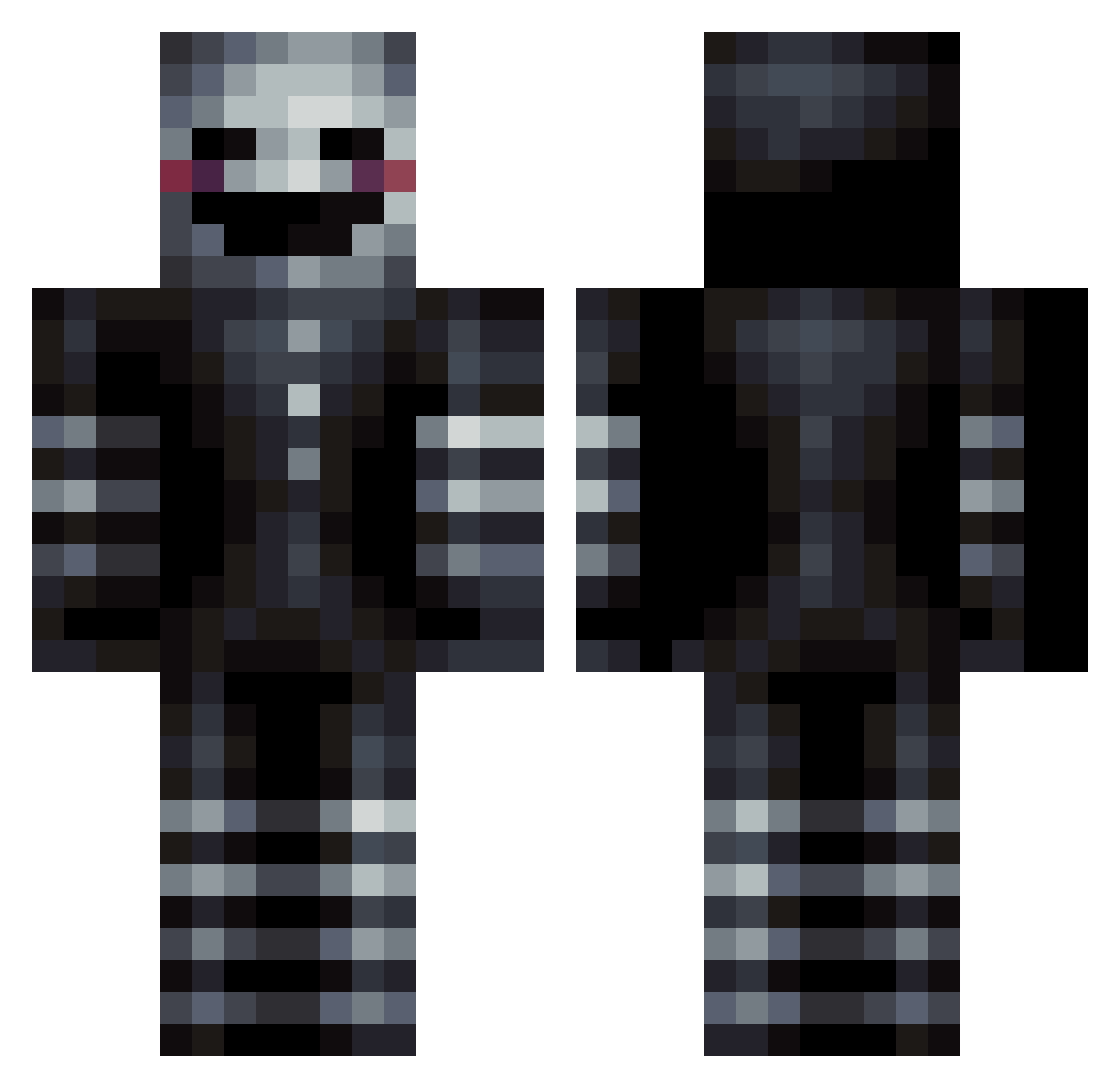
Current Minecraft skin of the player WonderChutoy, loaded from the official Mojang API. Rotate the 3D model with your mouse or finger, then download the skin as a PNG file and use it in Minecraft: Bedrock Edition or Java Edition for free. When WonderChutoy changes their skin, this page updates automatically and the old skin stays in the history below.
Other players with this skin (100)
WonderChutoy was the 76th player we have seen with this skin, first spotted on 11.10.2026. The same skin was seen on these players. Open a nickname to see their current skin and skin history.
 panconatun1 rungsahur Alanoxis JeezCraft TadejSd Catcraft4_0 Qerden Kil1220 cn_mc52 OreoCookie Erdem20093131 JDCo136 mothspine InsanityPlee Xime09 justhedoctor05 adog989 IrishDust TimeBomb20 Ganjafields palina_dura_ Novonaut GAJA5720 wond9r_ BLUEGAIMER Anoctist WingsOfFury JKCute Curtainer0 YerMawsGotBaws versus_2018 benitocamelo2842 Campbell_CNS Arso14 Shadowless1 daniel1098 Chief12134 Wayward_child AvengedCarlos Virus_118 QUANtum313 Trollskin1 XxCookiexX_1056 Wailo00 SoulLys Akitajsem ShadRyker MizanUwU sarahsnrxx MysteriousMipMop zisan2023 SamFringo69 sauvfh Corrupted_117 Seiwalker yMakaveli WHATUPNOW RaketenThomas stepagr PlateHand
More The Puppet Minecraft skins
How to install the WonderChutoy skin
- Press the Download button above to save the skin as a PNG file.
- Minecraft: Bedrock Edition (PE): open the Dressing Room from the main menu (or tap your character → Edit Character), go to Classic Skins → Owned, press the + (new skin) button, choose the downloaded PNG and pick the Classic (Steve) model. Works on PC and mobile; consoles cannot import custom skins.
- Minecraft: Java Edition: open the Minecraft Launcher, go to the Skins tab, click New Skin, load the PNG, pick the Classic (Steve) model and press Save & Use. You can also upload it at minecraft.net → Profile → Change Skin.
The skin does not show up after import - what should I do?
Restart Minecraft and open the Dressing Room again - imported skins sometimes appear only after a restart. Also make sure you selected the imported skin and picked the Classic (Steve) model.
Which model should I choose, Classic or Slim?
This skin is designed for the Classic (Steve) model. If you pick the wrong model, the arms of the skin will look stretched or squeezed.
Is the skin of WonderChutoy free to download?
Yes. Press Download, save the PNG file and use it in Minecraft: Bedrock Edition or Java Edition - no payment or registration needed. The skin also works on multiplayer servers and Realms.
More skins
Looking for more? Go back to all Minecraft skins and check the top skins of the week, month and all time, or find any player's skin by nickname.