
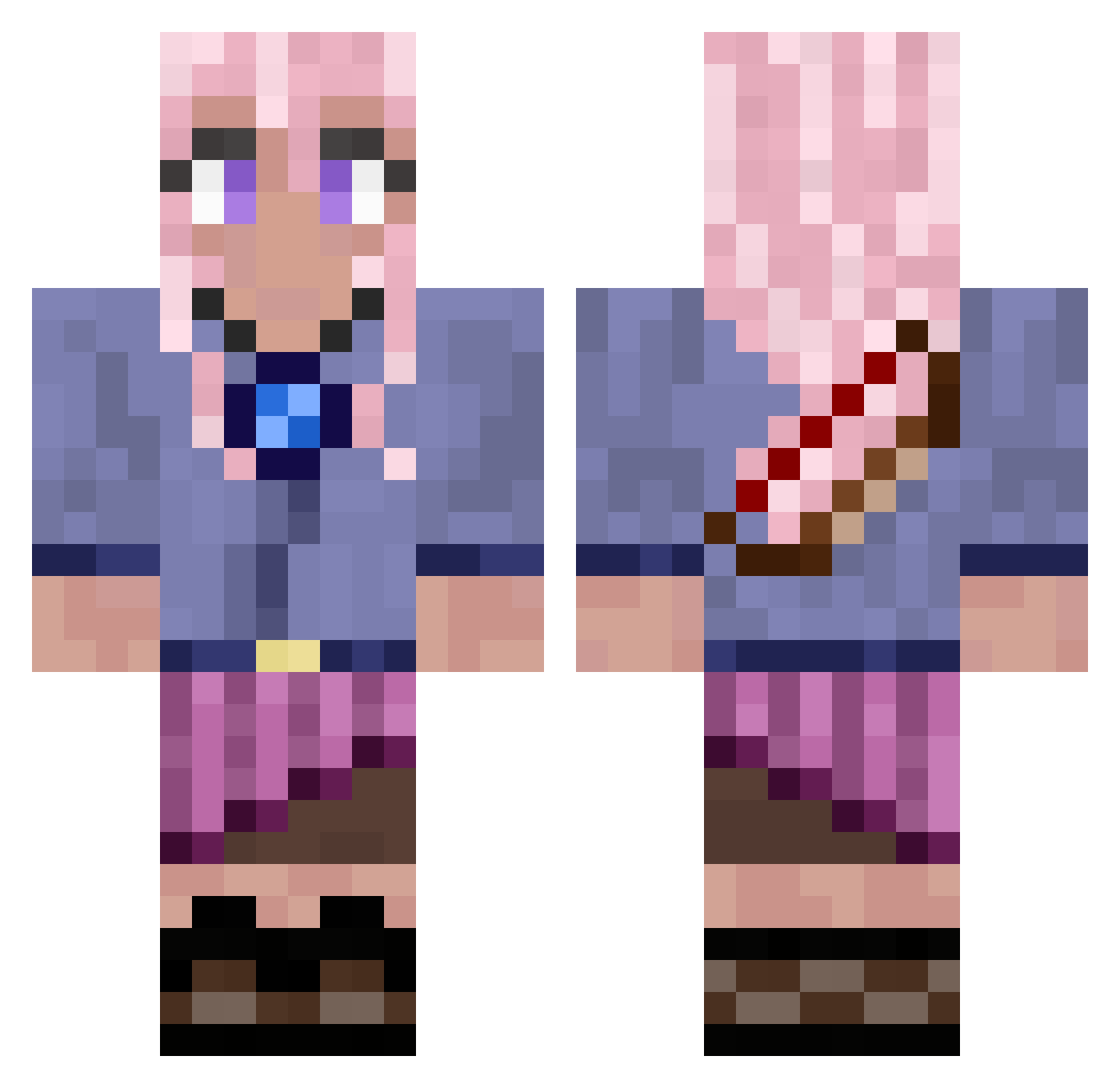
Current Minecraft skin of the player Wolfreg, loaded from the official Mojang API. Rotate the 3D model with your mouse or finger, then download the skin as a PNG file and use it in Minecraft: Bedrock Edition or Java Edition for free. When Wolfreg changes their skin, this page updates automatically and the old skin stays in the history below.
Other players with this skin (594)
Wolfreg was the 245th player we have seen with this skin, first spotted on 25.08.2026. The same skin was seen on these players. Open a nickname to see their current skin and skin history.
 dhdhdhee CourtKnee66 Nugg3ts04 gbjockey Solvyana bzxb eljordy12 itsnotbea wolfkin23 _gww Saskia_saskia Schadow145 Sayra61 Nemi0 Swampy_Potato 3rju Katti1804 sansui2007 PowerMan727 juicememe FrikiiGhost UgaUga13 Ghoulgiirl rasouza TheFoxScry KizuneYuri Maruko_0516 inddu123 zuckerblattlol Mystilux Andy_De Yka_2 saelzor ASH_Dobin12 Crazelpuff AllyGinger Fujisagi Frozen_Icequeen Blackwish13 epickatto Caliluvs Kin44 lavenderhazedd Amykinz Starshae Santi20001 LeonieChiara ponyUNICORN2345 sadieduhh King_essef Yammy13 Sweet_Beet sillyartful chacha9262 LunarMerissa Ratzeputzzz Jane_Dawn nochsoeinlouis
 doithus BenjyFranky
More Kyoko Kirigiri Minecraft skins
See all 51 Kyoko Kirigiri skins
How to install the Wolfreg skin
- Press the Download button above to save the skin as a PNG file.
- Minecraft: Bedrock Edition (PE): open the Dressing Room from the main menu (or tap your character → Edit Character), go to Classic Skins → Owned, press the + (new skin) button, choose the downloaded PNG and pick the Classic (Steve) model. Works on PC and mobile; consoles cannot import custom skins.
- Minecraft: Java Edition: open the Minecraft Launcher, go to the Skins tab, click New Skin, load the PNG, pick the Classic (Steve) model and press Save & Use. You can also upload it at minecraft.net → Profile → Change Skin.
The skin does not show up after import - what should I do?
Restart Minecraft and open the Dressing Room again - imported skins sometimes appear only after a restart. Also make sure you selected the imported skin and picked the Classic (Steve) model.
Which model should I choose, Classic or Slim?
This skin is designed for the Classic (Steve) model. If you pick the wrong model, the arms of the skin will look stretched or squeezed.
Is the skin of Wolfreg free to download?
Yes. Press Download, save the PNG file and use it in Minecraft: Bedrock Edition or Java Edition - no payment or registration needed. The skin also works on multiplayer servers and Realms.
More skins
Looking for more? Go back to all Minecraft skins and check the top skins of the week, month and all time, or find any player's skin by nickname.