
WolfraniuMT - Minecraft Skins & Skin History
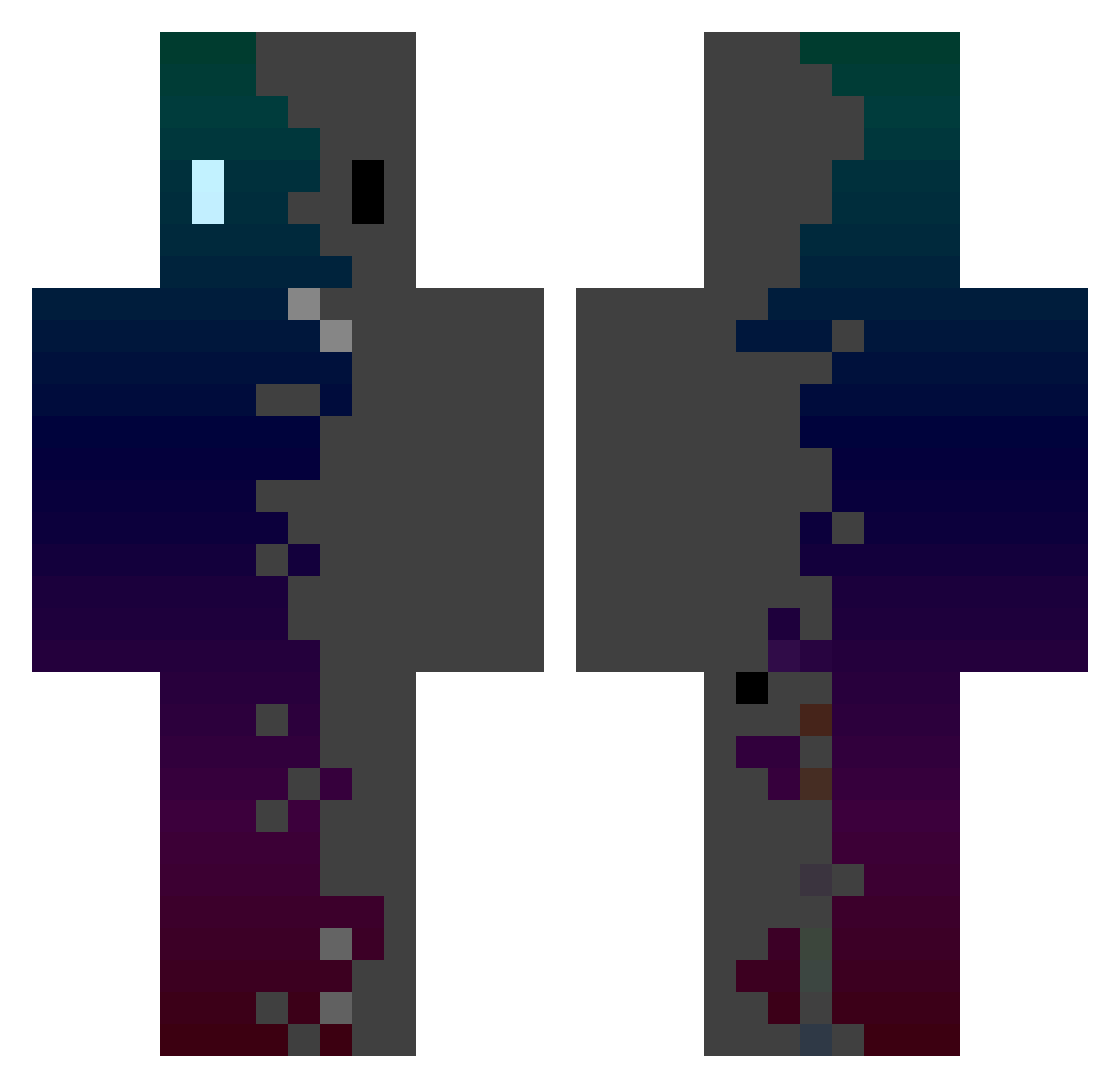
Current Minecraft skin of the player WolfraniuMT, loaded from the official Mojang API. Rotate the 3D model with your mouse or finger, then download the skin as a PNG file and use it in Minecraft: Bedrock Edition or Java Edition for free. When WolfraniuMT changes their skin, this page updates automatically and the old skin stays in the history below.
Other players with this skin (434)
WolfraniuMT was the 232nd player we have seen with this skin, first spotted on 27.09.2026. The same skin was seen on these players. Open a nickname to see their current skin and skin history.
 Eto1212forest Smokesermon S3bast1an1410 DefnotXiran WSCVO JxshJ fireball27go mimangZ Broghy Timycraz LemonTea4696 Squilliam1414 YouWStone msson1004 GVella I_Tata_I supermaar108 Winn_Dixie Psonsux Lentik DueGoose3145025 yookc gamemen981 sabashelron C00LKIDD00N73 Sotelo_ UltramanGala Zosster Limitlive09 Danibalistic LIONr6 dark_prince_0 Lestercoaster20 JuxnDzc06 Marik_Kriper 1_Junmo franini12 hsyzzzz AtomicV3 langzi28 Banana_French Yuvigor Demostro16 Du5tb1n KermitTheLog3 sAngz1 Etteriam sowinz0106 Jesidfer Torleni SAMIRIO_DC Ruyi0517 MCSIMILIANO Ds_king_king franciss15 yagoalves0102 Albert1203asa Gabrull hjywo BsL0410
How to install the WolfraniuMT skin
- Press the Download button above to save the skin as a PNG file.
- Minecraft: Bedrock Edition (PE): open the Dressing Room from the main menu (or tap your character → Edit Character), go to Classic Skins → Owned, press the + (new skin) button, choose the downloaded PNG and pick the Classic (Steve) model. Works on PC and mobile; consoles cannot import custom skins.
- Minecraft: Java Edition: open the Minecraft Launcher, go to the Skins tab, click New Skin, load the PNG, pick the Classic (Steve) model and press Save & Use. You can also upload it at minecraft.net → Profile → Change Skin.
The skin does not show up after import - what should I do?
Restart Minecraft and open the Dressing Room again - imported skins sometimes appear only after a restart. Also make sure you selected the imported skin and picked the Classic (Steve) model.
Which model should I choose, Classic or Slim?
This skin is designed for the Classic (Steve) model. If you pick the wrong model, the arms of the skin will look stretched or squeezed.
Is the skin of WolfraniuMT free to download?
Yes. Press Download, save the PNG file and use it in Minecraft: Bedrock Edition or Java Edition - no payment or registration needed. The skin also works on multiplayer servers and Realms.
More skins
Looking for more? Go back to all Minecraft skins and check the top skins of the week, month and all time, or find any player's skin by nickname.