
Wolanskyy - Minecraft Skins & Skin History
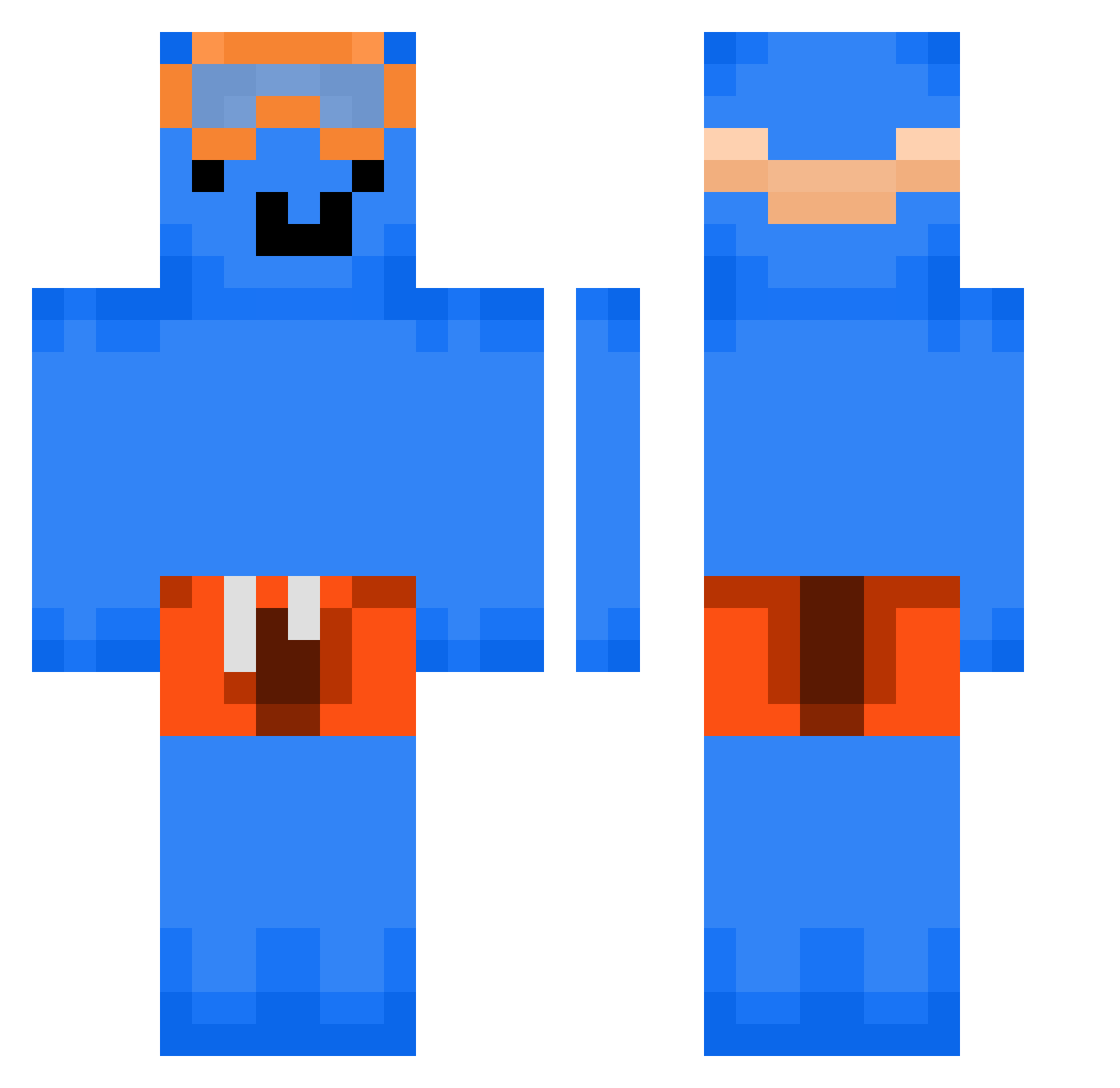
Current Minecraft skin of the player Wolanskyy, loaded from the official Mojang API. Rotate the 3D model with your mouse or finger, then download the skin as a PNG file and use it in Minecraft: Bedrock Edition or Java Edition for free. When Wolanskyy changes their skin, this page updates automatically and the old skin stays in the history below.
Other players with this skin (294)
Wolanskyy was the 19th player we have seen with this skin, first spotted on 29.07.2026. The same skin was seen on these players. Open a nickname to see their current skin and skin history.
 Marcel070809
 ValsheStony Samppimafia1 0reia MS_FR4
 zojet itsvaction mahitow bilalreissss Yoer
 nemvsiekk Dat176
 AvanPete GrzyweczkaBiceps ItzYangVN
 xWesy Nus2010 MythicalSNKG
 KaasBanaanMC TeykenLeFou apyrite Utimeity13 zafesone1 Ethanollo jjin5279 xiaozhu1221 TrigGoldvuu addieg1209 itzkunai charles097908
 ReTianWang455
 F3LIX6666 CHEZ55 WinSY_ oGuiga _boblinfan123 solaec_ brodnado monty_sillybert4 jnrw0 johny_123 profile_zero Rexolu 298mm Yuheng1015 mouchex ChenSwell_DE 11111_000000 GREYGO7 NoScopeLegend123
 js0718 Karma725
 Sky_CraftTV JLWasax prime_meysam1 bluesm Tzi_srHWn_06_09
 vitin_22 MessyMan5 Denuuuuu
More Swimmer Minecraft skins
How to install the Wolanskyy skin
- Press the Download button above to save the skin as a PNG file.
- Minecraft: Bedrock Edition (PE): open the Dressing Room from the main menu (or tap your character → Edit Character), go to Classic Skins → Owned, press the + (new skin) button, choose the downloaded PNG and pick the Classic (Steve) model. Works on PC and mobile; consoles cannot import custom skins.
- Minecraft: Java Edition: open the Minecraft Launcher, go to the Skins tab, click New Skin, load the PNG, pick the Classic (Steve) model and press Save & Use. You can also upload it at minecraft.net → Profile → Change Skin.
The skin does not show up after import - what should I do?
Restart Minecraft and open the Dressing Room again - imported skins sometimes appear only after a restart. Also make sure you selected the imported skin and picked the Classic (Steve) model.
Which model should I choose, Classic or Slim?
This skin is designed for the Classic (Steve) model. If you pick the wrong model, the arms of the skin will look stretched or squeezed.
Is the skin of Wolanskyy free to download?
Yes. Press Download, save the PNG file and use it in Minecraft: Bedrock Edition or Java Edition - no payment or registration needed. The skin also works on multiplayer servers and Realms.
More skins
Looking for more? Go back to all Minecraft skins and check the top skins of the week, month and all time, or find any player's skin by nickname.