
WinneDaPooh - Minecraft Skins & Skin History
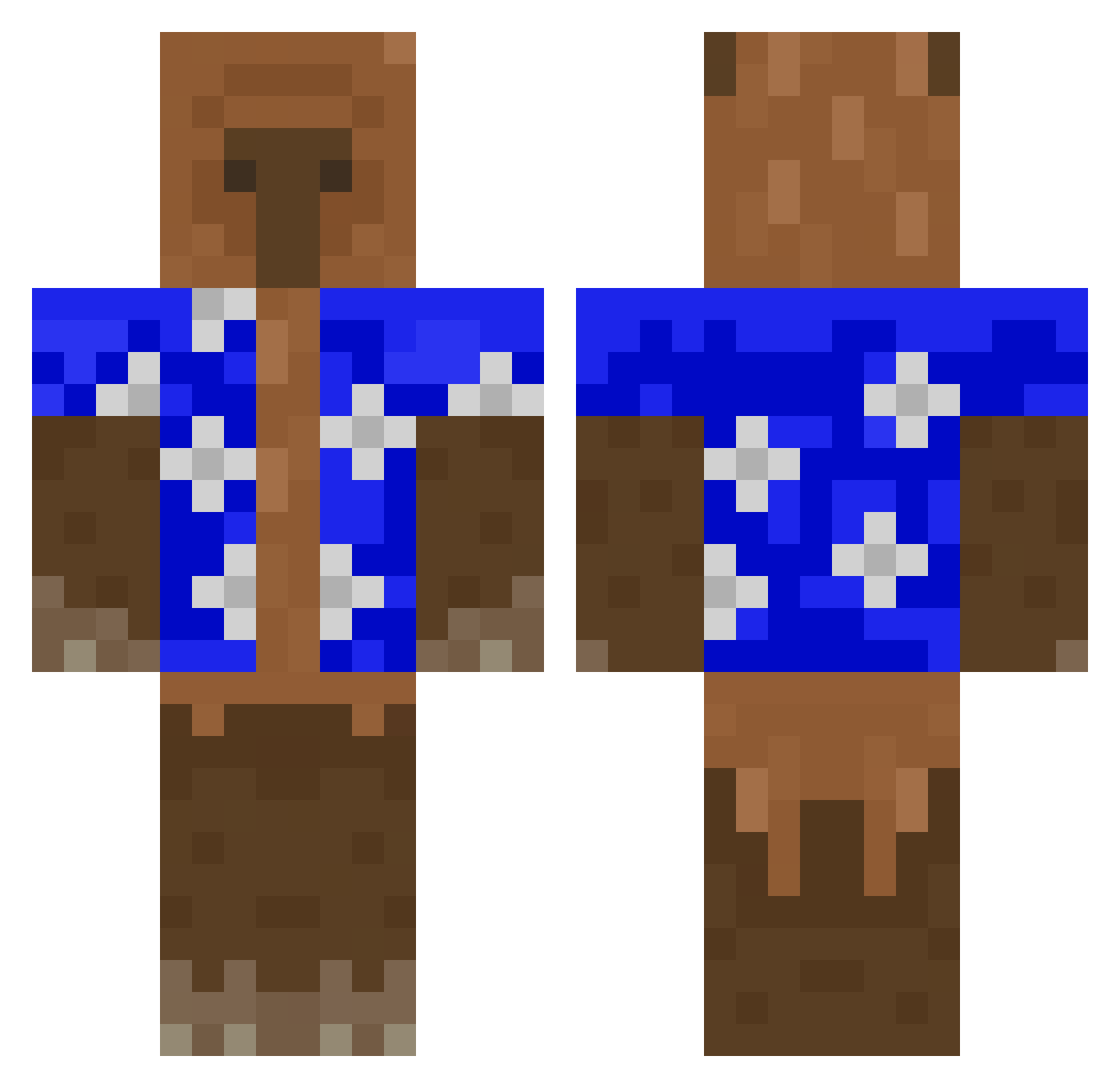
Current Minecraft skin of the player WinneDaPooh, loaded from the official Mojang API. Rotate the 3D model with your mouse or finger, then download the skin as a PNG file and use it in Minecraft: Bedrock Edition or Java Edition for free. When WinneDaPooh changes their skin, this page updates automatically and the old skin stays in the history below.
Other players with this skin (426)
WinneDaPooh was the 86th player we have seen with this skin, first spotted on 15.08.2026. The same skin was seen on these players. Open a nickname to see their current skin and skin history.
 NinjaKobra nomsod1111 Davichenko Confused_Crafter Sodoum5 Capybaras_ Trinxd_ ItsDDosu CandyMp4 Dakieles shchaulik DandyJenks pawekosik GORDITO_BELLO solidtrout Sub2Yune MegaMallewof Matygamer001 PogSpam AnGlozy lepster santy162911 D4RD18 hue_xxx JelloShark_ Extlnct
 Softboi123 ThiccJustaa aWalid Nogihen1 cre8tiveLiam Alulu0516 Kralu683 noyzzzzzz isntcindy Hyuun1024 lolipoi8 yotke01 ChrisBCM booba23 PiggyNoah2121 hima_6515 Egoisu Vineer _BRITE_ PatasLover AcidMango274 Juanmeeta dyl_dyl5 DingoBoio simonx1209 Tanzbaer5493 ItzGlazze nuggetdelmc
 Zzero1 luigisvag 0xSeichs DeMiwelvl lord_enrick Lambrusco_
More Bear Minecraft skins
How to install the WinneDaPooh skin
- Press the Download button above to save the skin as a PNG file.
- Minecraft: Bedrock Edition (PE): open the Dressing Room from the main menu (or tap your character → Edit Character), go to Classic Skins → Owned, press the + (new skin) button, choose the downloaded PNG and pick the Classic (Steve) model. Works on PC and mobile; consoles cannot import custom skins.
- Minecraft: Java Edition: open the Minecraft Launcher, go to the Skins tab, click New Skin, load the PNG, pick the Classic (Steve) model and press Save & Use. You can also upload it at minecraft.net → Profile → Change Skin.
The skin does not show up after import - what should I do?
Restart Minecraft and open the Dressing Room again - imported skins sometimes appear only after a restart. Also make sure you selected the imported skin and picked the Classic (Steve) model.
Which model should I choose, Classic or Slim?
This skin is designed for the Classic (Steve) model. If you pick the wrong model, the arms of the skin will look stretched or squeezed.
Is the skin of WinneDaPooh free to download?
Yes. Press Download, save the PNG file and use it in Minecraft: Bedrock Edition or Java Edition - no payment or registration needed. The skin also works on multiplayer servers and Realms.
More skins
Looking for more? Go back to all Minecraft skins and check the top skins of the week, month and all time, or find any player's skin by nickname.