
WingsOfClash - Minecraft Skins & Skin History
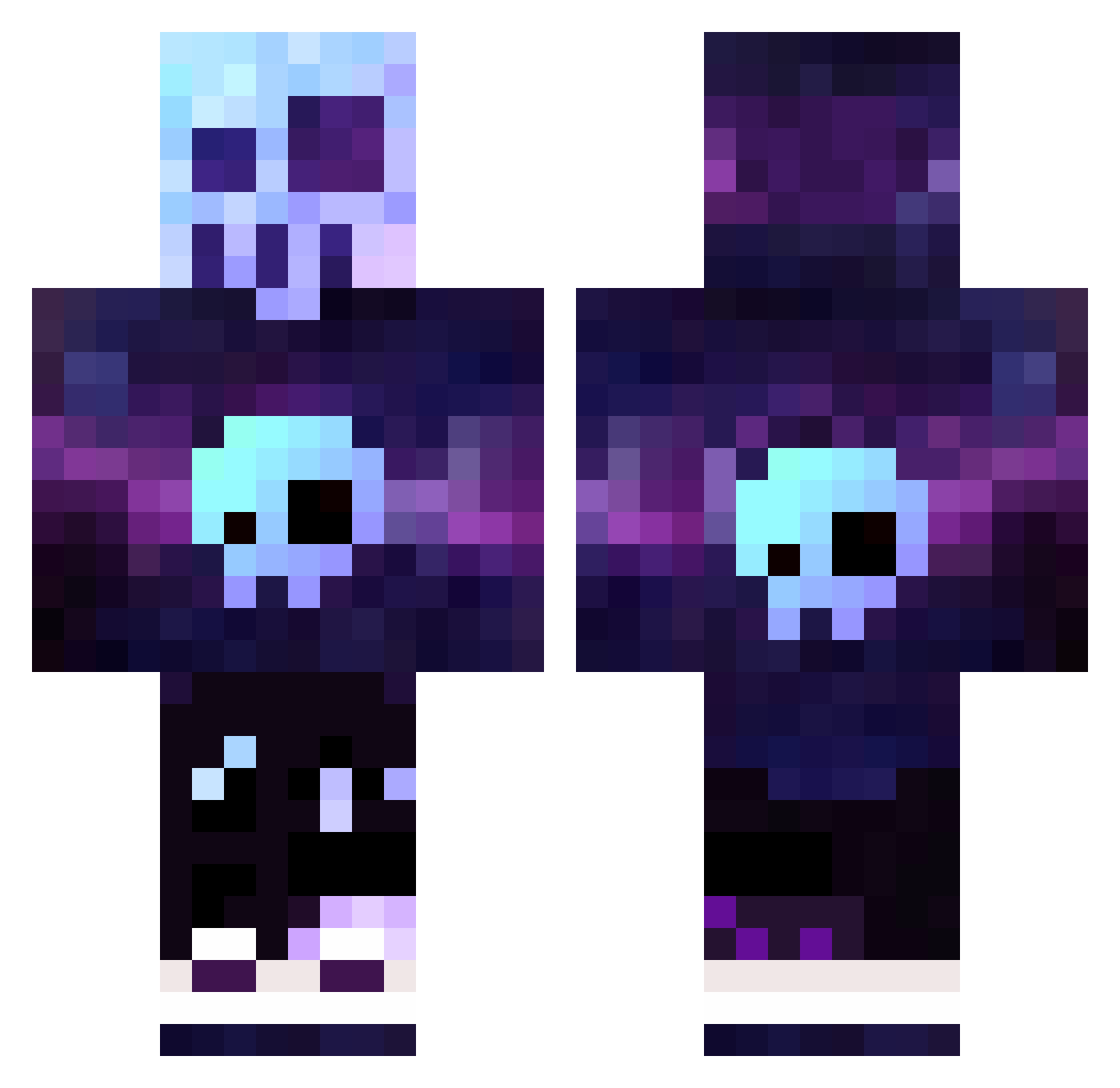
Current Minecraft skin of the player WingsOfClash, loaded from the official Mojang API. Rotate the 3D model with your mouse or finger, then download the skin as a PNG file and use it in Minecraft: Bedrock Edition or Java Edition for free. When WingsOfClash changes their skin, this page updates automatically and the old skin stays in the history below.
Other players with this skin (321)
WingsOfClash was the 293rd player we have seen with this skin, first spotted on 16.10.2026. The same skin was seen on these players. Open a nickname to see their current skin and skin history.
 ReportAlex MadDawg0321 Skeleon Solaceh xScissor Bigboom2333333 JaySwivs96 Lemp972 Super_Nicki Izanini diamondcart903 you23 Kailloi CoRpSeLoCo YN99 JupiterGian Hwan_ta08 Veneskym __XDKILLERDX__ Char0n_ picklepants0320 BrenDanteUK Phoeeniixx Saasenberg jayking21 PersonTest Craftysheep108 TrulyGalaxy lawangla BabyJon2000 rednaxela55 THOMAS_2008 mael11234578457 Erick_P Bomel86 Qbert2030 superfandap Wolfboyy99 UnlegitFalcon SweAnden RikzKZ80 Blamkin Slaim_ BaristaMP Nyvar1987 ERIKCAR Thomlodex StoreMaker MiguelMarrugo eTherghost_1 ehrh Essential_MC Viralight redOMEGA_ Rickraft33 TheFreezeBee FIDA7 ganman08 Prad016 Mik12457
More Nebula Minecraft skins
How to install the WingsOfClash skin
- Press the Download button above to save the skin as a PNG file.
- Minecraft: Bedrock Edition (PE): open the Dressing Room from the main menu (or tap your character → Edit Character), go to Classic Skins → Owned, press the + (new skin) button, choose the downloaded PNG and pick the Classic (Steve) model. Works on PC and mobile; consoles cannot import custom skins.
- Minecraft: Java Edition: open the Minecraft Launcher, go to the Skins tab, click New Skin, load the PNG, pick the Classic (Steve) model and press Save & Use. You can also upload it at minecraft.net → Profile → Change Skin.
The skin does not show up after import - what should I do?
Restart Minecraft and open the Dressing Room again - imported skins sometimes appear only after a restart. Also make sure you selected the imported skin and picked the Classic (Steve) model.
Which model should I choose, Classic or Slim?
This skin is designed for the Classic (Steve) model. If you pick the wrong model, the arms of the skin will look stretched or squeezed.
Is the skin of WingsOfClash free to download?
Yes. Press Download, save the PNG file and use it in Minecraft: Bedrock Edition or Java Edition - no payment or registration needed. The skin also works on multiplayer servers and Realms.
More skins
Looking for more? Go back to all Minecraft skins and check the top skins of the week, month and all time, or find any player's skin by nickname.