
Willgom - Minecraft Skins & Skin History
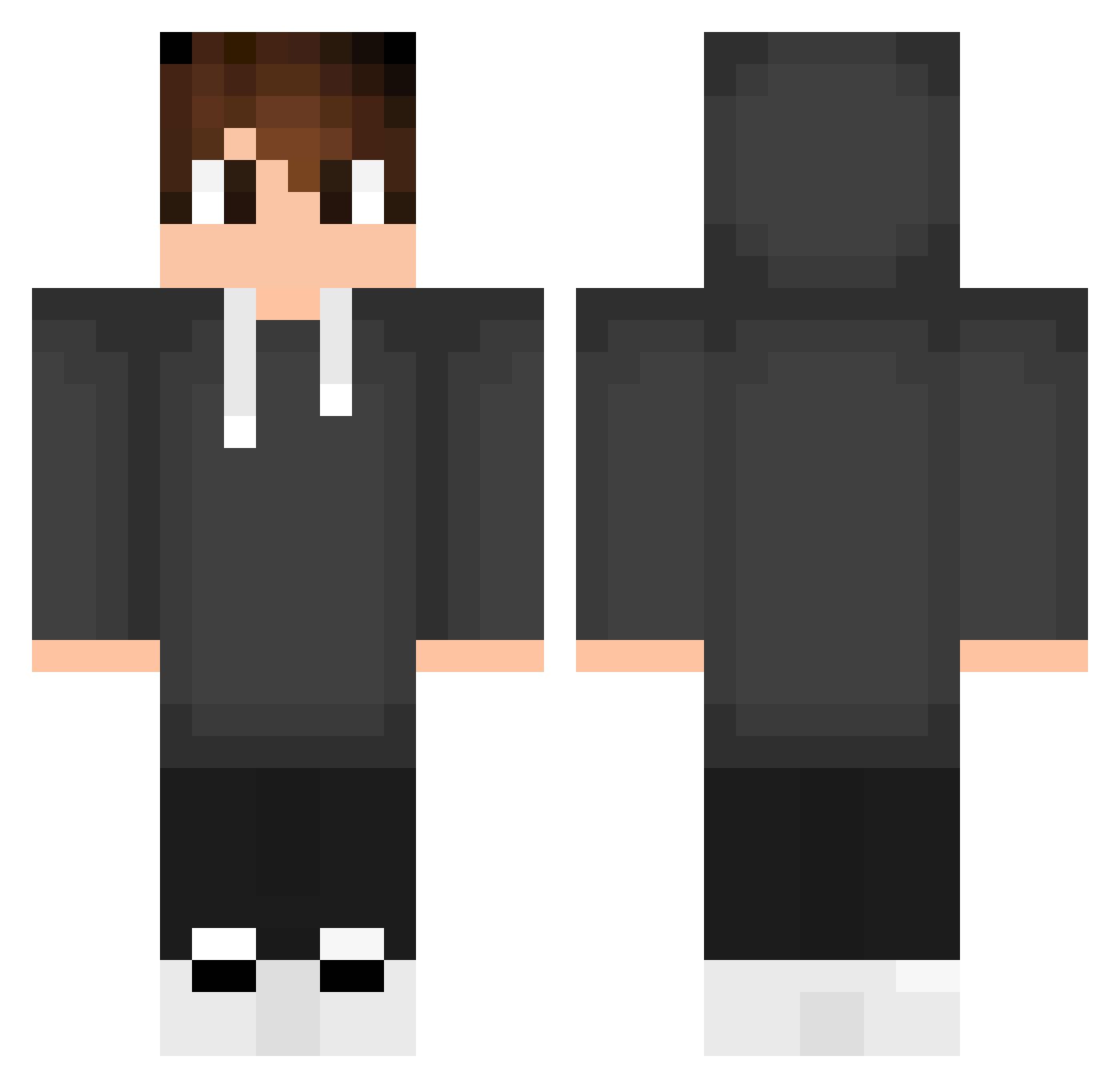
Current Minecraft skin of the player Willgom, loaded from the official Mojang API. Rotate the 3D model with your mouse or finger, then download the skin as a PNG file and use it in Minecraft: Bedrock Edition or Java Edition for free. When Willgom changes their skin, this page updates automatically and the old skin stays in the history below.
Other players with this skin (553)
Willgom was the 25th player we have seen with this skin, first spotted on 30.07.2026. The same skin was seen on these players. Open a nickname to see their current skin and skin history.
 VascoDaGama0 Nk_16 Pitaro_pi VITEXXS Zibel _Nishio_ DROPDEADGG Forzaa_x VizzelL TDucTryHard llfreire Brainpro3008 ChinaGuyWithBBC MaximusXZ Succinttitan19 jatop Vight25 brianbrtgn1004 Tyler5922 LucasGFA Tucojunior llutku01 kai4078 HCheaF JerryFg Marcusss18 Sebastian_20024 Alli_Ace Pat_Kot HerrJaeger cc_cris Cirelli_ lemon5315 DeraGod Rhuannfps Saber_Gamer omar27 takuto2006 MaltaJM vnzyto spoconyigorek5 GonzaloTreck Sciumino VirtuTrix TobatSek WolfCraft_Br QKhanh999 quinalty0 Koxyy1 3DU4RDOLOP3S PeacefulJanosch Foni_X_ xFurinx Armin100 Samx30 Nireal gabiizzy Alex034Gl Thastroo Your_Pickle
How to install the Willgom skin
- Press the Download button above to save the skin as a PNG file.
- Minecraft: Bedrock Edition (PE): open the Dressing Room from the main menu (or tap your character → Edit Character), go to Classic Skins → Owned, press the + (new skin) button, choose the downloaded PNG and pick the Classic (Steve) model. Works on PC and mobile; consoles cannot import custom skins.
- Minecraft: Java Edition: open the Minecraft Launcher, go to the Skins tab, click New Skin, load the PNG, pick the Classic (Steve) model and press Save & Use. You can also upload it at minecraft.net → Profile → Change Skin.
The skin does not show up after import - what should I do?
Restart Minecraft and open the Dressing Room again - imported skins sometimes appear only after a restart. Also make sure you selected the imported skin and picked the Classic (Steve) model.
Which model should I choose, Classic or Slim?
This skin is designed for the Classic (Steve) model. If you pick the wrong model, the arms of the skin will look stretched or squeezed.
Is the skin of Willgom free to download?
Yes. Press Download, save the PNG file and use it in Minecraft: Bedrock Edition or Java Edition - no payment or registration needed. The skin also works on multiplayer servers and Realms.
More skins
Looking for more? Go back to all Minecraft skins and check the top skins of the week, month and all time, or find any player's skin by nickname.