
Wilanse2000 - Minecraft Skins & Skin History
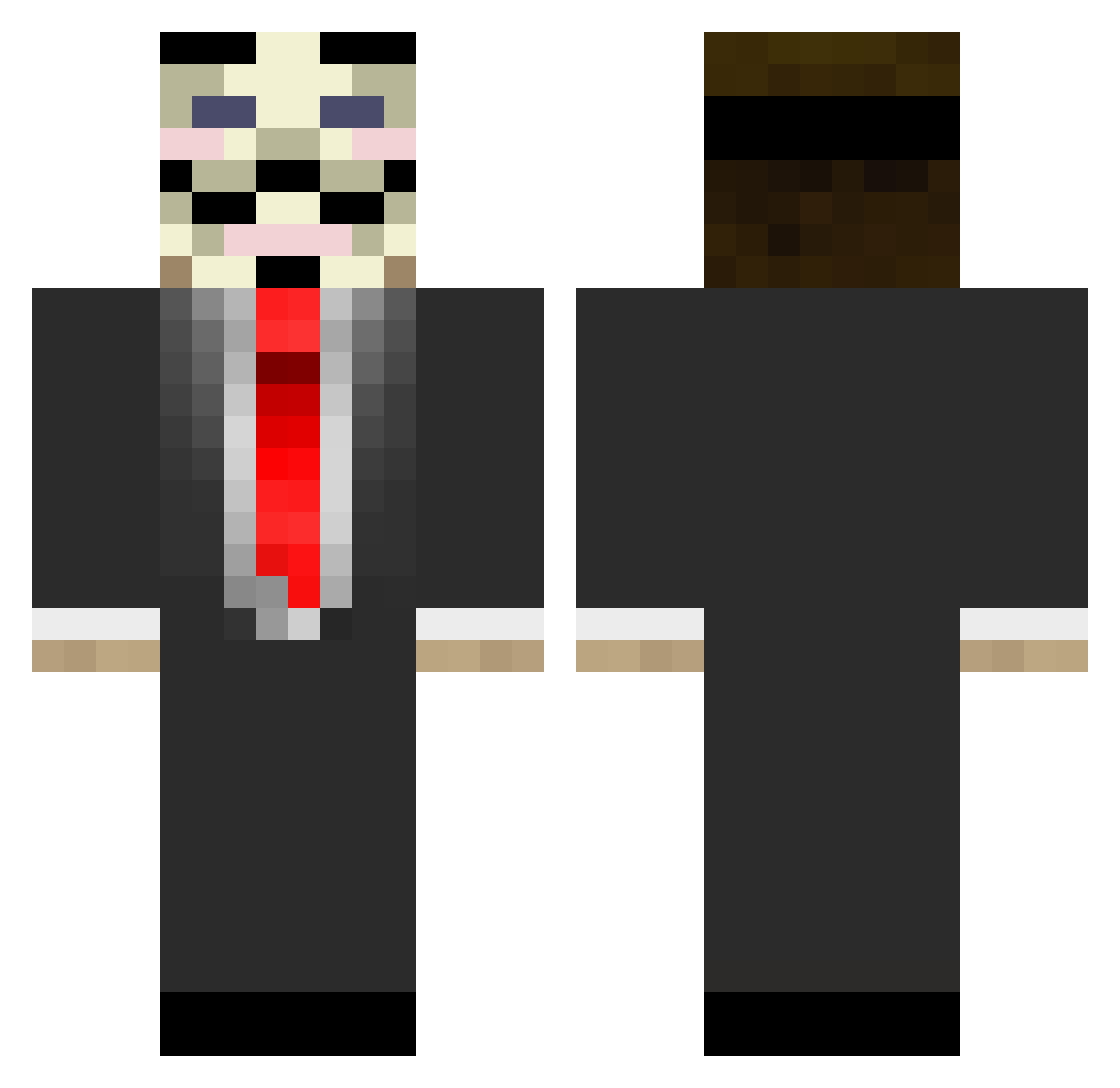
Current Minecraft skin of the player Wilanse2000, loaded from the official Mojang API. Rotate the 3D model with your mouse or finger, then download the skin as a PNG file and use it in Minecraft: Bedrock Edition or Java Edition for free. When Wilanse2000 changes their skin, this page updates automatically and the old skin stays in the history below.
Other players with this skin (644)
Wilanse2000 was the 244th player we have seen with this skin, first spotted on 29.08.2026. The same skin was seen on these players. Open a nickname to see their current skin and skin history.
 Sulphurrrr Cloudzers jkAAAZ lil_hooligan flaktok S5G5 BlipGnome Cubblee alexhelen Dahus ToxicBreach1400 saschamaster4813 say_plays PRCda_guo jackquackattack Papa_Fleepy Dewo4ka FakedMountain14 nickskull SoLo_SiRe a3con Borris0005 asihana jurgen2002 DDoSDOXSwat LuuXx bomblund AUBA_0909 Jhon_Plays beatjamesbond julinjr Froskaheftur MrDJLaw BarryEpic Markuzcon1 Immune Metworst xXJulienXx12 Zngelus samtherabbit _Axwell_ henry044 Cyberleopard SixZeroTwo CleanFist DannyHowell imminator_ hapakama winello Noccin bonerfarts_king jagdeule Liam688 PierreP02 Avybruh brownyHD DieRouterDie anonymous_people teetsi10 Stembi26
More V For Vendetta Minecraft skins
See all 244 V For Vendetta skins
How to install the Wilanse2000 skin
- Press the Download button above to save the skin as a PNG file.
- Minecraft: Bedrock Edition (PE): open the Dressing Room from the main menu (or tap your character → Edit Character), go to Classic Skins → Owned, press the + (new skin) button, choose the downloaded PNG and pick the Classic (Steve) model. Works on PC and mobile; consoles cannot import custom skins.
- Minecraft: Java Edition: open the Minecraft Launcher, go to the Skins tab, click New Skin, load the PNG, pick the Classic (Steve) model and press Save & Use. You can also upload it at minecraft.net → Profile → Change Skin.
The skin does not show up after import - what should I do?
Restart Minecraft and open the Dressing Room again - imported skins sometimes appear only after a restart. Also make sure you selected the imported skin and picked the Classic (Steve) model.
Which model should I choose, Classic or Slim?
This skin is designed for the Classic (Steve) model. If you pick the wrong model, the arms of the skin will look stretched or squeezed.
Is the skin of Wilanse2000 free to download?
Yes. Press Download, save the PNG file and use it in Minecraft: Bedrock Edition or Java Edition - no payment or registration needed. The skin also works on multiplayer servers and Realms.
More skins
Looking for more? Go back to all Minecraft skins and check the top skins of the week, month and all time, or find any player's skin by nickname.