
Wiktoreq23 - Minecraft Skins & Skin History
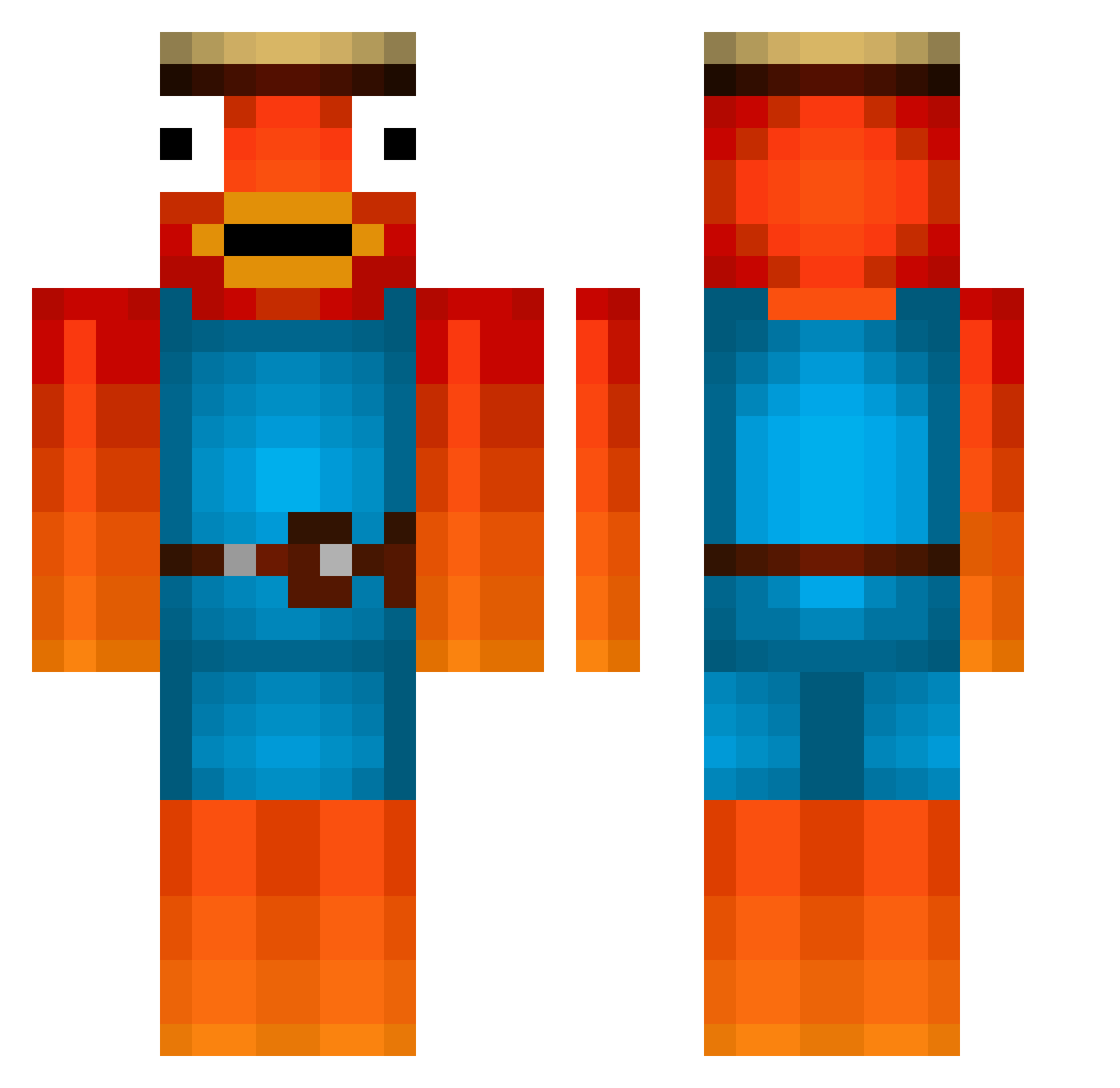
Current Minecraft skin of the player Wiktoreq23, loaded from the official Mojang API. Rotate the 3D model with your mouse or finger, then download the skin as a PNG file and use it in Minecraft: Bedrock Edition or Java Edition for free. When Wiktoreq23 changes their skin, this page updates automatically and the old skin stays in the history below.
Other players with this skin (476)
Wiktoreq23 was the 49th player we have seen with this skin, first spotted on 07.08.2026. The same skin was seen on these players. Open a nickname to see their current skin and skin history.
 muggesh Tomolivee FiSi0426 Hasbulla_14 FrecherFich rinta25h Anciomine rhys234 H1M4 tessarion_jsayin Dubnation22 ibarkformywife Yaki_MC kisacamete SooshBird TurboPoptart45 Thanos6283 SlaZe_ megablocks333 HALTEVERBOT_TV Eliasskill_YT Bruh7200 Lemoka lolichbincool xMattis09 LeviJansen2005 Nuffbi ParbaSarba23 tijolhin Ivansexy flotzikowski yonickk RoyalXcorpion CabezaAlcachofa MakroneDrache16 ANG703 oTrIeXaK FeuerwehrChef Shokshok _Nerly TTVkibboo_ Tannpirkeren LittleJopje Stonecamper Ole0301 Laurits0 Kakashiiii LilKotto AliBabaTheReal9 Arvid9009 Physcosloth derWAHREfisch123 dark_kalash pAzU002 Osssi128 adw9 DragonReaper_ RuiSen24 PrismCobra RhymswthOrng
More Fishstick Minecraft skins
How to install the Wiktoreq23 skin
- Press the Download button above to save the skin as a PNG file.
- Minecraft: Bedrock Edition (PE): open the Dressing Room from the main menu (or tap your character → Edit Character), go to Classic Skins → Owned, press the + (new skin) button, choose the downloaded PNG and pick the Classic (Steve) model. Works on PC and mobile; consoles cannot import custom skins.
- Minecraft: Java Edition: open the Minecraft Launcher, go to the Skins tab, click New Skin, load the PNG, pick the Classic (Steve) model and press Save & Use. You can also upload it at minecraft.net → Profile → Change Skin.
The skin does not show up after import - what should I do?
Restart Minecraft and open the Dressing Room again - imported skins sometimes appear only after a restart. Also make sure you selected the imported skin and picked the Classic (Steve) model.
Which model should I choose, Classic or Slim?
This skin is designed for the Classic (Steve) model. If you pick the wrong model, the arms of the skin will look stretched or squeezed.
Is the skin of Wiktoreq23 free to download?
Yes. Press Download, save the PNG file and use it in Minecraft: Bedrock Edition or Java Edition - no payment or registration needed. The skin also works on multiplayer servers and Realms.
More skins
Looking for more? Go back to all Minecraft skins and check the top skins of the week, month and all time, or find any player's skin by nickname.