
Whyzzyk - Minecraft Skins & Skin History
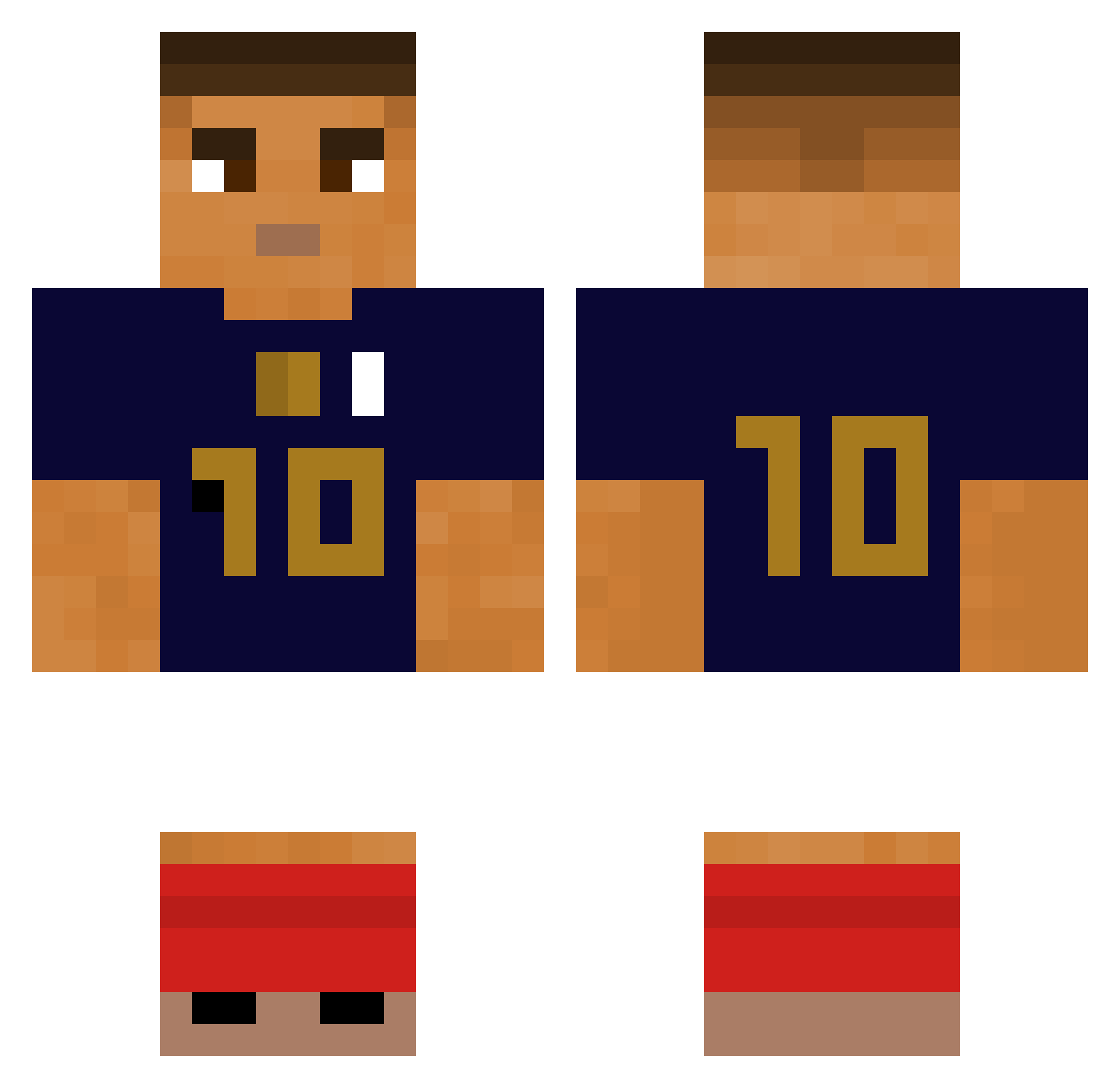
Current Minecraft skin of the player Whyzzyk, loaded from the official Mojang API. Rotate the 3D model with your mouse or finger, then download the skin as a PNG file and use it in Minecraft: Bedrock Edition or Java Edition for free. When Whyzzyk changes their skin, this page updates automatically and the old skin stays in the history below.
Other players with this skin (280)
Whyzzyk was the 43rd player we have seen with this skin, first spotted on 10.08.2026. The same skin was seen on these players. Open a nickname to see their current skin and skin history.
 streetdelpatron Errsel KapiToster123 SutluKopukluu AdamooPog KuzeyTekinoglu kanc16yo monsieurcrocs
 PabloTrung_99 KingLeoYtb MadameBzez Mqrtinox_ FIOTIN gyrosphine Zephyr_922 AwoX_ queicopiucks MLS_timeo Byaleex Lolomo112 pawelolo Nanouuuuuuu Osk4rek_ ByLioX Mehkdoz Warzinha Stephan2825 Leozinhonho groseillee Lilboy10 Scantr4xx Marica0126 karnagesin Marczar77 Skioa KylianMbappe10 Kongin chalmdawg n9i yongjoony zRapidFire legendexfps FloPat Faze_Light12 5metas emmaboy fil_zone unwrittenHD Gu1m4 Qkrek ROLLINGGAON Theos7 ElPacheco07 BurgerSkull TuSleepSurTaCG kainho1 Hydra01 hjw783 PrimaSun GardenZada
More Kylian Mbappe Minecraft skins
See all 33 Kylian Mbappe skins
How to install the Whyzzyk skin
- Press the Download button above to save the skin as a PNG file.
- Minecraft: Bedrock Edition (PE): open the Dressing Room from the main menu (or tap your character → Edit Character), go to Classic Skins → Owned, press the + (new skin) button, choose the downloaded PNG and pick the Classic (Steve) model. Works on PC and mobile; consoles cannot import custom skins.
- Minecraft: Java Edition: open the Minecraft Launcher, go to the Skins tab, click New Skin, load the PNG, pick the Classic (Steve) model and press Save & Use. You can also upload it at minecraft.net → Profile → Change Skin.
The skin does not show up after import - what should I do?
Restart Minecraft and open the Dressing Room again - imported skins sometimes appear only after a restart. Also make sure you selected the imported skin and picked the Classic (Steve) model.
Which model should I choose, Classic or Slim?
This skin is designed for the Classic (Steve) model. If you pick the wrong model, the arms of the skin will look stretched or squeezed.
Is the skin of Whyzzyk free to download?
Yes. Press Download, save the PNG file and use it in Minecraft: Bedrock Edition or Java Edition - no payment or registration needed. The skin also works on multiplayer servers and Realms.
More skins
Looking for more? Go back to all Minecraft skins and check the top skins of the week, month and all time, or find any player's skin by nickname.