
WhichFemboy - Minecraft Skins & Skin History
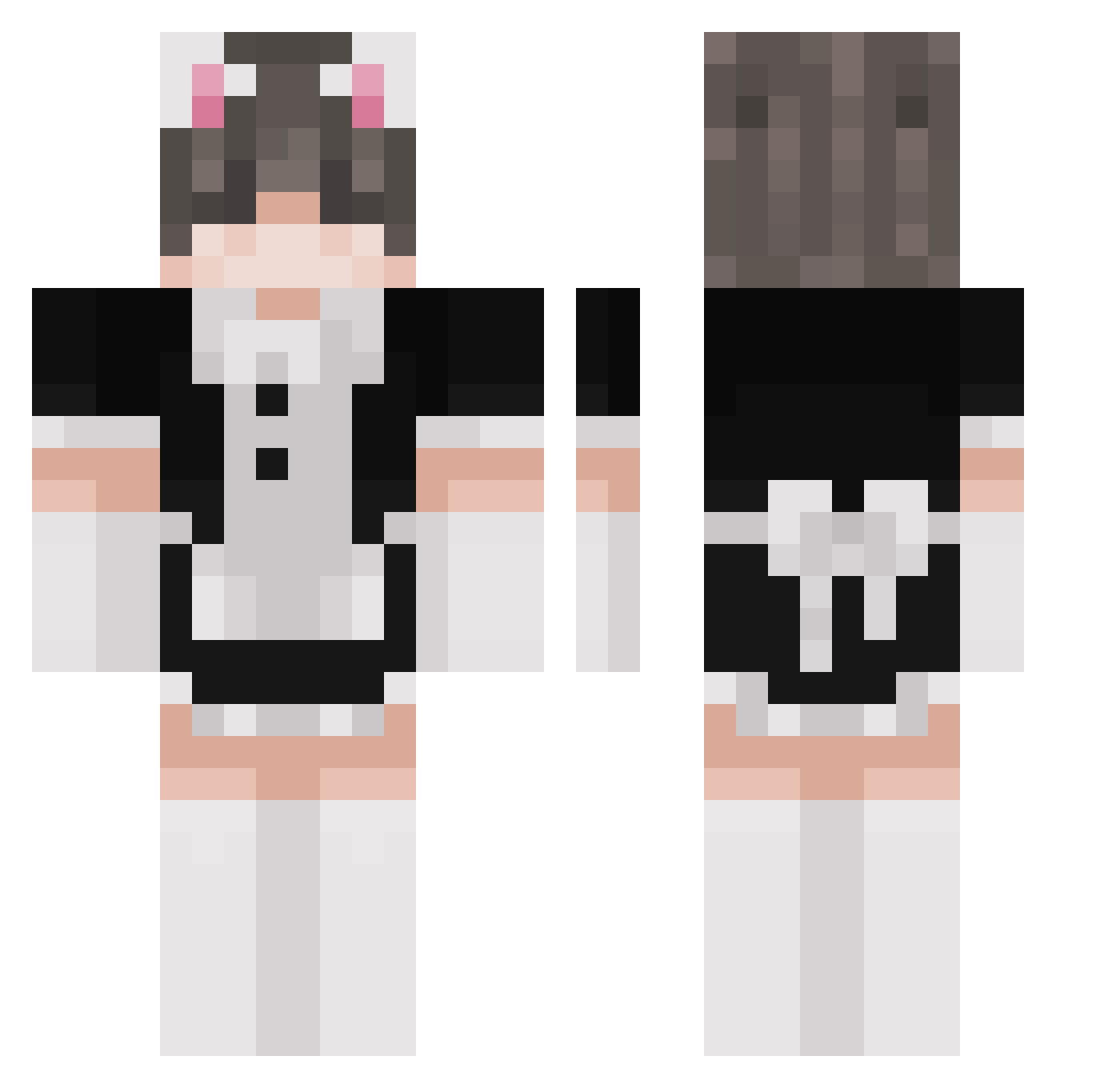
Current Minecraft skin of the player WhichFemboy, loaded from the official Mojang API. Rotate the 3D model with your mouse or finger, then download the skin as a PNG file and use it in Minecraft: Bedrock Edition or Java Edition for free. When WhichFemboy changes their skin, this page updates automatically and the old skin stays in the history below.
Other players with this skin (261)
WhichFemboy was the 204th player we have seen with this skin, first spotted on 12.10.2026. The same skin was seen on these players. Open a nickname to see their current skin and skin history.
 hFinn RyantheHumble josqr akumsku _Juno_ Corn_on_the_orb Sawhivin MauWu525 dead_xmileq Skye_Lmao sassySigma TokyoToyBox PetelManor29 gman300028 lisekr2 _SP23 RemissCell89712 LouLouWaifu Aha5 N0t_Falk woshi66 spartiate24 thekitten8558 Croaker_BC sl1me0p Alex20Epic Tehma_Blade pf64 MeeMamak Braddonodaddo smugmfer _sspark_ nutcracker02 Drache_3 Ktso_ Max2103dog Luskut LittleBoombox hyndals TheeSlater mim123 Nicco56 debikv Dexter_993 7_zi Atomic1234567890 Petrik123 Nemesis_T001 xluisexx otsk IDEAShop Canbril Ellisuuu nebnebgecgec OvGrouch porkchop47_ WrozkaSalmonella Yuukek klisha Protazy551
More Maid Minecraft skins
How to install the WhichFemboy skin
- Press the Download button above to save the skin as a PNG file.
- Minecraft: Bedrock Edition (PE): open the Dressing Room from the main menu (or tap your character → Edit Character), go to Classic Skins → Owned, press the + (new skin) button, choose the downloaded PNG and pick the Classic (Steve) model. Works on PC and mobile; consoles cannot import custom skins.
- Minecraft: Java Edition: open the Minecraft Launcher, go to the Skins tab, click New Skin, load the PNG, pick the Classic (Steve) model and press Save & Use. You can also upload it at minecraft.net → Profile → Change Skin.
The skin does not show up after import - what should I do?
Restart Minecraft and open the Dressing Room again - imported skins sometimes appear only after a restart. Also make sure you selected the imported skin and picked the Classic (Steve) model.
Which model should I choose, Classic or Slim?
This skin is designed for the Classic (Steve) model. If you pick the wrong model, the arms of the skin will look stretched or squeezed.
Is the skin of WhichFemboy free to download?
Yes. Press Download, save the PNG file and use it in Minecraft: Bedrock Edition or Java Edition - no payment or registration needed. The skin also works on multiplayer servers and Realms.
More skins
Looking for more? Go back to all Minecraft skins and check the top skins of the week, month and all time, or find any player's skin by nickname.