
WetSocksMcGee420 - Minecraft Skins & Skin History
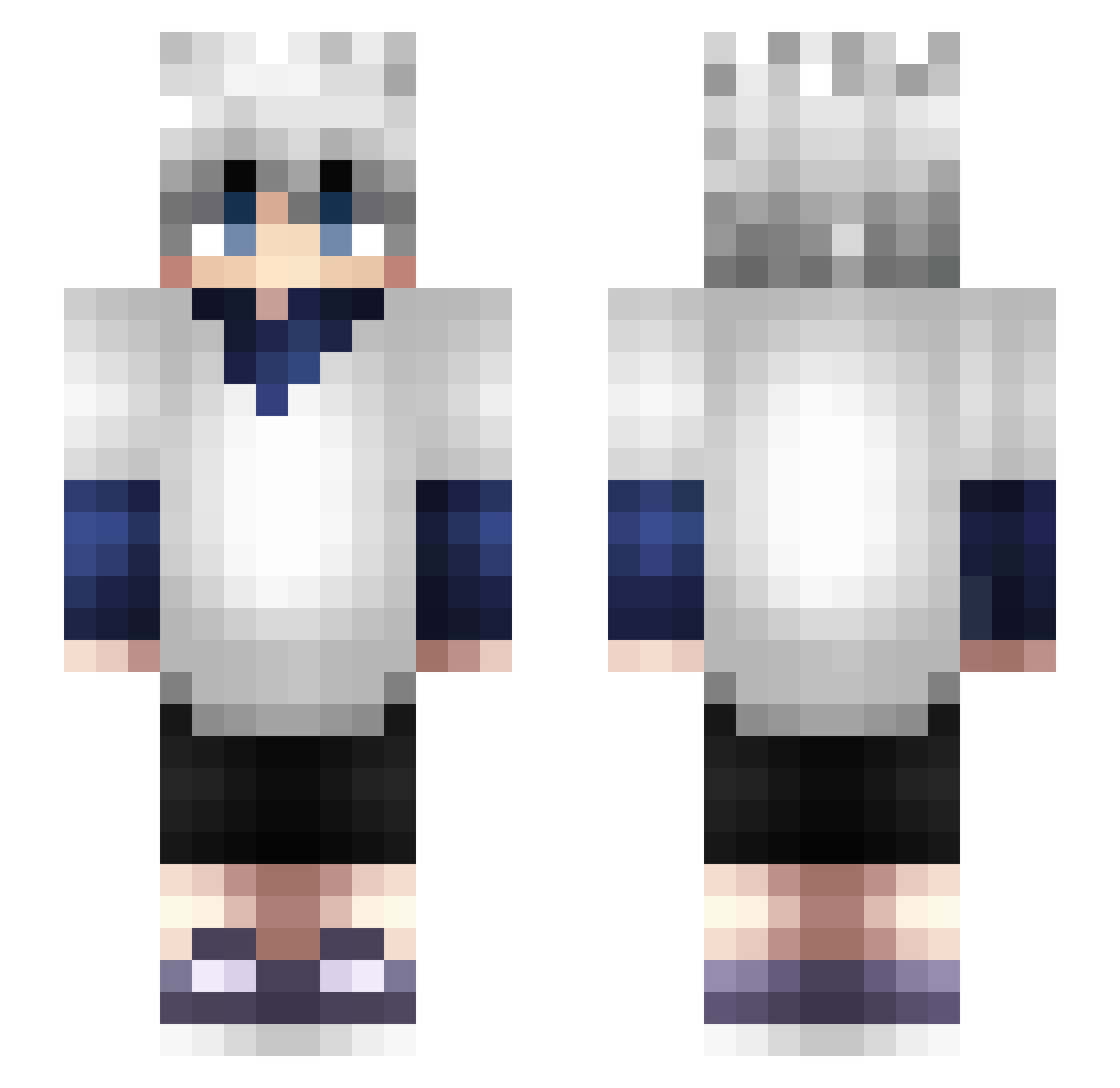
Current Minecraft skin of the player WetSocksMcGee420, loaded from the official Mojang API. Rotate the 3D model with your mouse or finger, then download the skin as a PNG file and use it in Minecraft: Bedrock Edition or Java Edition for free. When WetSocksMcGee420 changes their skin, this page updates automatically and the old skin stays in the history below.
Other players with this skin (366)
WetSocksMcGee420 was the 146th player we have seen with this skin, first spotted on 05.09.2026. The same skin was seen on these players. Open a nickname to see their current skin and skin history.
 SPMathz12 BazzC whynotjman WeedPalle Koemushi JustKai1 oliverklt itzRobTV owen21 JCCx GammaYT_ erhuahua danielcraft1000 Java_Itami BOBBOB09 vividlycool Sheksy smmithebee Mohamed_Fox dreynersha RunFi KeremErdem19 em1rkhan MiiG2 RadicalDude55 Ecloser iFuzzyx eyejoshh yumiipm 808yuno MICKYY_ KilluaSolosYOU Tortue4gile Masowzz Zonny Gekxo18 SuperTroll69981 wapn Quentin0857 WI55_ valmaxtor213 humayle Azoz_x SheeshMax killuazzzz Marco4o9 dace301 zope97
 DatGoodra TahaClsknn kosanki FatChocoboSD76 asato_ar7 fru1tyyyy mat3dz daxae10 Dt_godYT magicalrookie codywu427 LuluWulu
More Killua Zoldyck Minecraft skins
See all 181 Killua Zoldyck skins
How to install the WetSocksMcGee420 skin
- Press the Download button above to save the skin as a PNG file.
- Minecraft: Bedrock Edition (PE): open the Dressing Room from the main menu (or tap your character → Edit Character), go to Classic Skins → Owned, press the + (new skin) button, choose the downloaded PNG and pick the Slim (Alex) model. Works on PC and mobile; consoles cannot import custom skins.
- Minecraft: Java Edition: open the Minecraft Launcher, go to the Skins tab, click New Skin, load the PNG, pick the Slim (Alex) model and press Save & Use. You can also upload it at minecraft.net → Profile → Change Skin.
The skin does not show up after import - what should I do?
Restart Minecraft and open the Dressing Room again - imported skins sometimes appear only after a restart. Also make sure you selected the imported skin and picked the Slim (Alex) model.
Which model should I choose, Classic or Slim?
This skin is designed for the Slim (Alex) model. If you pick the wrong model, the arms of the skin will look stretched or squeezed.
Is the skin of WetSocksMcGee420 free to download?
Yes. Press Download, save the PNG file and use it in Minecraft: Bedrock Edition or Java Edition - no payment or registration needed. The skin also works on multiplayer servers and Realms.
More skins
Looking for more? Go back to all Minecraft skins and check the top skins of the week, month and all time, or find any player's skin by nickname.