
WenomechainsamaG - Minecraft Skins & Skin History
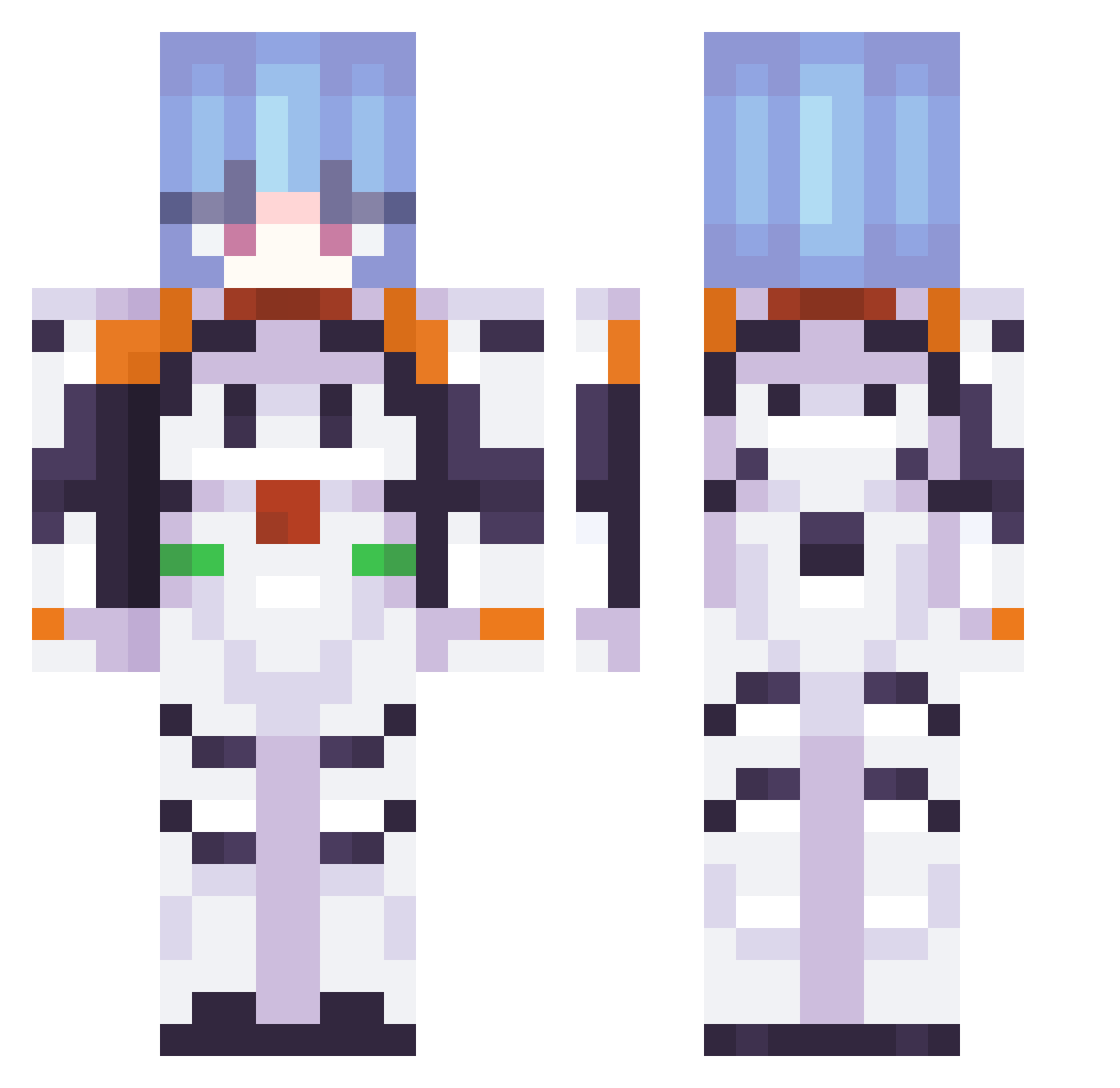
Current Minecraft skin of the player WenomechainsamaG, loaded from the official Mojang API. Rotate the 3D model with your mouse or finger, then download the skin as a PNG file and use it in Minecraft: Bedrock Edition or Java Edition for free. When WenomechainsamaG changes their skin, this page updates automatically and the old skin stays in the history below.
Other players with this skin (376)
WenomechainsamaG was the 240th player we have seen with this skin, first spotted on 02.10.2026. The same skin was seen on these players. Open a nickname to see their current skin and skin history.
 Spice074 pumo999 Ayanami31 ZXeno01 quite0207 Dakotaaaaa69 Toronjita43 RukasuDesu Lololive Makiishii Al1ander Masskarponya CdrTrigger marsmaki BolioMn Aixa3 CRIMSON3472 mechadomo Guppinaut KasuganoSora1 Sproudy Josethebest5103 Red_Spy2468 LizaBot Rei_Me alex_sapo Halopanther9 AM011310 sugentomtemor a6r0a6 FoxLupus dnha Dzbantek kekfox_ Dens1002 ayanamipray masmma ssam1am Elxinez Emi_K555 Pindawasmand theclassicpat Zzeta03 Kajinn1 Fatzoun tallux6 tu2orrita777 inachiu bAN07 jaaaaaydennnn sashageyo_ just74go13 Creepeliot80 IncredibleShrimp Useless_Info DPlayZ23 DepressedDude dawideq___ 02_Rat Mvttoo
More Plugsuit Minecraft skins
How to install the WenomechainsamaG skin
- Press the Download button above to save the skin as a PNG file.
- Minecraft: Bedrock Edition (PE): open the Dressing Room from the main menu (or tap your character → Edit Character), go to Classic Skins → Owned, press the + (new skin) button, choose the downloaded PNG and pick the Classic (Steve) model. Works on PC and mobile; consoles cannot import custom skins.
- Minecraft: Java Edition: open the Minecraft Launcher, go to the Skins tab, click New Skin, load the PNG, pick the Classic (Steve) model and press Save & Use. You can also upload it at minecraft.net → Profile → Change Skin.
The skin does not show up after import - what should I do?
Restart Minecraft and open the Dressing Room again - imported skins sometimes appear only after a restart. Also make sure you selected the imported skin and picked the Classic (Steve) model.
Which model should I choose, Classic or Slim?
This skin is designed for the Classic (Steve) model. If you pick the wrong model, the arms of the skin will look stretched or squeezed.
Is the skin of WenomechainsamaG free to download?
Yes. Press Download, save the PNG file and use it in Minecraft: Bedrock Edition or Java Edition - no payment or registration needed. The skin also works on multiplayer servers and Realms.
More skins
Looking for more? Go back to all Minecraft skins and check the top skins of the week, month and all time, or find any player's skin by nickname.