
WelshCorgiss - Minecraft Skins & Skin History
Current Minecraft skin of the player WelshCorgiss, loaded from the official Mojang API. Rotate the 3D model with your mouse or finger, then download the skin as a PNG file and use it in Minecraft: Bedrock Edition or Java Edition for free. When WelshCorgiss changes their skin, this page updates automatically and the old skin stays in the history below.
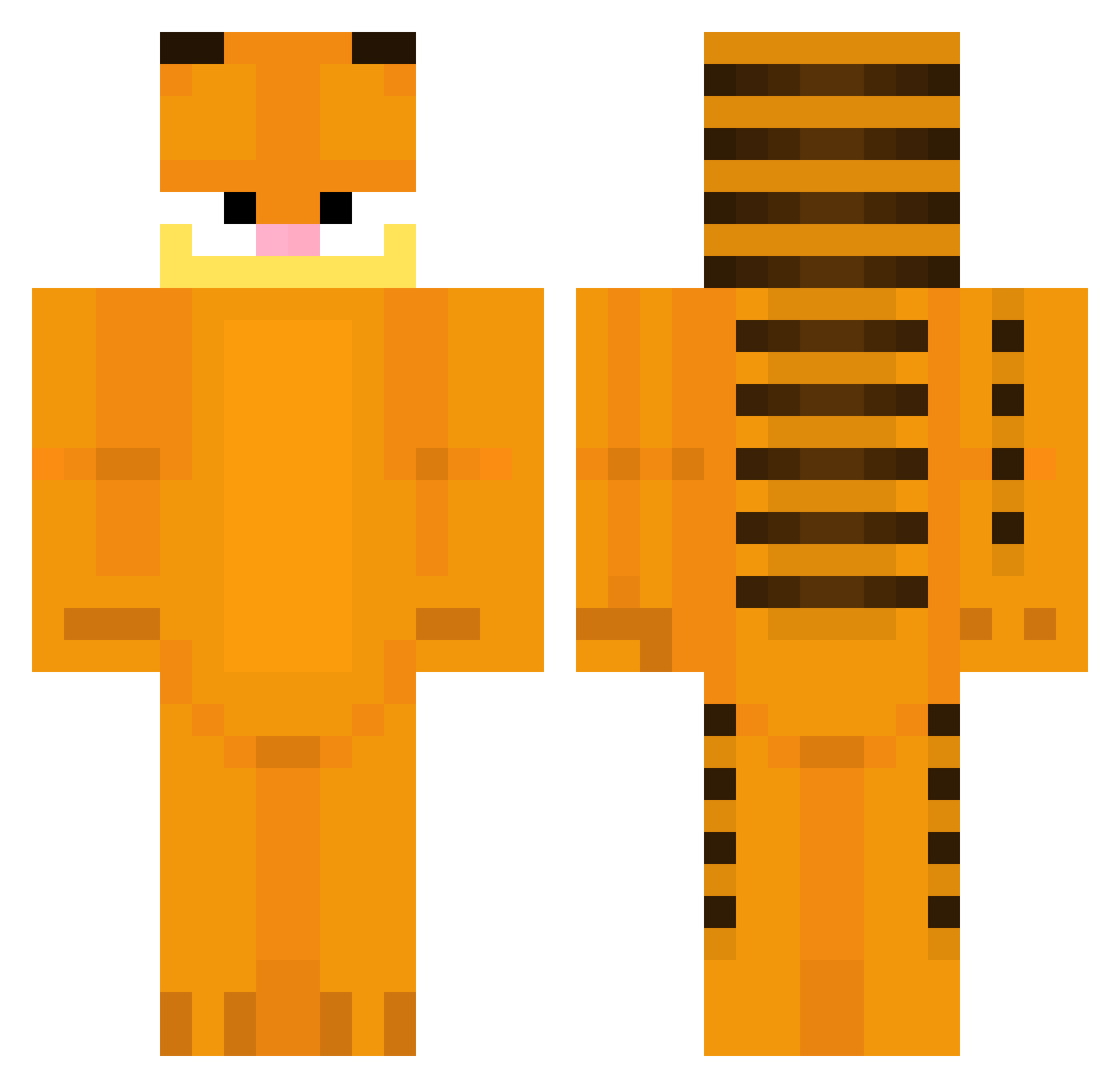
Other players with this skin (308)
WelshCorgiss was the 48th player we have seen with this skin, first spotted on 09.08.2026. The same skin was seen on these players. Open a nickname to see their current skin and skin history.
 winterbre lozzington NzrHvr aexaii SlickbackCD MM__K Corazzonn flps21 sandalwood_snake mikannnnnnnn3 SquaredIsSwag LOLcat4036 wan222 Onze101 xfearfactory Cerwin666 Ninett0 MrTwenty100 fan5OvO The_Pieanator happylemonsad alejitogame Naudy3 ChangIl2 Tosili ItsNotRoket DF_GiaaHungz JSBRIANXD Leoistcool0101 SushiCat5477 55_buddy precelek123 bormotynchik habogaboo brassydock76 vanass BigCoomer69420 Moises412 Bu7z DaddyBoDagit Dirt_h elder_power garfeeld_ DonutBoyGaming xueer76 AriesMa
 superman5554806 Marcelwp tall_child frogblur Jz2026 GigaGnome
 jaydumx pacinszef reecjr mOkich1 IooonTK bestespotterin MomSlammer69 kocipocisk
More Garfield Minecraft skins
How to install the WelshCorgiss skin
- Press the Download button above to save the skin as a PNG file.
- Minecraft: Bedrock Edition (PE): open the Dressing Room from the main menu (or tap your character → Edit Character), go to Classic Skins → Owned, press the + (new skin) button, choose the downloaded PNG and pick the Classic (Steve) model. Works on PC and mobile; consoles cannot import custom skins.
- Minecraft: Java Edition: open the Minecraft Launcher, go to the Skins tab, click New Skin, load the PNG, pick the Classic (Steve) model and press Save & Use. You can also upload it at minecraft.net → Profile → Change Skin.
The skin does not show up after import - what should I do?
Restart Minecraft and open the Dressing Room again - imported skins sometimes appear only after a restart. Also make sure you selected the imported skin and picked the Classic (Steve) model.
Which model should I choose, Classic or Slim?
This skin is designed for the Classic (Steve) model. If you pick the wrong model, the arms of the skin will look stretched or squeezed.
Is the skin of WelshCorgiss free to download?
Yes. Press Download, save the PNG file and use it in Minecraft: Bedrock Edition or Java Edition - no payment or registration needed. The skin also works on multiplayer servers and Realms.
More skins
Looking for more? Go back to all Minecraft skins and check the top skins of the week, month and all time, or find any player's skin by nickname.