
WeissesRedbull - Minecraft Skins & Skin History
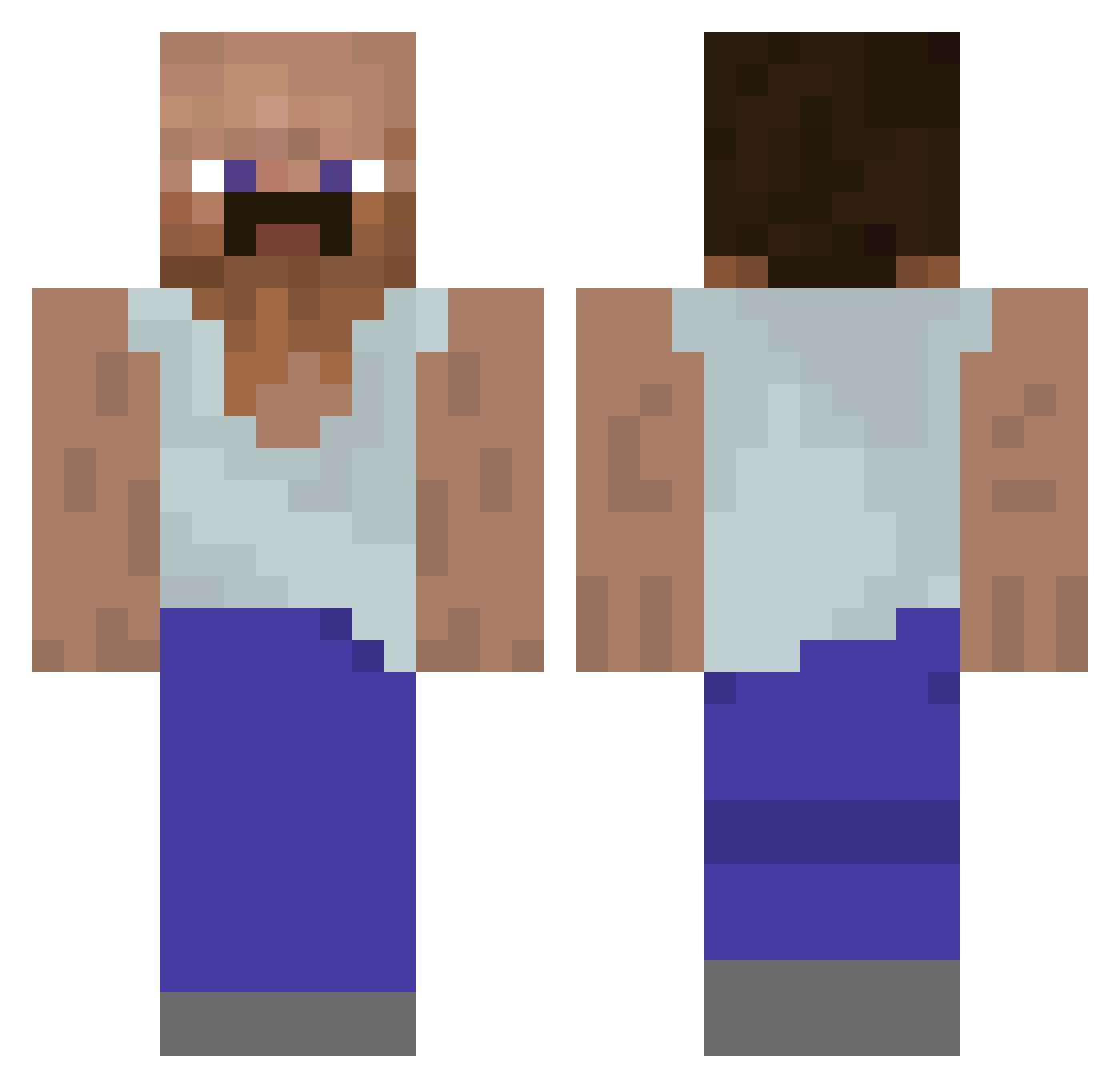
Current Minecraft skin of the player WeissesRedbull, loaded from the official Mojang API. Rotate the 3D model with your mouse or finger, then download the skin as a PNG file and use it in Minecraft: Bedrock Edition or Java Edition for free. When WeissesRedbull changes their skin, this page updates automatically and the old skin stays in the history below.
Other players with this skin (91)
WeissesRedbull was the 59th player we have seen with this skin, first spotted on 05.10.2026. The same skin was seen on these players. Open a nickname to see their current skin and skin history.
 broci3k IGORTAJ awlah Zorda1234 ij_99 LeakyBush243 LorenzoLX12 0NDRAAA1 KingTDZ plankx_ uZiry Tym0neX Mincix2 ChaeYongHun Raviksen Axel7_ zFautii mxxnnight Jeomsoi jhonesper3reca abukendall Iu1s Steven_Humba nanabakick x_Thiago_x wPersonality Tatooooooo Ferdynandkiepsk1 Nitroz_Mossad KiNoKo0327 Tygrys_11 deronek Bulka2137 exstyyy_ A5HTCN mo_abdel936 GregoryHead ask77 Jontush qqqqwertyuiop 4g71N LozoMelvin dubu_ming Yon_ha1 Bastian666 JanSweats Jaayzihh Dioti Zekeee123 Einarkingen dbsrb0928 NeverLetGo zainoRosso_ rlornjs degenerate88 iPuk3Ez kriper_66 iivvuu IlPino89_ evieeeeeb
More Bald Minecraft skins
How to install the WeissesRedbull skin
- Press the Download button above to save the skin as a PNG file.
- Minecraft: Bedrock Edition (PE): open the Dressing Room from the main menu (or tap your character → Edit Character), go to Classic Skins → Owned, press the + (new skin) button, choose the downloaded PNG and pick the Classic (Steve) model. Works on PC and mobile; consoles cannot import custom skins.
- Minecraft: Java Edition: open the Minecraft Launcher, go to the Skins tab, click New Skin, load the PNG, pick the Classic (Steve) model and press Save & Use. You can also upload it at minecraft.net → Profile → Change Skin.
The skin does not show up after import - what should I do?
Restart Minecraft and open the Dressing Room again - imported skins sometimes appear only after a restart. Also make sure you selected the imported skin and picked the Classic (Steve) model.
Which model should I choose, Classic or Slim?
This skin is designed for the Classic (Steve) model. If you pick the wrong model, the arms of the skin will look stretched or squeezed.
Is the skin of WeissesRedbull free to download?
Yes. Press Download, save the PNG file and use it in Minecraft: Bedrock Edition or Java Edition - no payment or registration needed. The skin also works on multiplayer servers and Realms.
More skins
Looking for more? Go back to all Minecraft skins and check the top skins of the week, month and all time, or find any player's skin by nickname.