
Weasel208 - Minecraft Skins & Skin History
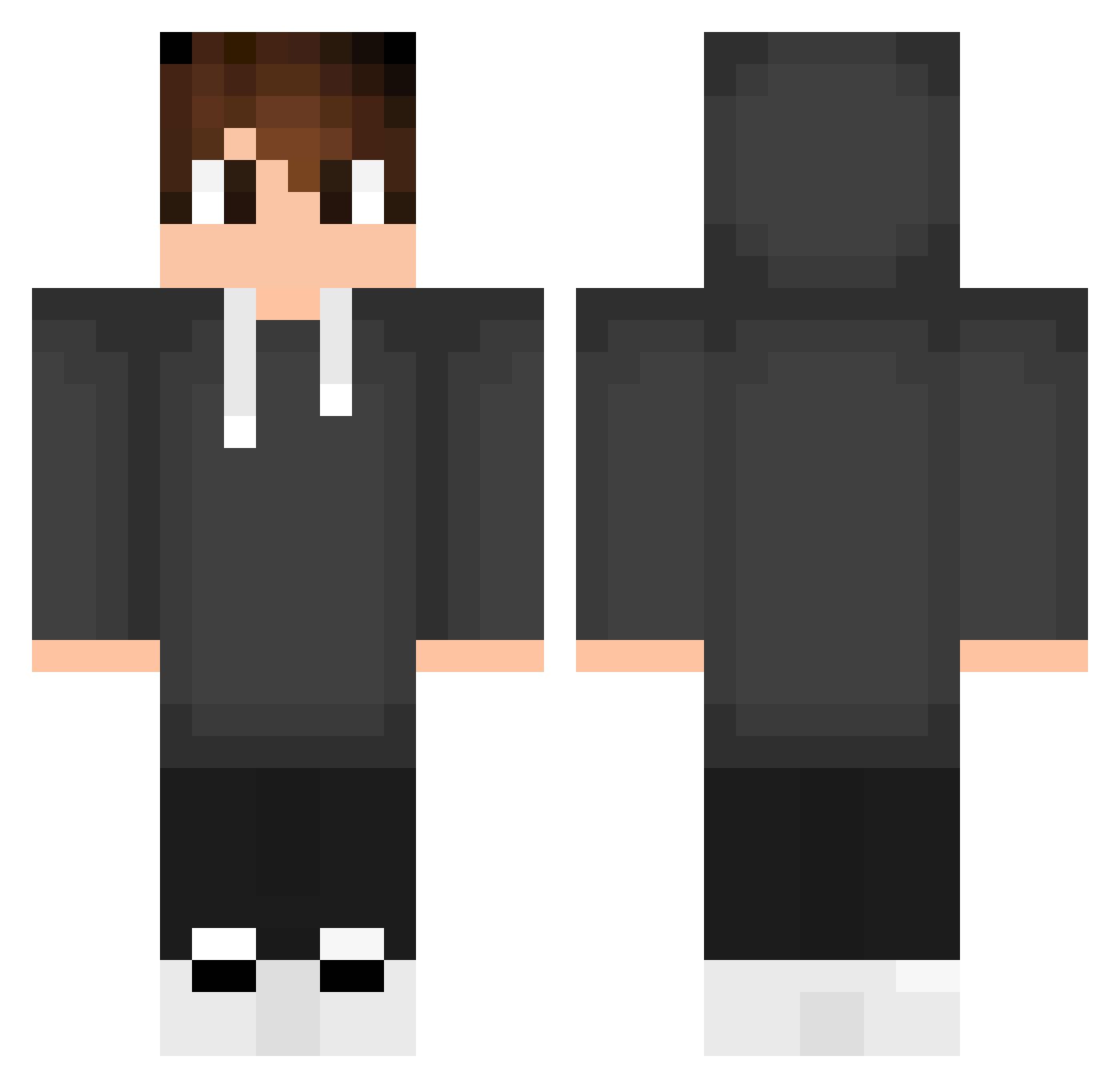
Current Minecraft skin of the player Weasel208, loaded from the official Mojang API. Rotate the 3D model with your mouse or finger, then download the skin as a PNG file and use it in Minecraft: Bedrock Edition or Java Edition for free. When Weasel208 changes their skin, this page updates automatically and the old skin stays in the history below.
Other players with this skin (553)
Weasel208 was the 138th player we have seen with this skin, first spotted on 24.08.2026. The same skin was seen on these players. Open a nickname to see their current skin and skin history.
 PrinzGnom906779 AllephTh ElBlack936 MON7O_ UltimateMaKc GFelicis jowzinho pietba DDeLLL koklayne baptiste_rvl6 alex__3006 N7awaf ImiSsyOuBAe 99End99 Lumi5213 Mjxna LinsxD01 Maax12 Sangkute_vn VoidYami FALL11N1 M4NZ_Z TheLibraa kyojurood2 ZuAngelu Silva23 Gamer_aranha ArasKYpro Blasco013 Carworp Daxta1412 Alves59 kamito_a Est9101 atakanSTV Siem_K Matty09_ Xear8909 Nazaks05 Kulumpi Xiao0418 Wolli0804 DavizinIwnl Rali10 caioneves21 alexsalehi11 eymen03 RoseDiamond4690 geonuKoo ItzMeArcyane Binho2 SrFranciis OsailyIN Kanzeroo REIMAG0 Rajaswa dessim24 Martynus Aiwun
How to install the Weasel208 skin
- Press the Download button above to save the skin as a PNG file.
- Minecraft: Bedrock Edition (PE): open the Dressing Room from the main menu (or tap your character → Edit Character), go to Classic Skins → Owned, press the + (new skin) button, choose the downloaded PNG and pick the Classic (Steve) model. Works on PC and mobile; consoles cannot import custom skins.
- Minecraft: Java Edition: open the Minecraft Launcher, go to the Skins tab, click New Skin, load the PNG, pick the Classic (Steve) model and press Save & Use. You can also upload it at minecraft.net → Profile → Change Skin.
The skin does not show up after import - what should I do?
Restart Minecraft and open the Dressing Room again - imported skins sometimes appear only after a restart. Also make sure you selected the imported skin and picked the Classic (Steve) model.
Which model should I choose, Classic or Slim?
This skin is designed for the Classic (Steve) model. If you pick the wrong model, the arms of the skin will look stretched or squeezed.
Is the skin of Weasel208 free to download?
Yes. Press Download, save the PNG file and use it in Minecraft: Bedrock Edition or Java Edition - no payment or registration needed. The skin also works on multiplayer servers and Realms.
More skins
Looking for more? Go back to all Minecraft skins and check the top skins of the week, month and all time, or find any player's skin by nickname.