
Watts0nS1mp - Minecraft Skins & Skin History
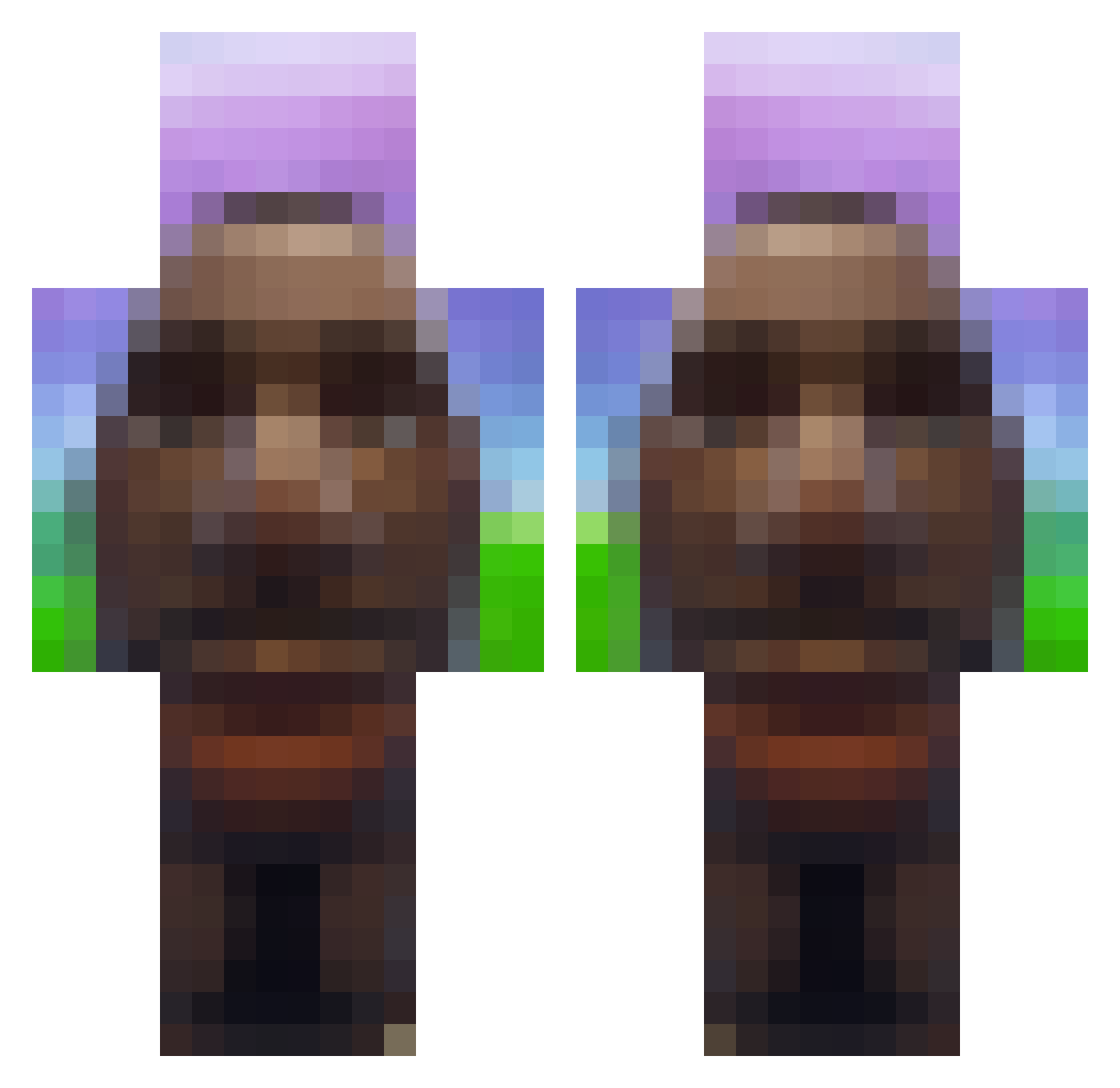
Current Minecraft skin of the player Watts0nS1mp, loaded from the official Mojang API. Rotate the 3D model with your mouse or finger, then download the skin as a PNG file and use it in Minecraft: Bedrock Edition or Java Edition for free. When Watts0nS1mp changes their skin, this page updates automatically and the old skin stays in the history below.
Other players with this skin (718)
Watts0nS1mp was the 678th player we have seen with this skin, first spotted on 25.10.2026. The same skin was seen on these players. Open a nickname to see their current skin and skin history.
 JZh3n SylvainDuDrift54 _UwUgirlUwU_ mydadthinksimgay Dawido709 miagle pimpim44 _Aquaholic ItsPotato_0 _FilipeQer_ JoeTheman5376 Utol DeathGun208 ProstoLev halo_dude01 Houdyy_ Poppylocky115 michelle_226 Mr_Frisk reij006 Kepal21 MrMorisek Racroc_ MaxiThX9 bingilo Burokinto KingWaffle42 LIL_Jay69 whoslion gubiqui23 Vovo_Safada LaszloxDDD69 great00001 ChickenTroutFish keebob Balugia karlosnothanks Dereyy Sparkypoo_ Trissyyyy Cas_Arends_69 bielbiel999 lebgdu92xXOMG SP3CTRVM zqDxnnis420 Smaakloos Egark Anish1114 MrCatt112 BigBenny69 Void0100 Buttato2pro dannykecii Sa1m57 Xdzoinked Unfunnytrolled toarri L0g3r Canonen amon23_
More Moai Minecraft skins
How to install the Watts0nS1mp skin
- Press the Download button above to save the skin as a PNG file.
- Minecraft: Bedrock Edition (PE): open the Dressing Room from the main menu (or tap your character → Edit Character), go to Classic Skins → Owned, press the + (new skin) button, choose the downloaded PNG and pick the Classic (Steve) model. Works on PC and mobile; consoles cannot import custom skins.
- Minecraft: Java Edition: open the Minecraft Launcher, go to the Skins tab, click New Skin, load the PNG, pick the Classic (Steve) model and press Save & Use. You can also upload it at minecraft.net → Profile → Change Skin.
The skin does not show up after import - what should I do?
Restart Minecraft and open the Dressing Room again - imported skins sometimes appear only after a restart. Also make sure you selected the imported skin and picked the Classic (Steve) model.
Which model should I choose, Classic or Slim?
This skin is designed for the Classic (Steve) model. If you pick the wrong model, the arms of the skin will look stretched or squeezed.
Is the skin of Watts0nS1mp free to download?
Yes. Press Download, save the PNG file and use it in Minecraft: Bedrock Edition or Java Edition - no payment or registration needed. The skin also works on multiplayer servers and Realms.
More skins
Looking for more? Go back to all Minecraft skins and check the top skins of the week, month and all time, or find any player's skin by nickname.