
WantingTitan - Minecraft Skins & Skin History
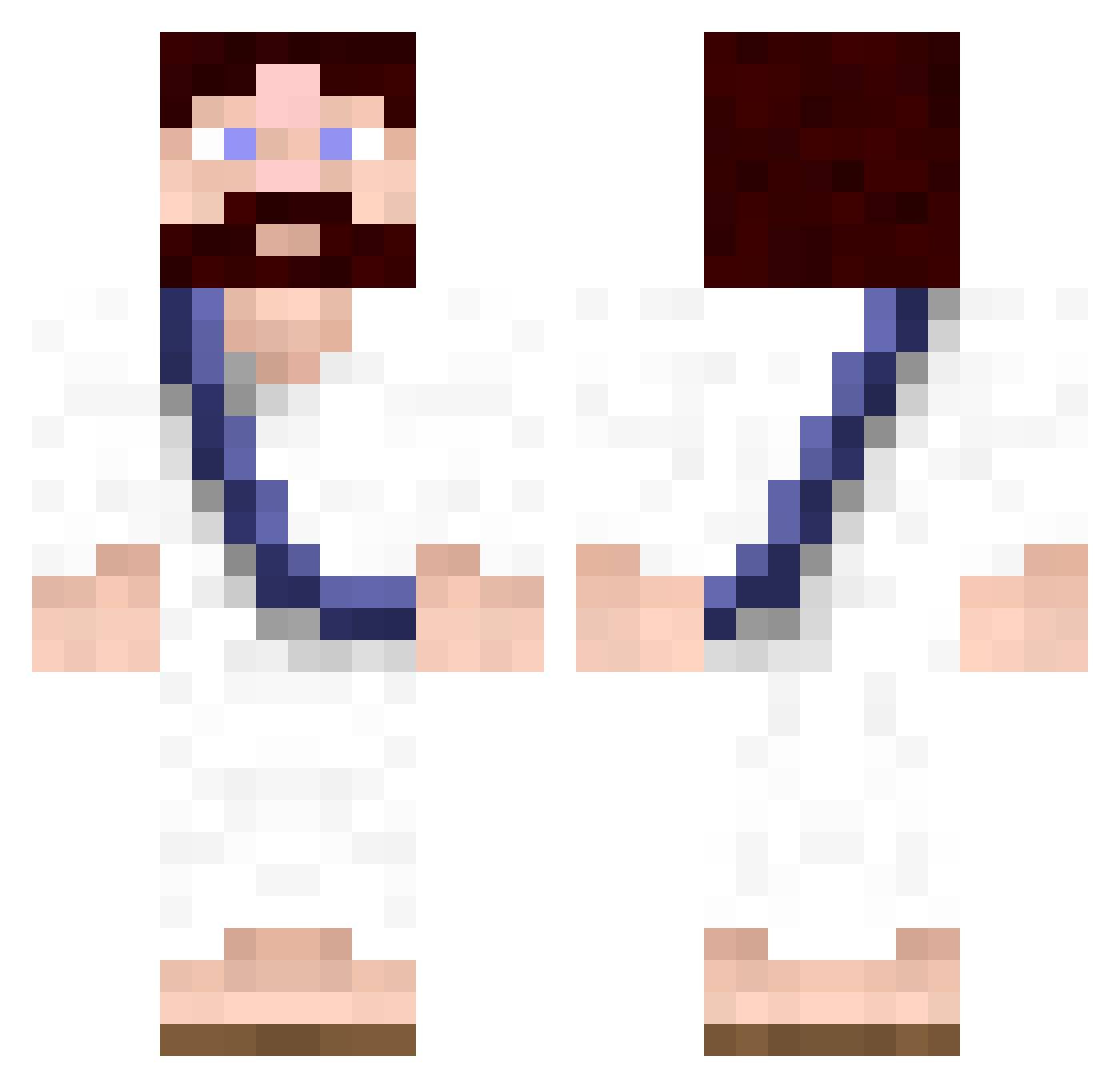
Current Minecraft skin of the player WantingTitan, loaded from the official Mojang API. Rotate the 3D model with your mouse or finger, then download the skin as a PNG file and use it in Minecraft: Bedrock Edition or Java Edition for free. When WantingTitan changes their skin, this page updates automatically and the old skin stays in the history below.
Other players with this skin (620)
WantingTitan was the 165th player we have seen with this skin, first spotted on 23.08.2026. The same skin was seen on these players. Open a nickname to see their current skin and skin history.
 KrausAlien strlv Oh_Hai_Der toebie DigitalPoop N0ld0r Supereon jorgy98 Corvos889 LittleBigMetas Alturiak bigfatsaid Racks03 Valkrie1789 RadicalPlum BreizhMonkey SUR3SH0T21 dragonbyte SimonTheSenpai bobinnz Keeb_3000 Guilhem66 Ashing2 BlueShroom42 fingerful CanabisFreak Ascaran tawer Ivanger94 okeefe41 kevin3929 SteveJobs69 GreenEyedAndy jenschristian19 rossifoolz123 Smooth_Zeek Yuri_Boyka TheButtFace Lukems71 TheZooMan Lugnaz gooseyloosey callum_west KanyeLover overslam123 packy_kennedy milo250 EvilMachine91 NathanielBurt BlockJesus giveMeMoneyBack ray143 BlackMattDamon Anarchia clemixid norrisboy Simon_RFC Kaerval tewko Walster
More Bible Minecraft skins
How to install the WantingTitan skin
- Press the Download button above to save the skin as a PNG file.
- Minecraft: Bedrock Edition (PE): open the Dressing Room from the main menu (or tap your character → Edit Character), go to Classic Skins → Owned, press the + (new skin) button, choose the downloaded PNG and pick the Classic (Steve) model. Works on PC and mobile; consoles cannot import custom skins.
- Minecraft: Java Edition: open the Minecraft Launcher, go to the Skins tab, click New Skin, load the PNG, pick the Classic (Steve) model and press Save & Use. You can also upload it at minecraft.net → Profile → Change Skin.
The skin does not show up after import - what should I do?
Restart Minecraft and open the Dressing Room again - imported skins sometimes appear only after a restart. Also make sure you selected the imported skin and picked the Classic (Steve) model.
Which model should I choose, Classic or Slim?
This skin is designed for the Classic (Steve) model. If you pick the wrong model, the arms of the skin will look stretched or squeezed.
Is the skin of WantingTitan free to download?
Yes. Press Download, save the PNG file and use it in Minecraft: Bedrock Edition or Java Edition - no payment or registration needed. The skin also works on multiplayer servers and Realms.
More skins
Looking for more? Go back to all Minecraft skins and check the top skins of the week, month and all time, or find any player's skin by nickname.