
WannZ07 - Minecraft Skins & Skin History
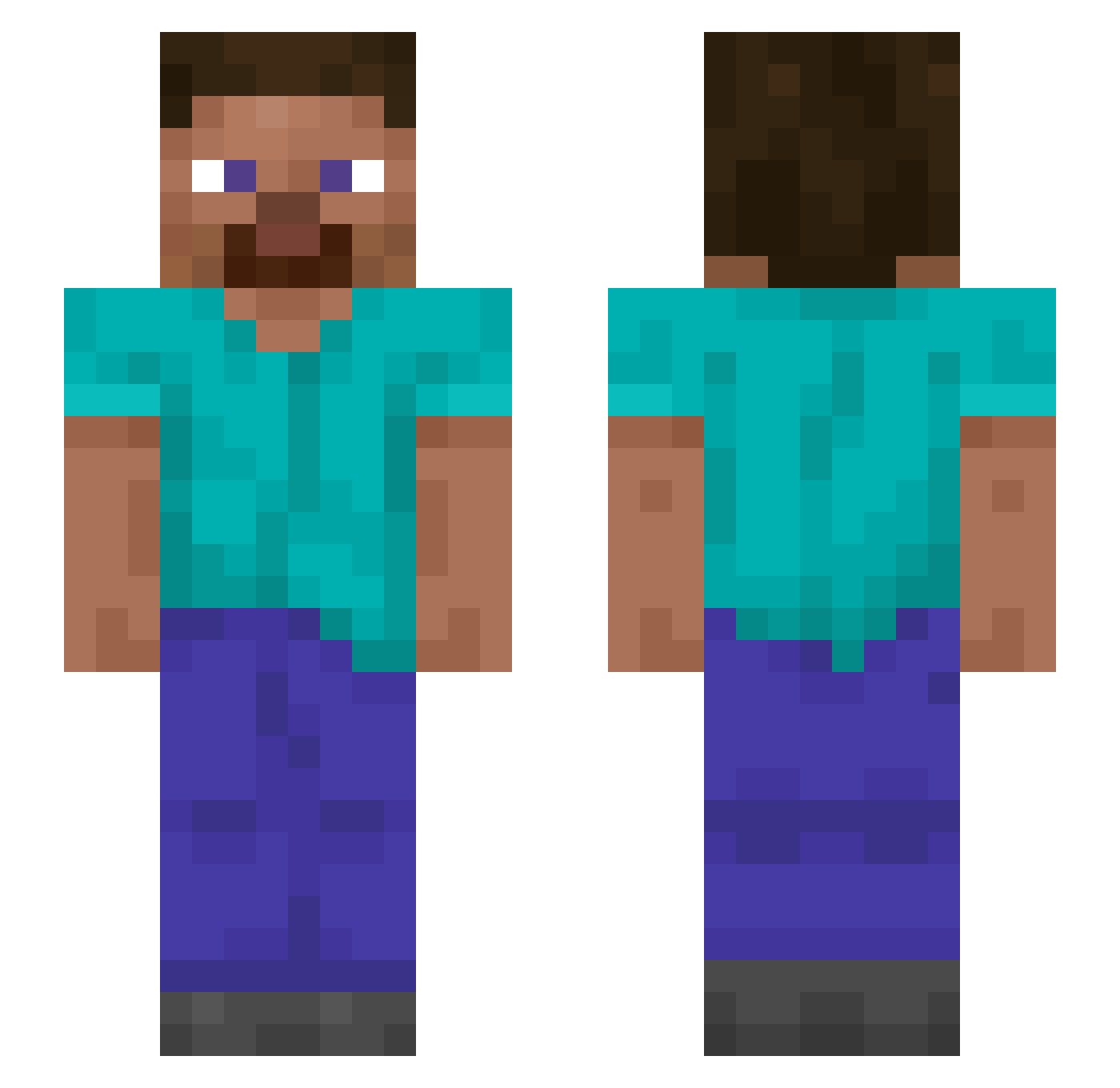
Current Minecraft skin of the player WannZ07, loaded from the official Mojang API. Rotate the 3D model with your mouse or finger, then download the skin as a PNG file and use it in Minecraft: Bedrock Edition or Java Edition for free. When WannZ07 changes their skin, this page updates automatically and the old skin stays in the history below.
Other players with this skin (1423)
WannZ07 was the 291st player we have seen with this skin, first spotted on 17.08.2026. The same skin was seen on these players. Open a nickname to see their current skin and skin history.
 Faintful merest Lekrak Loghead Xervz Freddieplayz789 Maxk1es_ billposter PRPL_BNDT Unctuous Richy1231 FlyBalls Perspicaciously copasetic CommunistSpirit londonize SoManyGirlLikeMe CoryxKenshinisgo Mathematic Vatty18
 Trahols Athetosis Lstone03 Syncretist Jordan2Plays Mainbrace samy_ritlecul sponkoo Kiltie Pentadecane GunBBang_ SELAMIPLAKKAHAHA VolcanicViking20 Cantoner xnxbbdndn Abonne
 elrefman JensFos Seagulls Kon_114514 Adoptedly premenstrual kubixziomix VERONESE FllareCZ dudgen Lethiferous romeojuliethotel Megalithic MarcoWasIstLos
 La1mX Magnetic_5OH Wisdof The7s dyl4nnnn Adamus__ Putto ak1vi klaudiusz219 SkyHeroox_
How to install the WannZ07 skin
- Press the Download button above to save the skin as a PNG file.
- Minecraft: Bedrock Edition (PE): open the Dressing Room from the main menu (or tap your character → Edit Character), go to Classic Skins → Owned, press the + (new skin) button, choose the downloaded PNG and pick the Slim (Alex) model. Works on PC and mobile; consoles cannot import custom skins.
- Minecraft: Java Edition: open the Minecraft Launcher, go to the Skins tab, click New Skin, load the PNG, pick the Slim (Alex) model and press Save & Use. You can also upload it at minecraft.net → Profile → Change Skin.
The skin does not show up after import - what should I do?
Restart Minecraft and open the Dressing Room again - imported skins sometimes appear only after a restart. Also make sure you selected the imported skin and picked the Slim (Alex) model.
Which model should I choose, Classic or Slim?
This skin is designed for the Slim (Alex) model. If you pick the wrong model, the arms of the skin will look stretched or squeezed.
Is the skin of WannZ07 free to download?
Yes. Press Download, save the PNG file and use it in Minecraft: Bedrock Edition or Java Edition - no payment or registration needed. The skin also works on multiplayer servers and Realms.
More skins
Looking for more? Go back to all Minecraft skins and check the top skins of the week, month and all time, or find any player's skin by nickname.