
Waller2613 - Minecraft Skins & Skin History
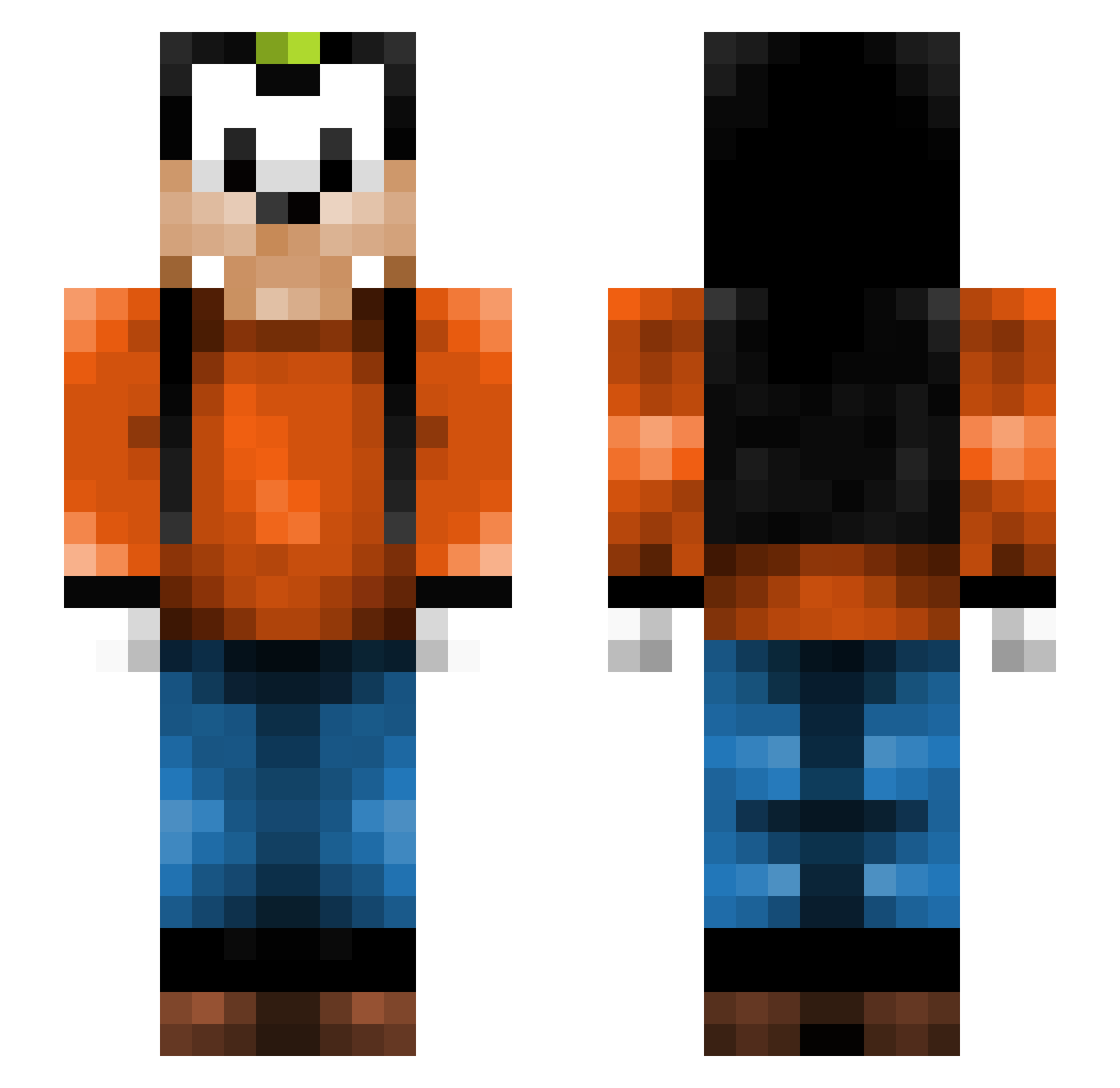
Current Minecraft skin of the player Waller2613, loaded from the official Mojang API. Rotate the 3D model with your mouse or finger, then download the skin as a PNG file and use it in Minecraft: Bedrock Edition or Java Edition for free. When Waller2613 changes their skin, this page updates automatically and the old skin stays in the history below.
Other players with this skin (266)
Waller2613 was the 63rd player we have seen with this skin, first spotted on 20.08.2026. The same skin was seen on these players. Open a nickname to see their current skin and skin history.
 Oomp Slaskepott Santi1331 GabrielNed Mralcantarilla LuukEms revelation32 IamTheFattest Okeh StureStorspelare zorglon01 saandder JazzyFreshh pinhsuan Sindri0308 bruizer5000 Fresh_Saitran Wakeen_ seacoastplayer19 Aabyen noah_msu brianaherrera MSPaintClock Loner_ Assdazzler linafina04 Maestrocat JiiMiiiiiiiiiiii Eskapone AnionicOnions GoofyNibba Goofy_OW Abstract_Alt staufi91 narwhaQUEEN LordMorkai Wintheria G0ttaCatchEmA11 A_Chicken vampdolphin DennisM09 ND3G RotoRArtz Escorch Emiems Madhax197 HotDog_03 TRIBILIN443 StylishIvan BaseballBugs M_and_M_Dude duckie331 werkki goffy018 Lunecross angrybear97 Naicouz hap1 feliferbat SannasBoy
More Goofy Minecraft skins
How to install the Waller2613 skin
- Press the Download button above to save the skin as a PNG file.
- Minecraft: Bedrock Edition (PE): open the Dressing Room from the main menu (or tap your character → Edit Character), go to Classic Skins → Owned, press the + (new skin) button, choose the downloaded PNG and pick the Slim (Alex) model. Works on PC and mobile; consoles cannot import custom skins.
- Minecraft: Java Edition: open the Minecraft Launcher, go to the Skins tab, click New Skin, load the PNG, pick the Slim (Alex) model and press Save & Use. You can also upload it at minecraft.net → Profile → Change Skin.
The skin does not show up after import - what should I do?
Restart Minecraft and open the Dressing Room again - imported skins sometimes appear only after a restart. Also make sure you selected the imported skin and picked the Slim (Alex) model.
Which model should I choose, Classic or Slim?
This skin is designed for the Slim (Alex) model. If you pick the wrong model, the arms of the skin will look stretched or squeezed.
Is the skin of Waller2613 free to download?
Yes. Press Download, save the PNG file and use it in Minecraft: Bedrock Edition or Java Edition - no payment or registration needed. The skin also works on multiplayer servers and Realms.
More skins
Looking for more? Go back to all Minecraft skins and check the top skins of the week, month and all time, or find any player's skin by nickname.