
Waka76 - Minecraft Skins & Skin History
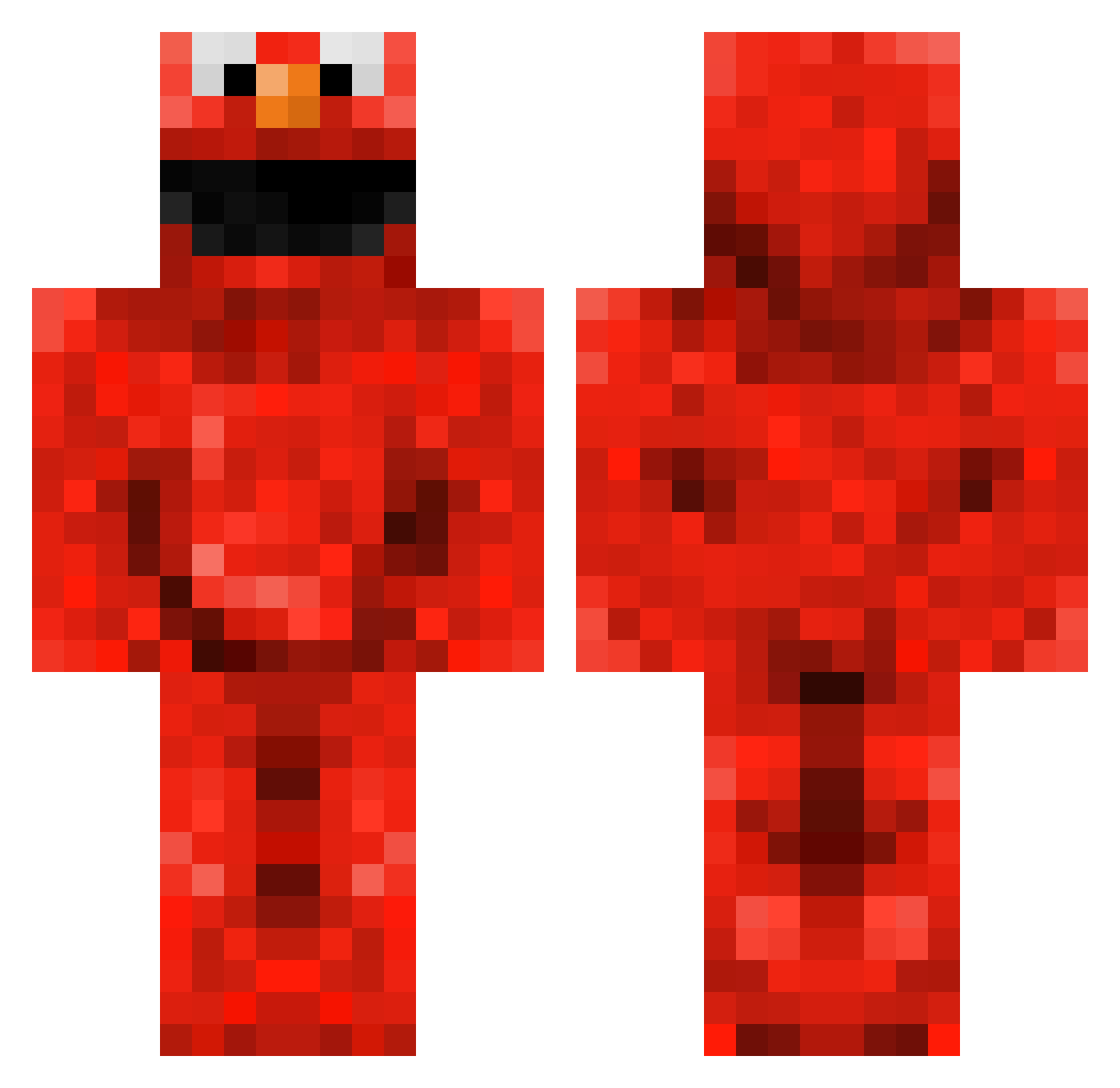
Current Minecraft skin of the player Waka76, loaded from the official Mojang API. Rotate the 3D model with your mouse or finger, then download the skin as a PNG file and use it in Minecraft: Bedrock Edition or Java Edition for free. When Waka76 changes their skin, this page updates automatically and the old skin stays in the history below.
Other players with this skin (145)
Waka76 was the 2nd player we have seen with this skin, first spotted on 24.07.2026. The same skin was seen on these players. Open a nickname to see their current skin and skin history.
 luciax12 stoepstegeltje CodyBer21 Piggyyyyy Midterskilning69 Killerdudexx Foster669 Blobomba mcdonald808 Layuun oneliptulip Kennyfart buttrnut420 hokori__ jayixon PureEffectz724 craxyXelmir BBQAlmonds Elpis11 mathewgay MistahMuffinMan AlekoGabuniya m1guel98 krypac98 SheLoveChandler Starrious_9 MATIUIT KillerYellos Mrbadman_223 lolmanfi plazze Hamzzing The25thCake Loo3 Raley_X Cortescfc ilovefristy juicerld Nethero ChuckleNuts55 _SidTheSquid_ Chubabi21 cookiememexd Cadger93 XxGomanxX WonderWenis BingBong77 DelTierra PedoDave69 Asian_Invasions princess_aardbei momo_momo_momo Lee_xuan PaulienJansen Sheeplet691 MnMsrthebest DawnHeaven SemvdG1 danstheman12 SesamElmo
More Elmo Minecraft skins
How to install the Waka76 skin
- Press the Download button above to save the skin as a PNG file.
- Minecraft: Bedrock Edition (PE): open the Dressing Room from the main menu (or tap your character → Edit Character), go to Classic Skins → Owned, press the + (new skin) button, choose the downloaded PNG and pick the Classic (Steve) model. Works on PC and mobile; consoles cannot import custom skins.
- Minecraft: Java Edition: open the Minecraft Launcher, go to the Skins tab, click New Skin, load the PNG, pick the Classic (Steve) model and press Save & Use. You can also upload it at minecraft.net → Profile → Change Skin.
The skin does not show up after import - what should I do?
Restart Minecraft and open the Dressing Room again - imported skins sometimes appear only after a restart. Also make sure you selected the imported skin and picked the Classic (Steve) model.
Which model should I choose, Classic or Slim?
This skin is designed for the Classic (Steve) model. If you pick the wrong model, the arms of the skin will look stretched or squeezed.
Is the skin of Waka76 free to download?
Yes. Press Download, save the PNG file and use it in Minecraft: Bedrock Edition or Java Edition - no payment or registration needed. The skin also works on multiplayer servers and Realms.
More skins
Looking for more? Go back to all Minecraft skins and check the top skins of the week, month and all time, or find any player's skin by nickname.