
WaifMaster - Minecraft Skins & Skin History
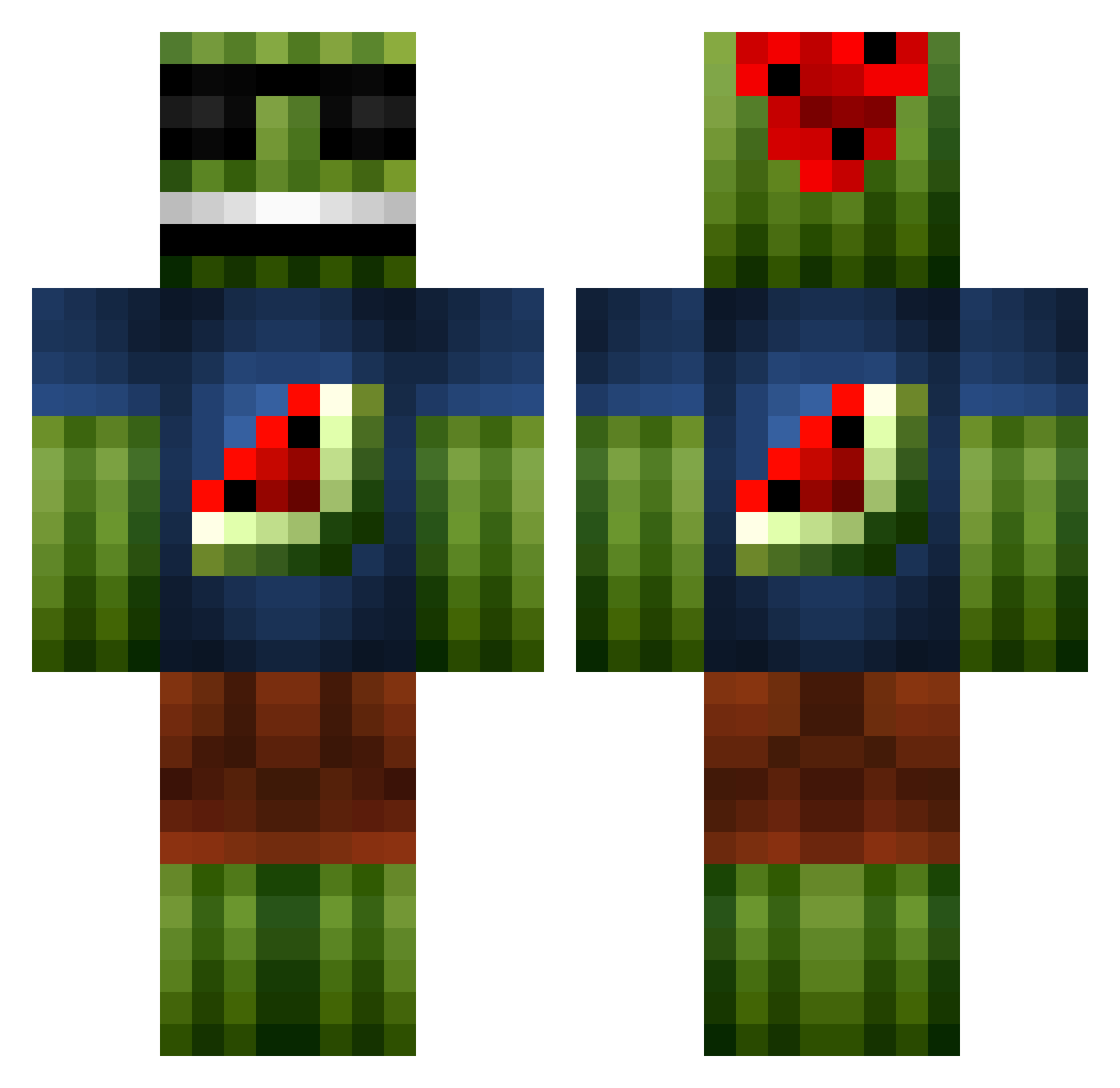
Current Minecraft skin of the player WaifMaster, loaded from the official Mojang API. Rotate the 3D model with your mouse or finger, then download the skin as a PNG file and use it in Minecraft: Bedrock Edition or Java Edition for free. When WaifMaster changes their skin, this page updates automatically and the old skin stays in the history below.
Other players with this skin (1095)
WaifMaster was the 1027th player we have seen with this skin, first spotted on 30.10.2026. The same skin was seen on these players. Open a nickname to see their current skin and skin history.
 Daniel_is_boss diamondjarl RichCraft101 Rayadon LJM2003 josimax Ethan_Brits pabloiscool21 RockyChulo77 DrFoxpower j7A dafeilei minecraft755 DerHorrst AnOrdinaryMelon _Creeper21 _EddieB_ CptLakerz CAPSULE200 seagull1610 LolograM JessJake iandiamondfinder HitandRun3 KillaKiwie storm9899 Bento1000 kristiankongen Luca_ThePLayer apilat LimeDoDo sNzi420 Melon_Monster iiDuNoo tsankoman tmgbradlad JimJam911 TKDman123 iPlaceBloxx calharv12 Spardaze NinjaKipper dylanf03 KassidyZ 2898_sf BigBoySilver minecraft_grams Linskey OneIsPlaying zook559 Sir_Curry KeenanBLS Sxczac ZackJohnston VarSpencer Razor_guy123 zee197 zesurikoyae Geuthur ChrilleFrille
More Watermelon Minecraft skins
How to install the WaifMaster skin
- Press the Download button above to save the skin as a PNG file.
- Minecraft: Bedrock Edition (PE): open the Dressing Room from the main menu (or tap your character → Edit Character), go to Classic Skins → Owned, press the + (new skin) button, choose the downloaded PNG and pick the Classic (Steve) model. Works on PC and mobile; consoles cannot import custom skins.
- Minecraft: Java Edition: open the Minecraft Launcher, go to the Skins tab, click New Skin, load the PNG, pick the Classic (Steve) model and press Save & Use. You can also upload it at minecraft.net → Profile → Change Skin.
The skin does not show up after import - what should I do?
Restart Minecraft and open the Dressing Room again - imported skins sometimes appear only after a restart. Also make sure you selected the imported skin and picked the Classic (Steve) model.
Which model should I choose, Classic or Slim?
This skin is designed for the Classic (Steve) model. If you pick the wrong model, the arms of the skin will look stretched or squeezed.
Is the skin of WaifMaster free to download?
Yes. Press Download, save the PNG file and use it in Minecraft: Bedrock Edition or Java Edition - no payment or registration needed. The skin also works on multiplayer servers and Realms.
More skins
Looking for more? Go back to all Minecraft skins and check the top skins of the week, month and all time, or find any player's skin by nickname.