
WaiZios - Minecraft Skins & Skin History
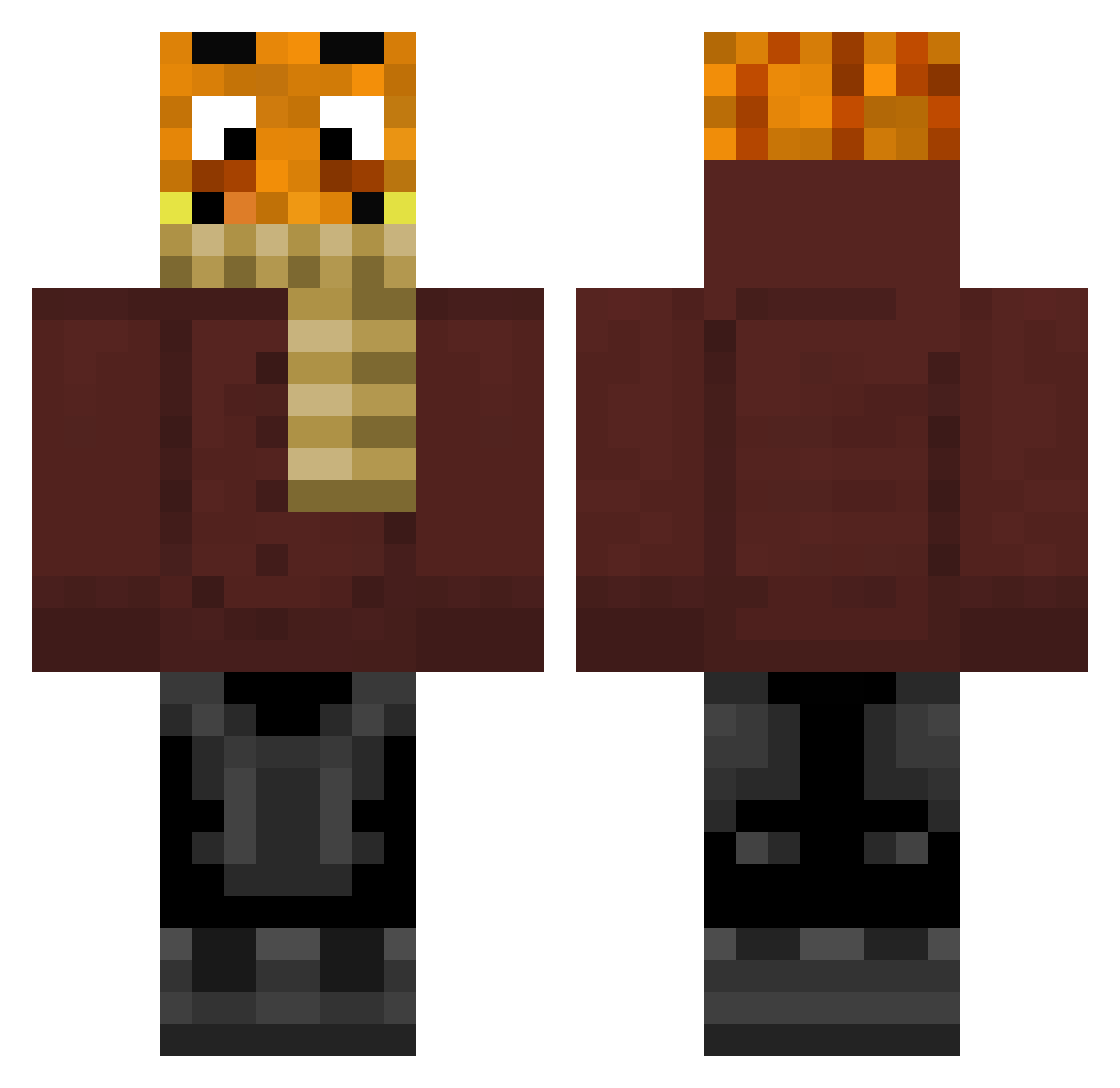
Current Minecraft skin of the player WaiZios, loaded from the official Mojang API. Rotate the 3D model with your mouse or finger, then download the skin as a PNG file and use it in Minecraft: Bedrock Edition or Java Edition for free. When WaiZios changes their skin, this page updates automatically and the old skin stays in the history below.
Other players with this skin (249)
WaiZios was the 70th player we have seen with this skin, first spotted on 25.08.2026. The same skin was seen on these players. Open a nickname to see their current skin and skin history.
 XxLilli kevinmagwraps Juli985 Aaron177 jonathan2012255 AufMeinNacken Mikalozul Rafi8086 Padi382 julian123xd BTT88 PrivateJoker5555 MaterMiner Leo221211 ssdhjbs lutz0907 Maxilsp Raxo_x Afganer2007
 Theolino_2010 XxTobsixX187
 FELIX496 Pdzzl TiefseeEnte07 lamarminius LENNOX28 MichiMaxi Xiamer8 MrFiete1 Powerkeule HeimerKush Palutenggg Skywalker_Prime Zequlehrling coolboi13 Kartoffel3777 guitarman3 D34NTV Raidon2706 PlaysToGames Chriber08 Mafausi KingJamie0407 Juliam_Turtle xKubaJ NBK13 fraekye _ilumi dfzew Elias471 Terrorist187 DJANGO18481904 Palle2695 lea_0604 Loo2002 Blockkrafter15 jojoco10 Adamo0907978 tisi_lul eemiemo
More Garfield Minecraft skins
How to install the WaiZios skin
- Press the Download button above to save the skin as a PNG file.
- Minecraft: Bedrock Edition (PE): open the Dressing Room from the main menu (or tap your character → Edit Character), go to Classic Skins → Owned, press the + (new skin) button, choose the downloaded PNG and pick the Classic (Steve) model. Works on PC and mobile; consoles cannot import custom skins.
- Minecraft: Java Edition: open the Minecraft Launcher, go to the Skins tab, click New Skin, load the PNG, pick the Classic (Steve) model and press Save & Use. You can also upload it at minecraft.net → Profile → Change Skin.
The skin does not show up after import - what should I do?
Restart Minecraft and open the Dressing Room again - imported skins sometimes appear only after a restart. Also make sure you selected the imported skin and picked the Classic (Steve) model.
Which model should I choose, Classic or Slim?
This skin is designed for the Classic (Steve) model. If you pick the wrong model, the arms of the skin will look stretched or squeezed.
Is the skin of WaiZios free to download?
Yes. Press Download, save the PNG file and use it in Minecraft: Bedrock Edition or Java Edition - no payment or registration needed. The skin also works on multiplayer servers and Realms.
More skins
Looking for more? Go back to all Minecraft skins and check the top skins of the week, month and all time, or find any player's skin by nickname.