
WXYWLN - Minecraft Skins & Skin History
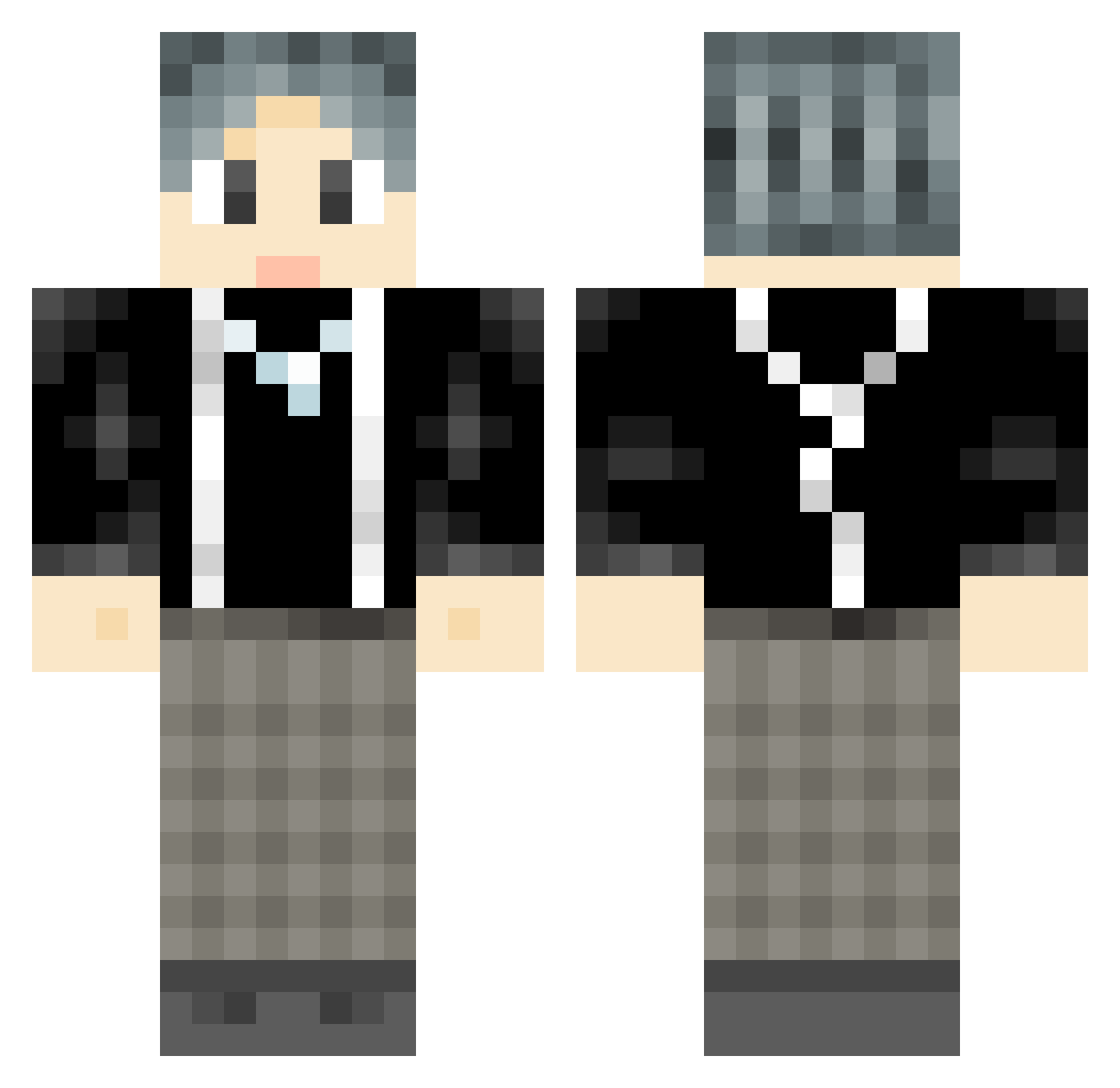
Current Minecraft skin of the player WXYWLN, loaded from the official Mojang API. Rotate the 3D model with your mouse or finger, then download the skin as a PNG file and use it in Minecraft: Bedrock Edition or Java Edition for free. When WXYWLN changes their skin, this page updates automatically and the old skin stays in the history below.
Other players with this skin (777)
WXYWLN was the 643rd player we have seen with this skin, first spotted on 09.10.2026. The same skin was seen on these players. Open a nickname to see their current skin and skin history.
 Adumbrog fenglingyueying PoetDai CXK_jinitaimeiaa Bed_Weather Repeater1998 jjsy Cheng_qing G0ldFish1 XiaoHei_zzzzz RIIIIQ packetnoodles laochai0721 Patcik DaiZheng flystars Mo_biya _Eins SHENZIhm Imabadguy SkyAceMW LostRaptor82834 LeafBook Twistkk KarlHanna swordnewnew11 xjjjjx hexenergy tangdou233 xiuyunxiao dreamiiiiiii 9527o whobbs yao_yao06158 Chilinn Odelene JJJJJerry FengchengYY songif IBDP Miralce_boy puddleonthekits LIGAZN RockCar joedewa Fu_JX marl35 chineseplayer2 Doctor_Lobo fantaztik AokiChuan 360caps majiaqisongyaxua AKPAX Minglizzz7 Char1eeeee XiangGya roippmm BedRock623555 fantasy_le
How to install the WXYWLN skin
- Press the Download button above to save the skin as a PNG file.
- Minecraft: Bedrock Edition (PE): open the Dressing Room from the main menu (or tap your character → Edit Character), go to Classic Skins → Owned, press the + (new skin) button, choose the downloaded PNG and pick the Classic (Steve) model. Works on PC and mobile; consoles cannot import custom skins.
- Minecraft: Java Edition: open the Minecraft Launcher, go to the Skins tab, click New Skin, load the PNG, pick the Classic (Steve) model and press Save & Use. You can also upload it at minecraft.net → Profile → Change Skin.
The skin does not show up after import - what should I do?
Restart Minecraft and open the Dressing Room again - imported skins sometimes appear only after a restart. Also make sure you selected the imported skin and picked the Classic (Steve) model.
Which model should I choose, Classic or Slim?
This skin is designed for the Classic (Steve) model. If you pick the wrong model, the arms of the skin will look stretched or squeezed.
Is the skin of WXYWLN free to download?
Yes. Press Download, save the PNG file and use it in Minecraft: Bedrock Edition or Java Edition - no payment or registration needed. The skin also works on multiplayer servers and Realms.
More skins
Looking for more? Go back to all Minecraft skins and check the top skins of the week, month and all time, or find any player's skin by nickname.