
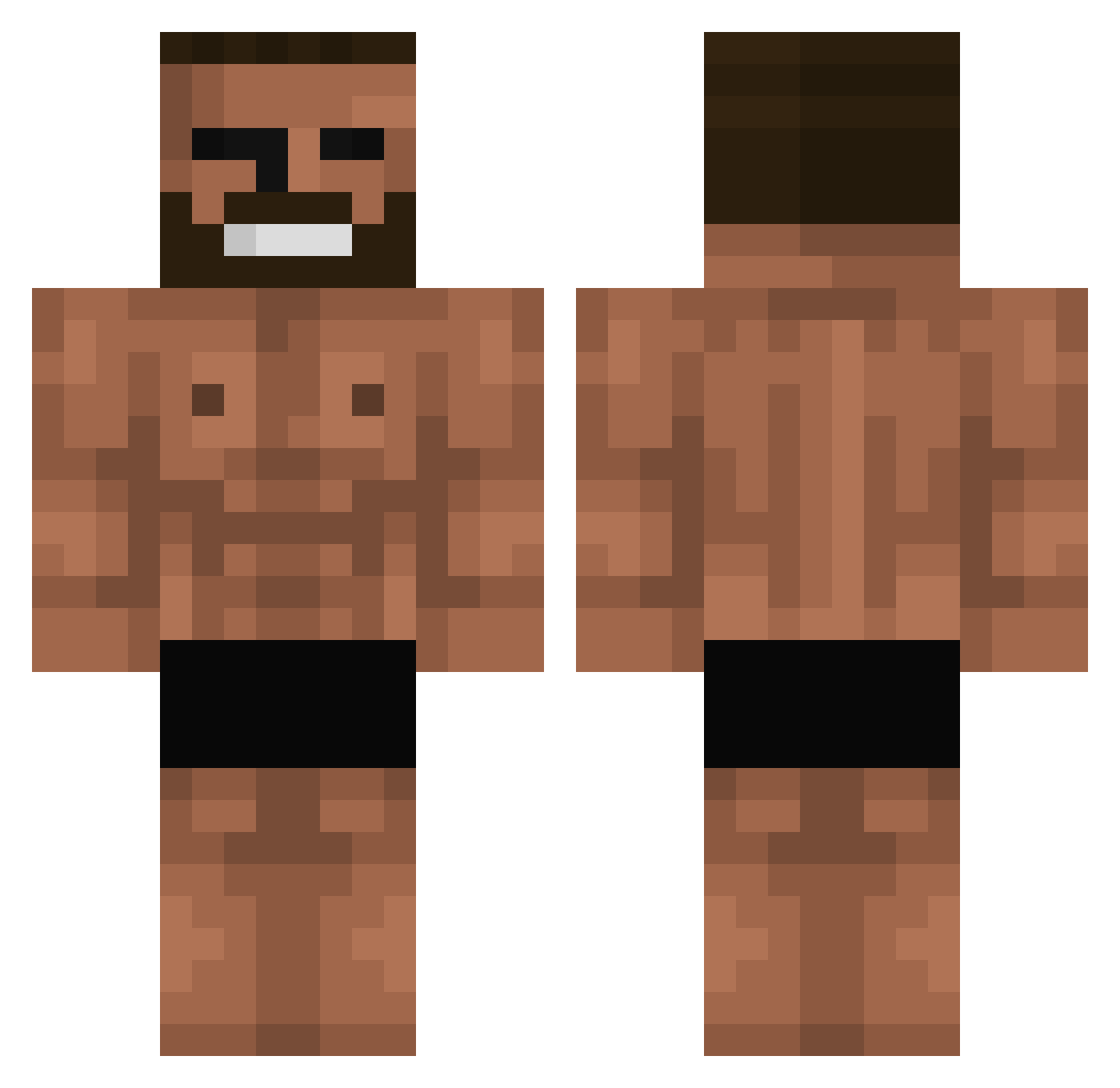
Current Minecraft skin of the player WNSTJ625, loaded from the official Mojang API. Rotate the 3D model with your mouse or finger, then download the skin as a PNG file and use it in Minecraft: Bedrock Edition or Java Edition for free. When WNSTJ625 changes their skin, this page updates automatically and the old skin stays in the history below.
Other players with this skin (588)
WNSTJ625 was the 160th player we have seen with this skin, first spotted on 16.08.2026. The same skin was seen on these players. Open a nickname to see their current skin and skin history.
 GriiiS ABOBUS54 Kacpurr kuuuuuuuu810 Svempa_ Casual_Time CosmicNihilism Stummelsammler bighead900 ohseunghoonZZZ Lawsun LAutiFer BarellaNutella AAxell69 Rea1250 LitStorageShed Bumstead00 OjHashink KingLioniel Firmins_ yPure YumenousE3773 Prodanzigamer234 MarcoDeTropoya Porolero KrumBum
 fluke6631 zMadaraa_ Al0msi dafiksd White60 Dexxpool07 GreatKurultai theYUMMYgrenade tronbike73 lik3_mik3 AusPrinzip3 _Greggg1212_ jaekyeong5370 tokashi169 BangBae keyosira Playeer022 krellefradk Future0307 IlloBernar Pedrovlog Carlongas020902 ssong1220 cgoode444 pilsu_ssi BuzzyBuzzer2 person00 donJuan10 backshook2 GNuFiK ImCatholic Rick0121 K33P_CLEAR AFKBinding
More Gigachad Minecraft skins
How to install the WNSTJ625 skin
- Press the Download button above to save the skin as a PNG file.
- Minecraft: Bedrock Edition (PE): open the Dressing Room from the main menu (or tap your character → Edit Character), go to Classic Skins → Owned, press the + (new skin) button, choose the downloaded PNG and pick the Classic (Steve) model. Works on PC and mobile; consoles cannot import custom skins.
- Minecraft: Java Edition: open the Minecraft Launcher, go to the Skins tab, click New Skin, load the PNG, pick the Classic (Steve) model and press Save & Use. You can also upload it at minecraft.net → Profile → Change Skin.
The skin does not show up after import - what should I do?
Restart Minecraft and open the Dressing Room again - imported skins sometimes appear only after a restart. Also make sure you selected the imported skin and picked the Classic (Steve) model.
Which model should I choose, Classic or Slim?
This skin is designed for the Classic (Steve) model. If you pick the wrong model, the arms of the skin will look stretched or squeezed.
Is the skin of WNSTJ625 free to download?
Yes. Press Download, save the PNG file and use it in Minecraft: Bedrock Edition or Java Edition - no payment or registration needed. The skin also works on multiplayer servers and Realms.
More skins
Looking for more? Go back to all Minecraft skins and check the top skins of the week, month and all time, or find any player's skin by nickname.