
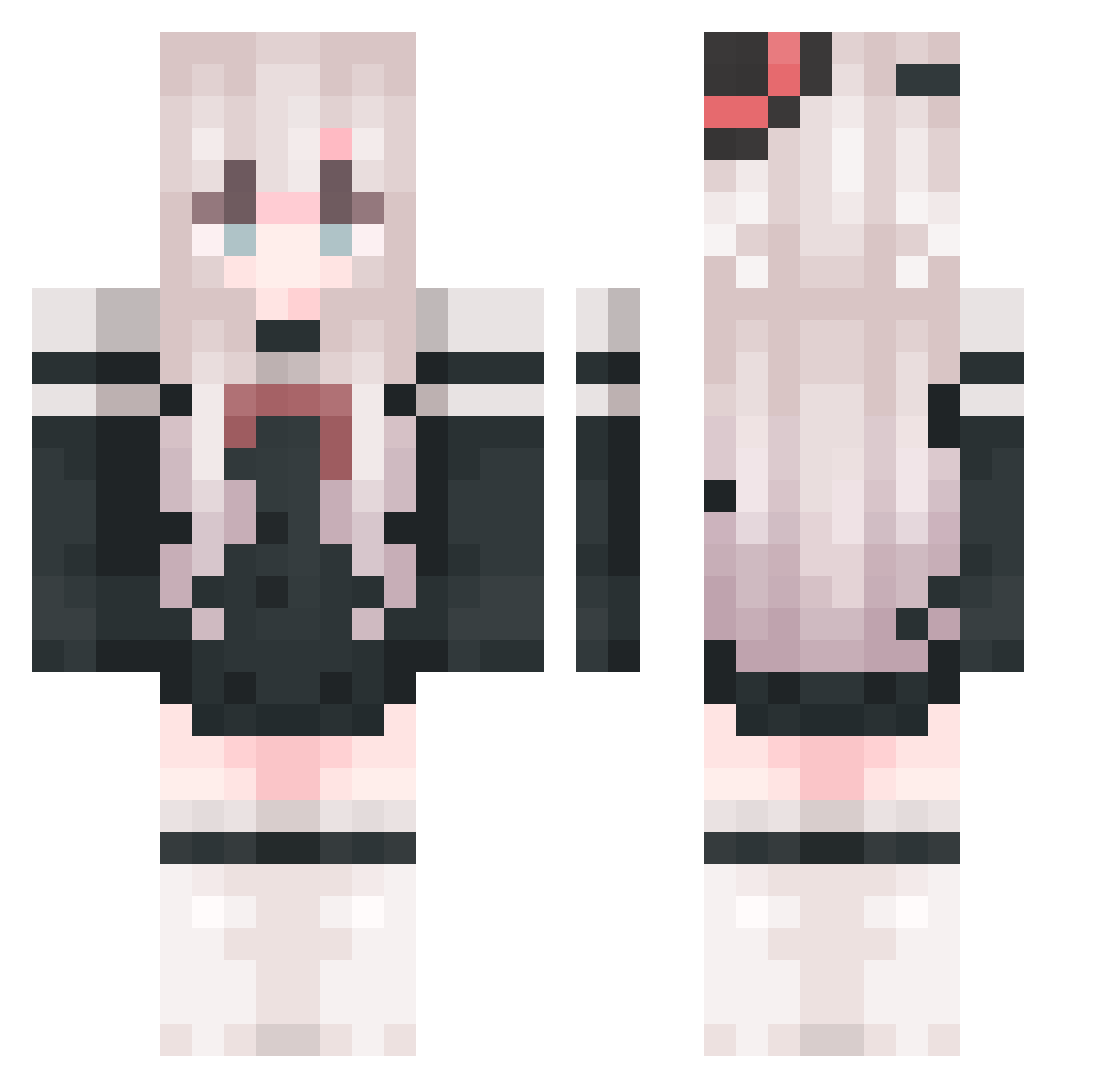
Current Minecraft skin of the player WJH23108, loaded from the official Mojang API. Rotate the 3D model with your mouse or finger, then download the skin as a PNG file and use it in Minecraft: Bedrock Edition or Java Edition for free. When WJH23108 changes their skin, this page updates automatically and the old skin stays in the history below.
Other players with this skin (760)
WJH23108 was the 162nd player we have seen with this skin, first spotted on 11.08.2026. The same skin was seen on these players. Open a nickname to see their current skin and skin history.
 Lyinne Elaina34 AIJIANG223 Mikeyxxxx xiaoyu1111111 LTong233 Sarasina Xavier_Tiao IceCream2025 dustyflower celestial_maid Cmingrixiang 35659 SAN_LING__ lucky23333 AwAzk ldp_zl Yajiee1998 Qiu_Xi_Ya Lies74 WayneLin_
 frogwang Lixiangz Sryllll_awa AcelYL SXSHww Skilo2006 LIW110 yuanzhang02 Chi_Jin LoveDarling111 JUHAO134 X_Y_C_F mzlmg hina0219 WEIZICHAO zui6 SignifYd LiangC13 huan203 LyonChr1sT 12Hydrogen Uivar Lzzie_ weizheng6868 mayuyao Vesperia01 pangqy qinxin129 Man8ouTt theBaiL Star7171 134234awa YSXKA xxbsl GDooooo Irving_HuTao ChenTing0613 MoonLight0530 jonhwek
More Top Hat Minecraft skins
How to install the WJH23108 skin
- Press the Download button above to save the skin as a PNG file.
- Minecraft: Bedrock Edition (PE): open the Dressing Room from the main menu (or tap your character → Edit Character), go to Classic Skins → Owned, press the + (new skin) button, choose the downloaded PNG and pick the Classic (Steve) model. Works on PC and mobile; consoles cannot import custom skins.
- Minecraft: Java Edition: open the Minecraft Launcher, go to the Skins tab, click New Skin, load the PNG, pick the Classic (Steve) model and press Save & Use. You can also upload it at minecraft.net → Profile → Change Skin.
The skin does not show up after import - what should I do?
Restart Minecraft and open the Dressing Room again - imported skins sometimes appear only after a restart. Also make sure you selected the imported skin and picked the Classic (Steve) model.
Which model should I choose, Classic or Slim?
This skin is designed for the Classic (Steve) model. If you pick the wrong model, the arms of the skin will look stretched or squeezed.
Is the skin of WJH23108 free to download?
Yes. Press Download, save the PNG file and use it in Minecraft: Bedrock Edition or Java Edition - no payment or registration needed. The skin also works on multiplayer servers and Realms.
More skins
Looking for more? Go back to all Minecraft skins and check the top skins of the week, month and all time, or find any player's skin by nickname.