
WERABCN - Minecraft Skins & Skin History
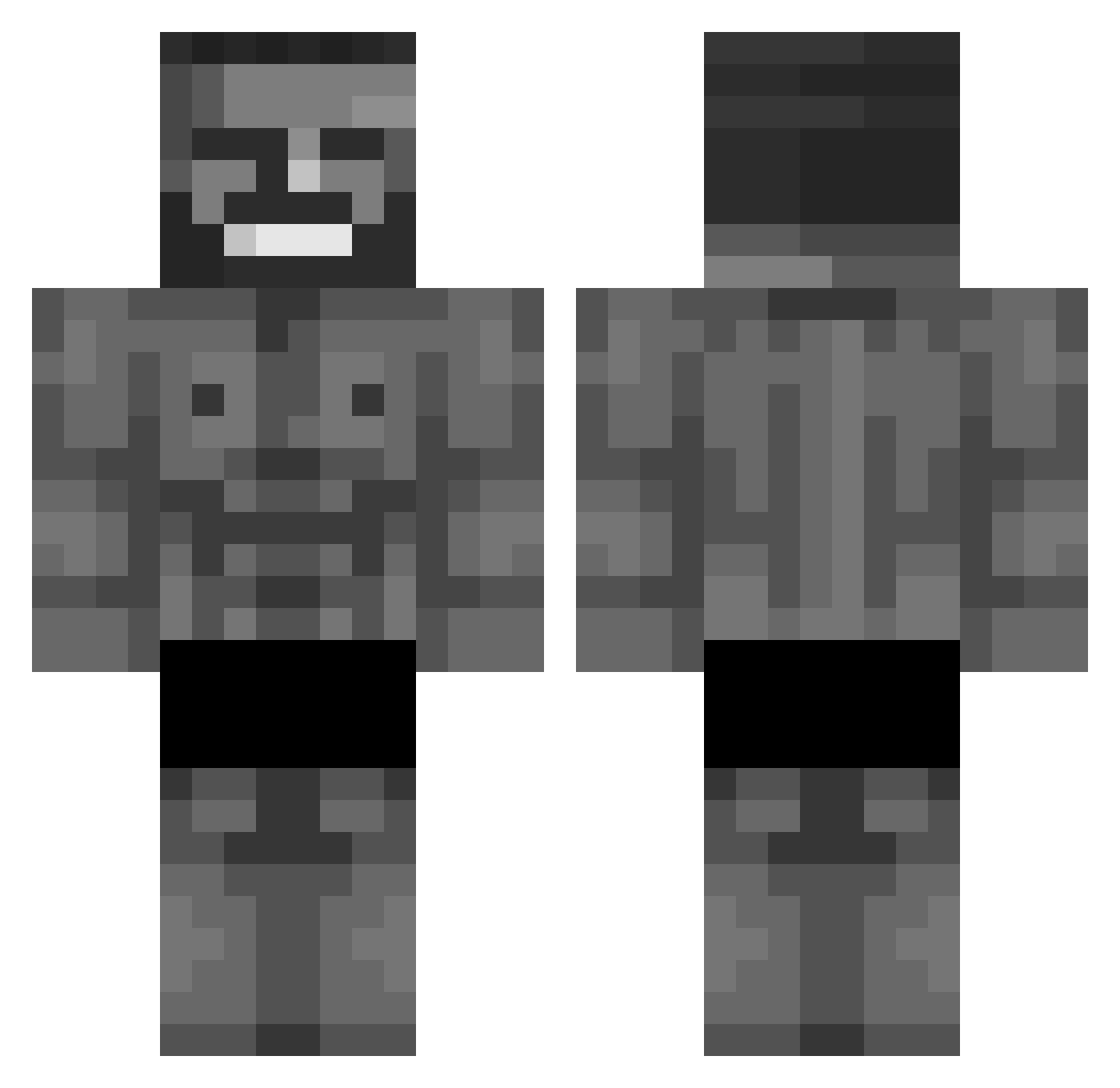
Current Minecraft skin of the player WERABCN, loaded from the official Mojang API. Rotate the 3D model with your mouse or finger, then download the skin as a PNG file and use it in Minecraft: Bedrock Edition or Java Edition for free. When WERABCN changes their skin, this page updates automatically and the old skin stays in the history below.
Other players with this skin (876)
WERABCN was the 500th player we have seen with this skin, first spotted on 27.09.2026. The same skin was seen on these players. Open a nickname to see their current skin and skin history.
 ultramarine300 Bleake2030 ChrisCrafter99 711manager MarKGB_ Poggar_man Champlue tranki NYXXGAMING lucalol03 aarontbhh Symetz LTPoonSlayer YeKoCh ThatOneGuy9 Autreous Cr1_spy CarCar621 TryNotLose cestulsa13 Ekboc JRazer14 marqueesbeast IlFranco TerraMogger Ardissarl vveedl david1509 Rudito845 joydeep Devidm staedtlercolor DanMcb4697 KOCHAVI PIXER76 GooberJuan5 JariBigMan nate_711 TryHardGurke Mr_poopypants932 esemeniyyy Shaay_ GubGubSan hadi1655 Nikc7524 Unlucky_Dziejson Arleiy_ bongvomit jojos_enjoyer Island0722 gardenfan11 maggiecarl Menkal1nan Thaddy10 BattyMan359 UncleHans Lef0ca Tixci Mechx AgentSkye_
More Gigachad Minecraft skins
How to install the WERABCN skin
- Press the Download button above to save the skin as a PNG file.
- Minecraft: Bedrock Edition (PE): open the Dressing Room from the main menu (or tap your character → Edit Character), go to Classic Skins → Owned, press the + (new skin) button, choose the downloaded PNG and pick the Classic (Steve) model. Works on PC and mobile; consoles cannot import custom skins.
- Minecraft: Java Edition: open the Minecraft Launcher, go to the Skins tab, click New Skin, load the PNG, pick the Classic (Steve) model and press Save & Use. You can also upload it at minecraft.net → Profile → Change Skin.
The skin does not show up after import - what should I do?
Restart Minecraft and open the Dressing Room again - imported skins sometimes appear only after a restart. Also make sure you selected the imported skin and picked the Classic (Steve) model.
Which model should I choose, Classic or Slim?
This skin is designed for the Classic (Steve) model. If you pick the wrong model, the arms of the skin will look stretched or squeezed.
Is the skin of WERABCN free to download?
Yes. Press Download, save the PNG file and use it in Minecraft: Bedrock Edition or Java Edition - no payment or registration needed. The skin also works on multiplayer servers and Realms.
More skins
Looking for more? Go back to all Minecraft skins and check the top skins of the week, month and all time, or find any player's skin by nickname.