
WERA001 - Minecraft Skins & Skin History
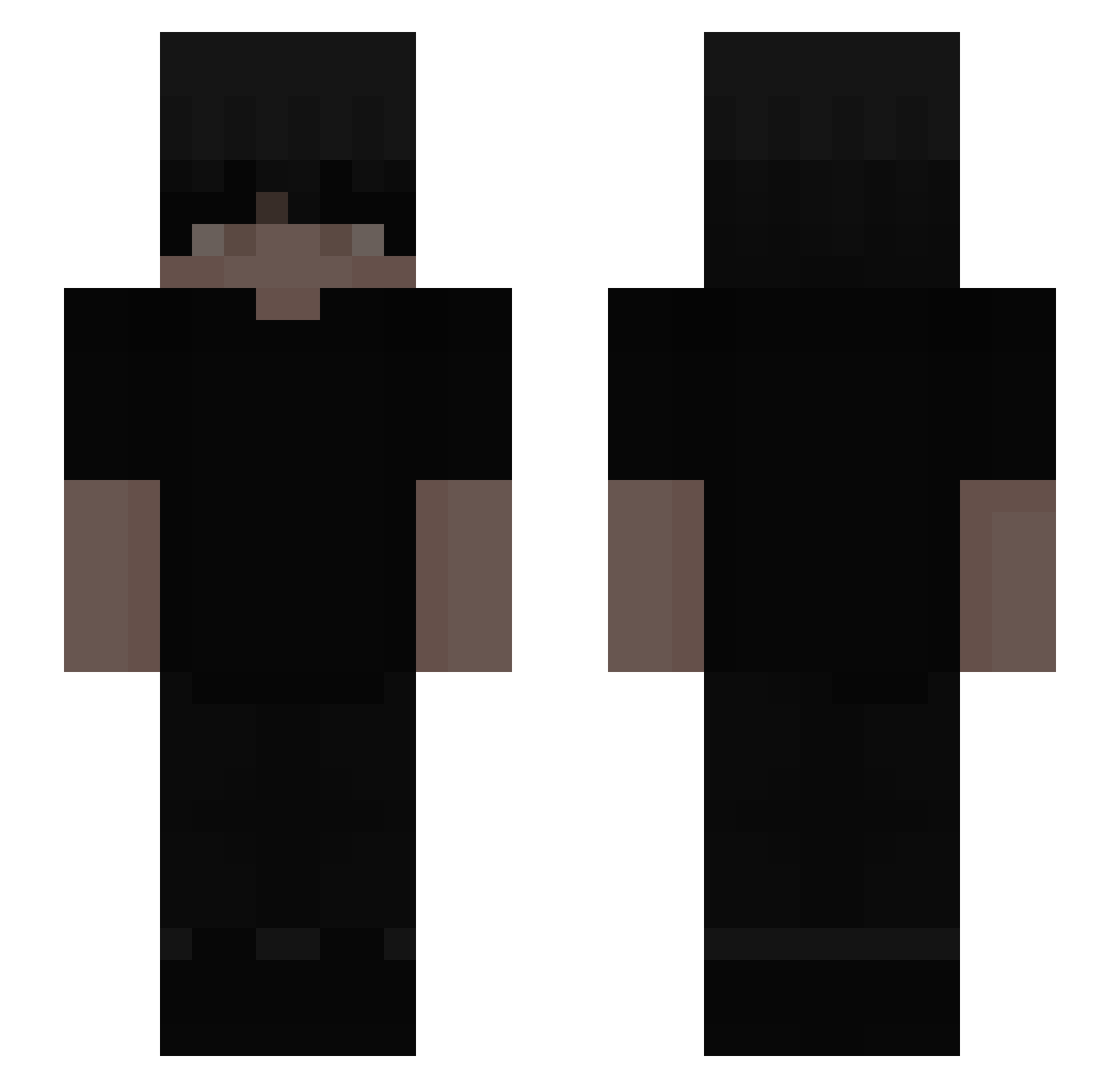
Current Minecraft skin of the player WERA001, loaded from the official Mojang API. Rotate the 3D model with your mouse or finger, then download the skin as a PNG file and use it in Minecraft: Bedrock Edition or Java Edition for free. When WERA001 changes their skin, this page updates automatically and the old skin stays in the history below.
Other players with this skin (346)
WERA001 was the 327th player we have seen with this skin, first spotted on 13.11.2026. The same skin was seen on these players. Open a nickname to see their current skin and skin history.
 suba4 cubs411 ItsLuvix SheLuvsGlock bernaaz PvPMorolin JaCa_KoXu WatchMeCook ItzFinnnn Zabajaga Team_010 alberto038 alislux oliverconnell vanitys999 Jmellick __LivId makixyzzz CUFFCL uNeffy_ Qyoshi EZINwannabe Esbrohh Entezyroxx Da_Fixx 0hBuck sickdanny pitrku ebnnnn Grab_Rider sleeeeppyyy dxwt xXotticc KingControversy DeathRaidZA PapaSchlumpf_1 BillJiden 5728 JGZBR Yamryk5 Novalt57 KnightLewis espel kkuw swweaty evzilys samickunx Indeseable Veuss Grandyz 44ww2_ oDigital Asuto16 Spiritonius GuyV3 kingofthefort AdamClark7 Manuel_RL24 YOBOIJAVA _abp
More Emo Minecraft skins
How to install the WERA001 skin
- Press the Download button above to save the skin as a PNG file.
- Minecraft: Bedrock Edition (PE): open the Dressing Room from the main menu (or tap your character → Edit Character), go to Classic Skins → Owned, press the + (new skin) button, choose the downloaded PNG and pick the Slim (Alex) model. Works on PC and mobile; consoles cannot import custom skins.
- Minecraft: Java Edition: open the Minecraft Launcher, go to the Skins tab, click New Skin, load the PNG, pick the Slim (Alex) model and press Save & Use. You can also upload it at minecraft.net → Profile → Change Skin.
The skin does not show up after import - what should I do?
Restart Minecraft and open the Dressing Room again - imported skins sometimes appear only after a restart. Also make sure you selected the imported skin and picked the Slim (Alex) model.
Which model should I choose, Classic or Slim?
This skin is designed for the Slim (Alex) model. If you pick the wrong model, the arms of the skin will look stretched or squeezed.
Is the skin of WERA001 free to download?
Yes. Press Download, save the PNG file and use it in Minecraft: Bedrock Edition or Java Edition - no payment or registration needed. The skin also works on multiplayer servers and Realms.
More skins
Looking for more? Go back to all Minecraft skins and check the top skins of the week, month and all time, or find any player's skin by nickname.