
Vorteknic - Minecraft Skins & Skin History
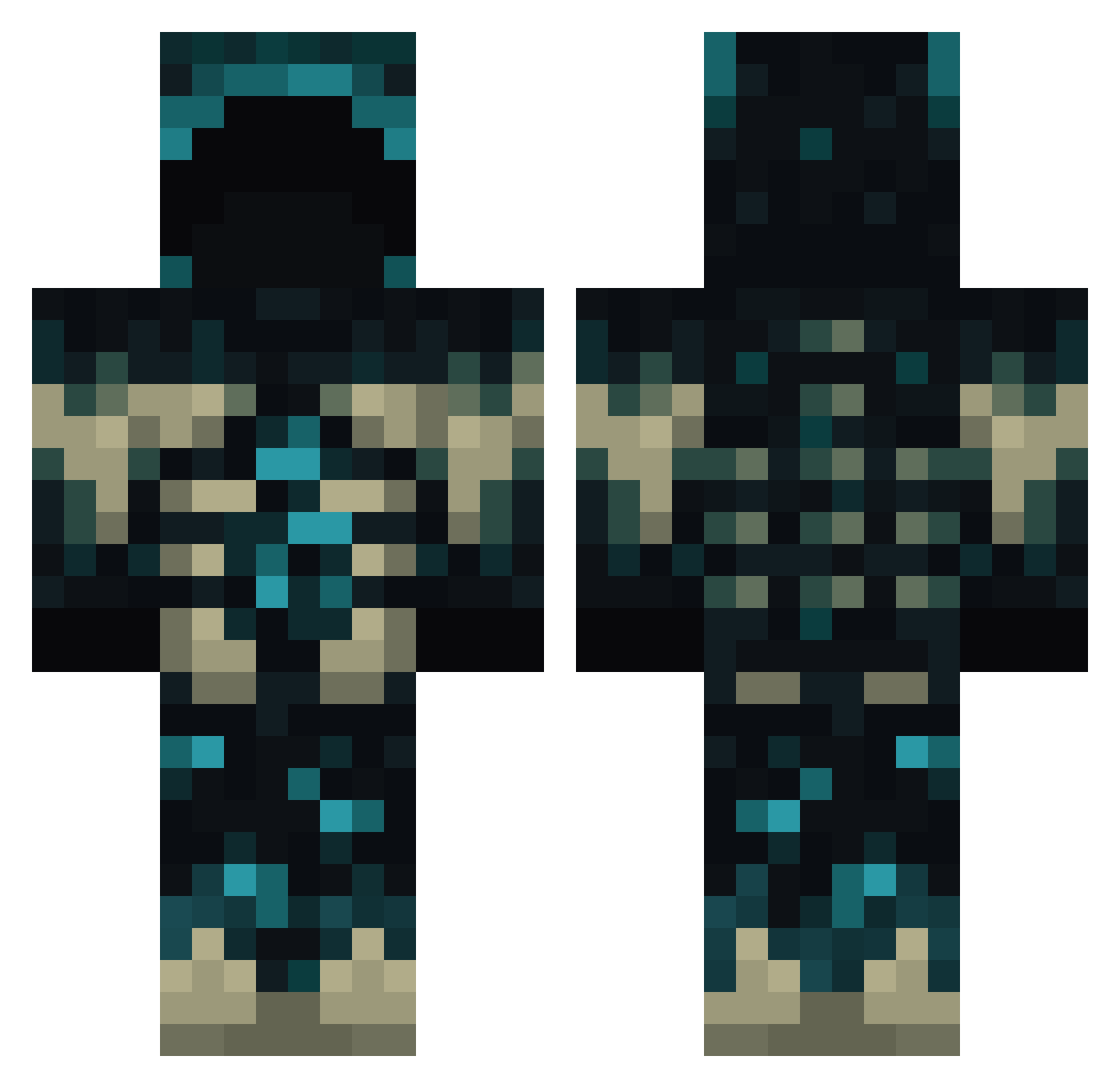
Current Minecraft skin of the player Vorteknic, loaded from the official Mojang API. Rotate the 3D model with your mouse or finger, then download the skin as a PNG file and use it in Minecraft: Bedrock Edition or Java Edition for free. When Vorteknic changes their skin, this page updates automatically and the old skin stays in the history below.
Other players with this skin (835)
Vorteknic was the 602nd player we have seen with this skin, first spotted on 12.10.2026. The same skin was seen on these players. Open a nickname to see their current skin and skin history.
 DTBRUIN DucksSauce Mindminer RenaLorenzo furukme Shave_Jones Maacer Alexinooo chunil756 AffenDJ Bazeldon KnightGard vascul0pathy Hripan09 castigo_mati Apco_ Janikapep iNvAliiDs Paratoix Tofiefie boodro32 AntonioRezbi Epilogue_For_Y0U KeusExMachina etholian_ Viesrl Martinezzy PoopQWQ DeadEyeDylan MagmaWardenn pikudzanis bloodbro22 Erik_NY22 SIRDARKOI FillerCHATO Ely0tt MinecraftFanXXL Jakobinator2006 Grass08 RecalledCollapse thedukky ThDarkShadow404 LexleBexle Assyrianman Nambu06 twesterdead RICOLINOOO CroppyJamal ThenNach Rain4549 AkioTatsuki ssj578 ilGablexli Dhysaal hy_465 symexor Rehbein nbergquist21 Oliwood21 FatihUnal
More Sculk Minecraft skins
How to install the Vorteknic skin
- Press the Download button above to save the skin as a PNG file.
- Minecraft: Bedrock Edition (PE): open the Dressing Room from the main menu (or tap your character → Edit Character), go to Classic Skins → Owned, press the + (new skin) button, choose the downloaded PNG and pick the Classic (Steve) model. Works on PC and mobile; consoles cannot import custom skins.
- Minecraft: Java Edition: open the Minecraft Launcher, go to the Skins tab, click New Skin, load the PNG, pick the Classic (Steve) model and press Save & Use. You can also upload it at minecraft.net → Profile → Change Skin.
The skin does not show up after import - what should I do?
Restart Minecraft and open the Dressing Room again - imported skins sometimes appear only after a restart. Also make sure you selected the imported skin and picked the Classic (Steve) model.
Which model should I choose, Classic or Slim?
This skin is designed for the Classic (Steve) model. If you pick the wrong model, the arms of the skin will look stretched or squeezed.
Is the skin of Vorteknic free to download?
Yes. Press Download, save the PNG file and use it in Minecraft: Bedrock Edition or Java Edition - no payment or registration needed. The skin also works on multiplayer servers and Realms.
More skins
Looking for more? Go back to all Minecraft skins and check the top skins of the week, month and all time, or find any player's skin by nickname.