
VoodooDaddy81 - Minecraft Skins & Skin History
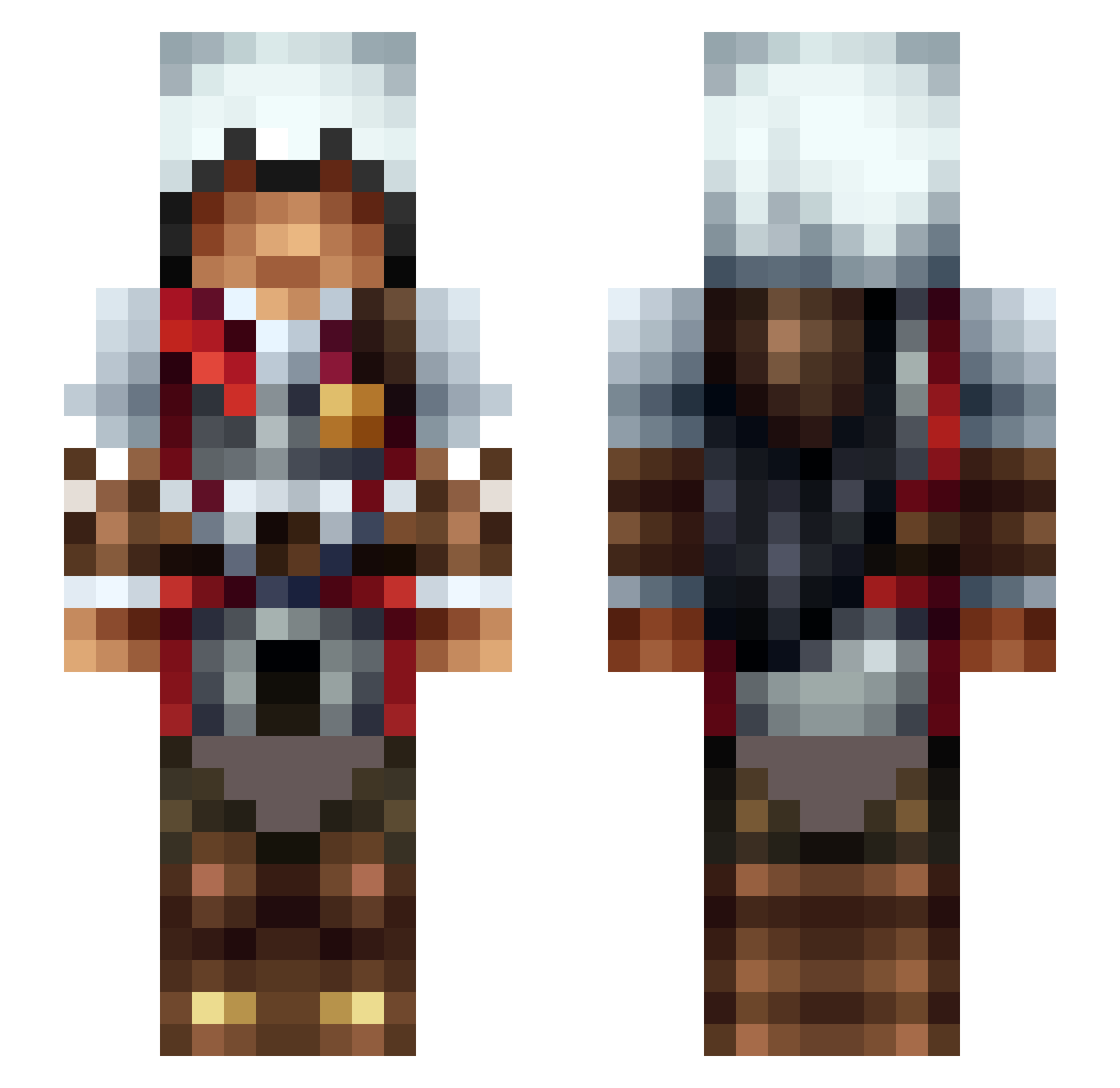
Current Minecraft skin of the player VoodooDaddy81, loaded from the official Mojang API. Rotate the 3D model with your mouse or finger, then download the skin as a PNG file and use it in Minecraft: Bedrock Edition or Java Edition for free. When VoodooDaddy81 changes their skin, this page updates automatically and the old skin stays in the history below.
Other players with this skin (475)
VoodooDaddy81 was the 254th player we have seen with this skin, first spotted on 22.09.2026. The same skin was seen on these players. Open a nickname to see their current skin and skin history.
 MrDFC finagin Micr0T BigP0w Foxtrot_60 HerrDawix RedEyeXerx Yametox Swedz2179 SamBrisingr Muffinbabi PotatoeSlayer456 TheRoyalOne00 BuckBen MineTokje MMMyra Spiggzy K1NG_ZACH Rafaelmartins838 VitalikRe dapjump OgNG7 Bocman00 Ferios1524 Lalituh crunchynut08 TheHabo GamerTVGerman96 Zanez FullbagBr iB4D chochkin Zero0w0 ninja5587 moonshine1014 Yetibull Alonso_Cisneros TooLv skousk567 IcyFlame911 Legenarius LoveSoaring Joshua_Lp Wh00psi33 MrgotdeLute AmbiguAssClapper EZIOPQR JomasFW Sha_Goun69 NCS_gamer RTLLY Deaqo W4skir Tonuk_ SlimeAlts Jason920225 levinh03 Servus11 Dioptra yoshilla
More Altair Minecraft skins
How to install the VoodooDaddy81 skin
- Press the Download button above to save the skin as a PNG file.
- Minecraft: Bedrock Edition (PE): open the Dressing Room from the main menu (or tap your character → Edit Character), go to Classic Skins → Owned, press the + (new skin) button, choose the downloaded PNG and pick the Slim (Alex) model. Works on PC and mobile; consoles cannot import custom skins.
- Minecraft: Java Edition: open the Minecraft Launcher, go to the Skins tab, click New Skin, load the PNG, pick the Slim (Alex) model and press Save & Use. You can also upload it at minecraft.net → Profile → Change Skin.
The skin does not show up after import - what should I do?
Restart Minecraft and open the Dressing Room again - imported skins sometimes appear only after a restart. Also make sure you selected the imported skin and picked the Slim (Alex) model.
Which model should I choose, Classic or Slim?
This skin is designed for the Slim (Alex) model. If you pick the wrong model, the arms of the skin will look stretched or squeezed.
Is the skin of VoodooDaddy81 free to download?
Yes. Press Download, save the PNG file and use it in Minecraft: Bedrock Edition or Java Edition - no payment or registration needed. The skin also works on multiplayer servers and Realms.
More skins
Looking for more? Go back to all Minecraft skins and check the top skins of the week, month and all time, or find any player's skin by nickname.