
VoidMuse87 - Minecraft Skins & Skin History
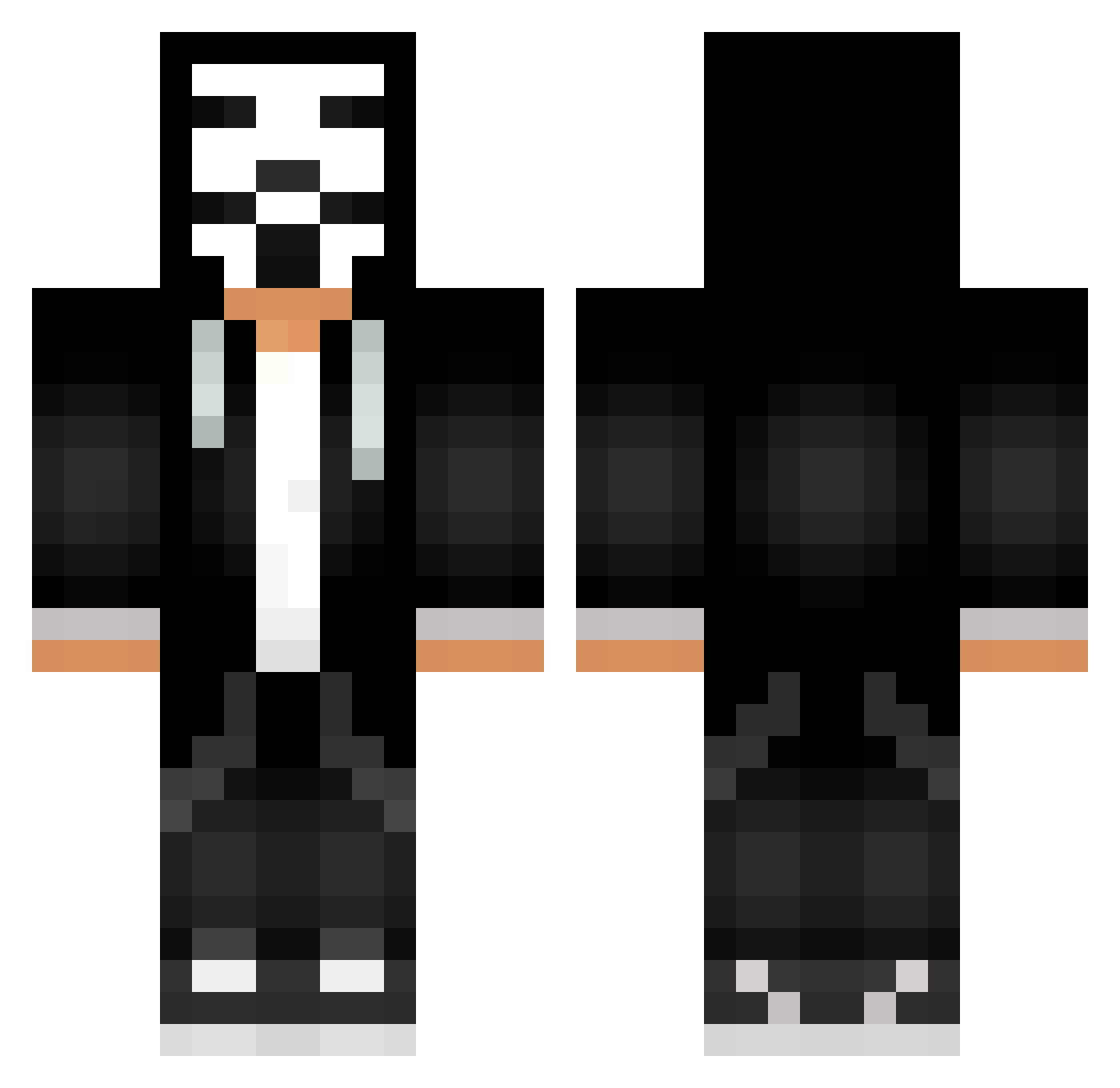
Current Minecraft skin of the player VoidMuse87, loaded from the official Mojang API. Rotate the 3D model with your mouse or finger, then download the skin as a PNG file and use it in Minecraft: Bedrock Edition or Java Edition for free. When VoidMuse87 changes their skin, this page updates automatically and the old skin stays in the history below.
Other players with this skin (623)
VoidMuse87 was the 449th player we have seen with this skin, first spotted on 10.10.2026. The same skin was seen on these players. Open a nickname to see their current skin and skin history.
 CLOWNMINE YariYan777 leogiamma gogoleiscute Shadow744Digger 00cris Vendeta04 wjk501 GodaTibor miss_hale onuragaoglu TyrLemos Bash084 Barsuk228YT Kingcrow1 lighty_gaming NsGhunter sgfc DarthKrabus FILIPEK__1 TheVladikSuper Theus1400 CavaleiroMuMu Edoudouard portwine72 _Killex_ KONPEC98 Mr_Dodi_ wolfffff Captain_Idea Hype_is_real Ember1337 HandyMetal61641 EderLopes Rico69330 Niuriei xmilox13 Bombastiq10 TuHTuPuMuHTuPu LupineFighter156 tomicode10 DzKr0 pXb968 ITRTiago alexandrup100 Gabejvx Just_Kratos 1_Shade_1 NefariousWizard Grub7oh7 MrNoKnow2022 TurnoverKhan2 ItsHaramBro Everst1101 Rick1337 3mkalharbi iamcrazy77 Afonso2020 HeroBrine110 ignItalia
More Anonymous Minecraft skins
How to install the VoidMuse87 skin
- Press the Download button above to save the skin as a PNG file.
- Minecraft: Bedrock Edition (PE): open the Dressing Room from the main menu (or tap your character → Edit Character), go to Classic Skins → Owned, press the + (new skin) button, choose the downloaded PNG and pick the Classic (Steve) model. Works on PC and mobile; consoles cannot import custom skins.
- Minecraft: Java Edition: open the Minecraft Launcher, go to the Skins tab, click New Skin, load the PNG, pick the Classic (Steve) model and press Save & Use. You can also upload it at minecraft.net → Profile → Change Skin.
The skin does not show up after import - what should I do?
Restart Minecraft and open the Dressing Room again - imported skins sometimes appear only after a restart. Also make sure you selected the imported skin and picked the Classic (Steve) model.
Which model should I choose, Classic or Slim?
This skin is designed for the Classic (Steve) model. If you pick the wrong model, the arms of the skin will look stretched or squeezed.
Is the skin of VoidMuse87 free to download?
Yes. Press Download, save the PNG file and use it in Minecraft: Bedrock Edition or Java Edition - no payment or registration needed. The skin also works on multiplayer servers and Realms.
More skins
Looking for more? Go back to all Minecraft skins and check the top skins of the week, month and all time, or find any player's skin by nickname.