
VloneNato - Minecraft Skins & Skin History
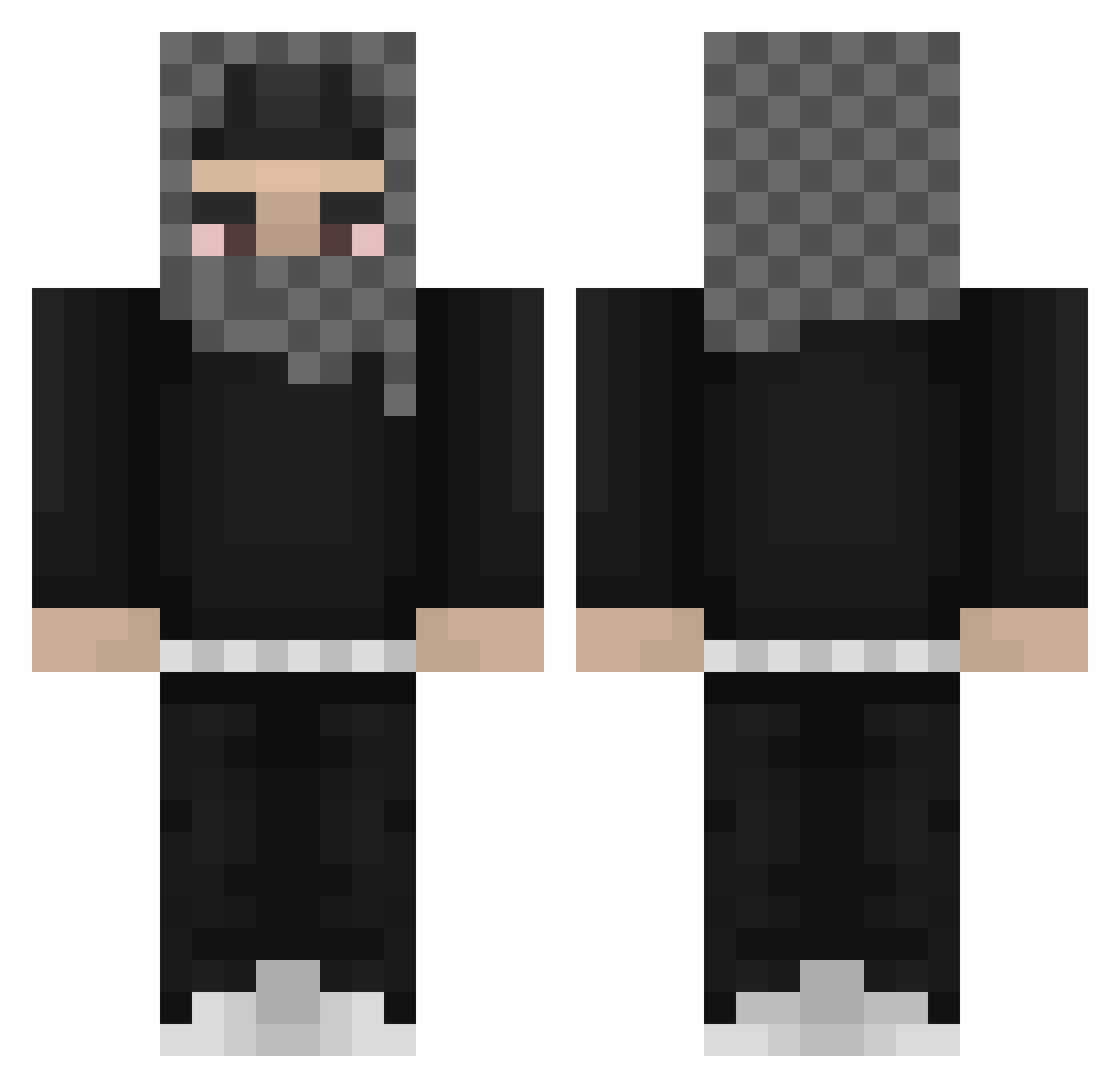
Current Minecraft skin of the player VloneNato, loaded from the official Mojang API. Rotate the 3D model with your mouse or finger, then download the skin as a PNG file and use it in Minecraft: Bedrock Edition or Java Edition for free. When VloneNato changes their skin, this page updates automatically and the old skin stays in the history below.
Other players with this skin (812)
VloneNato was the 654th player we have seen with this skin, first spotted on 16.10.2026. The same skin was seen on these players. Open a nickname to see their current skin and skin history.
 user00yeat Lebrauen Lilmonkee PIFcha PhilMinigan fried_chicken63 MC_28 Meezie1 gstvoo1 JopeNuts unexpected_frfr FISHYFINNXD itxStxck Bobita_Bagguetty Chabrisko Valocityz YourLocalcok Bonschnito jangsean best_mexican adenkjjkkjjkkj HotRyZe Lanpo Sparkehh IAMSOTUFFDUDE Ballincat72 wrenisthebest wert6969 0xjb randomaiden44 AmkamingLol ScorpionX665 Mce_PL oofpump df1n camikazeee Mloda_Leokadia etto_pelle MrADAAM BrotLP_YT OlgMiner TheCasualHypixel yrzay Satyer05 RuB3N100 poopdrawerisfull lwi808 mysteriousdxve originalvuitton Nivekkk__ StreamsLucky ulxy prodegen xtreeme XszbX rochqo hrasn SirFrostyOG DreamyBull Fre_Xer
More Streetwear Minecraft skins
How to install the VloneNato skin
- Press the Download button above to save the skin as a PNG file.
- Minecraft: Bedrock Edition (PE): open the Dressing Room from the main menu (or tap your character → Edit Character), go to Classic Skins → Owned, press the + (new skin) button, choose the downloaded PNG and pick the Classic (Steve) model. Works on PC and mobile; consoles cannot import custom skins.
- Minecraft: Java Edition: open the Minecraft Launcher, go to the Skins tab, click New Skin, load the PNG, pick the Classic (Steve) model and press Save & Use. You can also upload it at minecraft.net → Profile → Change Skin.
The skin does not show up after import - what should I do?
Restart Minecraft and open the Dressing Room again - imported skins sometimes appear only after a restart. Also make sure you selected the imported skin and picked the Classic (Steve) model.
Which model should I choose, Classic or Slim?
This skin is designed for the Classic (Steve) model. If you pick the wrong model, the arms of the skin will look stretched or squeezed.
Is the skin of VloneNato free to download?
Yes. Press Download, save the PNG file and use it in Minecraft: Bedrock Edition or Java Edition - no payment or registration needed. The skin also works on multiplayer servers and Realms.
More skins
Looking for more? Go back to all Minecraft skins and check the top skins of the week, month and all time, or find any player's skin by nickname.