
VladUwUtz - Minecraft Skins & Skin History
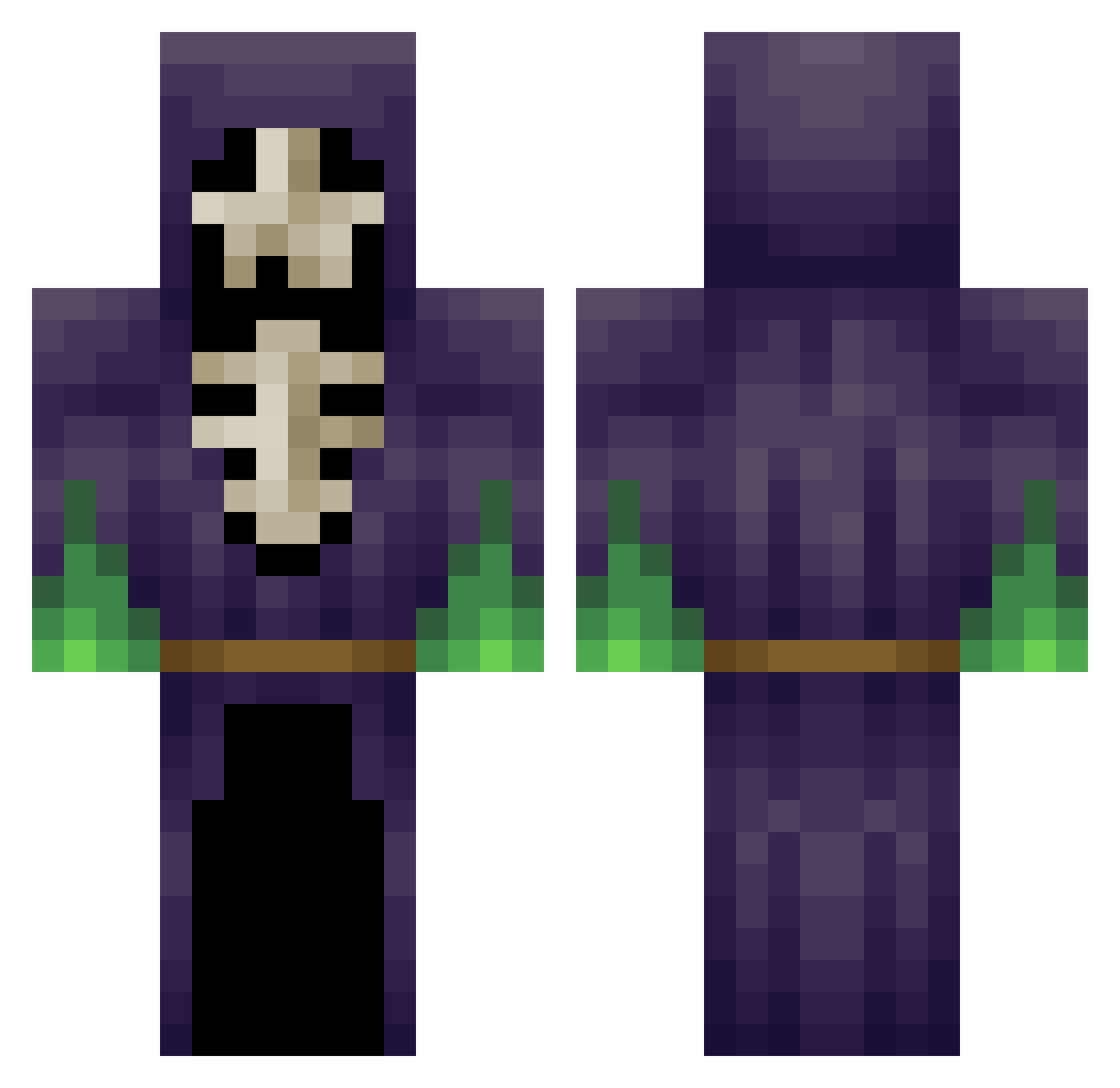
Current Minecraft skin of the player VladUwUtz, loaded from the official Mojang API. Rotate the 3D model with your mouse or finger, then download the skin as a PNG file and use it in Minecraft: Bedrock Edition or Java Edition for free. When VladUwUtz changes their skin, this page updates automatically and the old skin stays in the history below.
Other players with this skin (348)
VladUwUtz was the 65th player we have seen with this skin, first spotted on 17.08.2026. The same skin was seen on these players. Open a nickname to see their current skin and skin history.
 xXElectroShockXx Excelsior3000 TrueCthulhu The_Mitx jipripz _KNET_ bibi0bla blockhero12345 Mast3rHand devid970 Fire_hydraf Ignited_Momentum DuskIsland IshPotato Ellen2 derren231 whitep0werKKK Patmand93 Kuro_Same ola5005 ryeguy1994 jestemSzalencem KTRandle Nexedo shadow8592 KenpachiStnkfoot arceus2011 Timtam_WILLY MAXIME_H Jebadie77 lotwud AurumCreator Jimbo_Eight DarksideOfHeaven KingD4v3 Dualey reaper101 IMGNightmare Navajo MiniApprentice Camaris75 Angel3292 Darknuss1 hubertk98 craftyghost Goohmonster Bully5150 cmanmc10 Soraffe XXPVPGETREKT_ FilipFilip2009 DPita Hanzim MehTristan shittake_shrooms Meowageddon Lord_Legion Gilann3 Dremorro Dronzar5
More Necromancer Minecraft skins
How to install the VladUwUtz skin
- Press the Download button above to save the skin as a PNG file.
- Minecraft: Bedrock Edition (PE): open the Dressing Room from the main menu (or tap your character → Edit Character), go to Classic Skins → Owned, press the + (new skin) button, choose the downloaded PNG and pick the Classic (Steve) model. Works on PC and mobile; consoles cannot import custom skins.
- Minecraft: Java Edition: open the Minecraft Launcher, go to the Skins tab, click New Skin, load the PNG, pick the Classic (Steve) model and press Save & Use. You can also upload it at minecraft.net → Profile → Change Skin.
The skin does not show up after import - what should I do?
Restart Minecraft and open the Dressing Room again - imported skins sometimes appear only after a restart. Also make sure you selected the imported skin and picked the Classic (Steve) model.
Which model should I choose, Classic or Slim?
This skin is designed for the Classic (Steve) model. If you pick the wrong model, the arms of the skin will look stretched or squeezed.
Is the skin of VladUwUtz free to download?
Yes. Press Download, save the PNG file and use it in Minecraft: Bedrock Edition or Java Edition - no payment or registration needed. The skin also works on multiplayer servers and Realms.
More skins
Looking for more? Go back to all Minecraft skins and check the top skins of the week, month and all time, or find any player's skin by nickname.