
VlCH0_XD - Minecraft Skins & Skin History
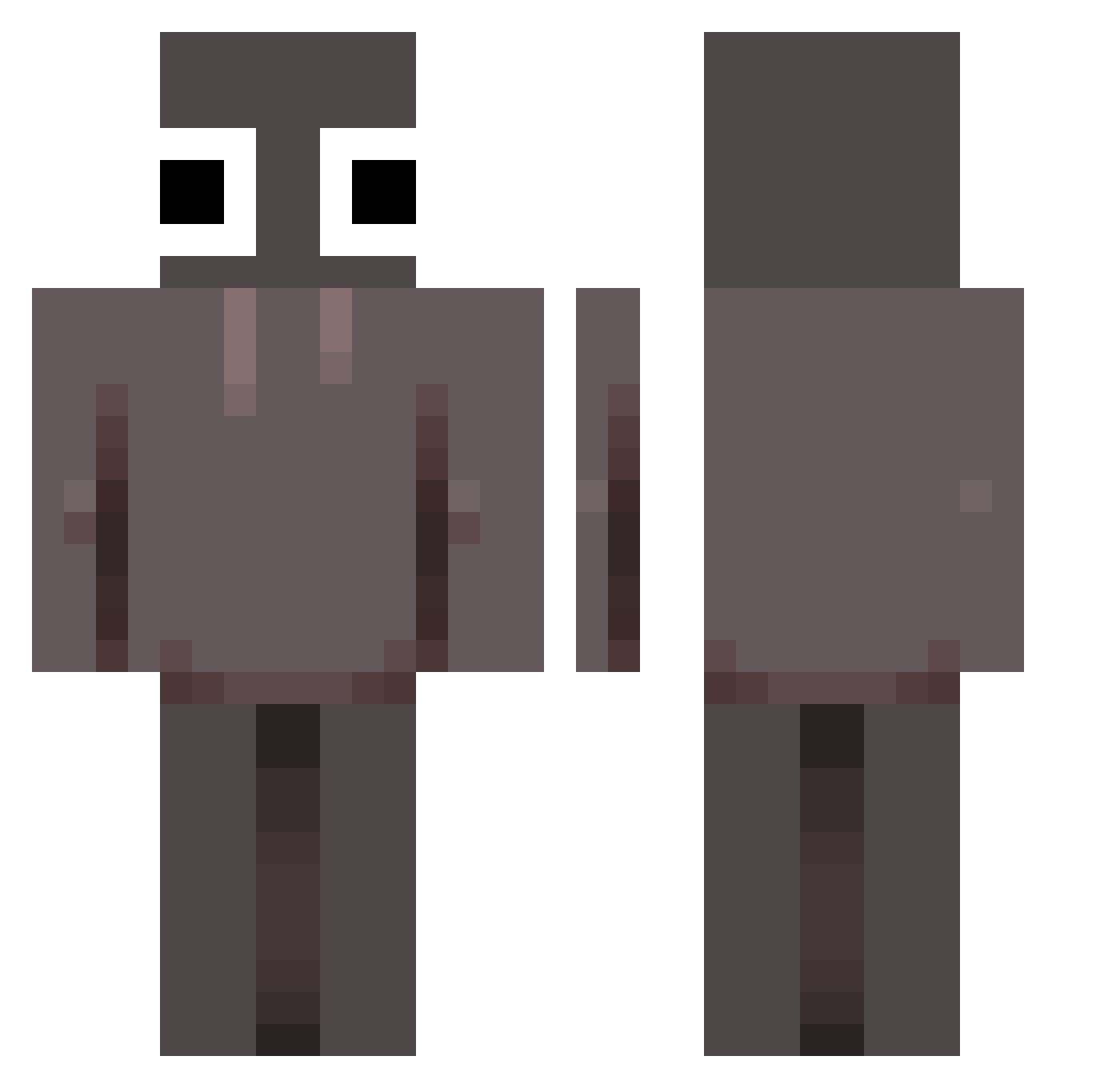
Current Minecraft skin of the player VlCH0_XD, loaded from the official Mojang API. Rotate the 3D model with your mouse or finger, then download the skin as a PNG file and use it in Minecraft: Bedrock Edition or Java Edition for free. When VlCH0_XD changes their skin, this page updates automatically and the old skin stays in the history below.
Other players with this skin (116)
VlCH0_XD was the 56th player we have seen with this skin, first spotted on 16.09.2026. The same skin was seen on these players. Open a nickname to see their current skin and skin history.
 CN_TZYedge Messi198715 bagle12354 soyGalaxia XyloSMP styxslol Anonymous12678 Potatos4 jb0317 RussianExodia SuperSlay tennma_ Twztee BastetBart FunkyNinja192 Ghostrider6969 keyesus elementalisted Hellot3he5re Seryura mrzkk FalenAngeI ken0629 LJY2011 GaryBuseysDog Leocrack775 icvv JackBrighten kayseaaa KingKidShark Locxlvxmpyr airrink dixie0cd IBAElite your_mom1234567 CONNOR2RISKY greenbean326 benjamin3442 YukinElric jarkobyt Lendlease MYRODED Avenyx_ PesoPluma2010 wixcki JacobNinja03 Tmoa romannoodle3412 crishtoshi zoomiesMC 1venus5_ juanjzavala98 zoravex xgxt01 FoxGamesFriends Molarpaper7 tadasttt Thirti Krafton kfc41
More Eyes Minecraft skins
How to install the VlCH0_XD skin
- Press the Download button above to save the skin as a PNG file.
- Minecraft: Bedrock Edition (PE): open the Dressing Room from the main menu (or tap your character → Edit Character), go to Classic Skins → Owned, press the + (new skin) button, choose the downloaded PNG and pick the Classic (Steve) model. Works on PC and mobile; consoles cannot import custom skins.
- Minecraft: Java Edition: open the Minecraft Launcher, go to the Skins tab, click New Skin, load the PNG, pick the Classic (Steve) model and press Save & Use. You can also upload it at minecraft.net → Profile → Change Skin.
The skin does not show up after import - what should I do?
Restart Minecraft and open the Dressing Room again - imported skins sometimes appear only after a restart. Also make sure you selected the imported skin and picked the Classic (Steve) model.
Which model should I choose, Classic or Slim?
This skin is designed for the Classic (Steve) model. If you pick the wrong model, the arms of the skin will look stretched or squeezed.
Is the skin of VlCH0_XD free to download?
Yes. Press Download, save the PNG file and use it in Minecraft: Bedrock Edition or Java Edition - no payment or registration needed. The skin also works on multiplayer servers and Realms.
More skins
Looking for more? Go back to all Minecraft skins and check the top skins of the week, month and all time, or find any player's skin by nickname.