
Vixl0 - Minecraft Skins & Skin History
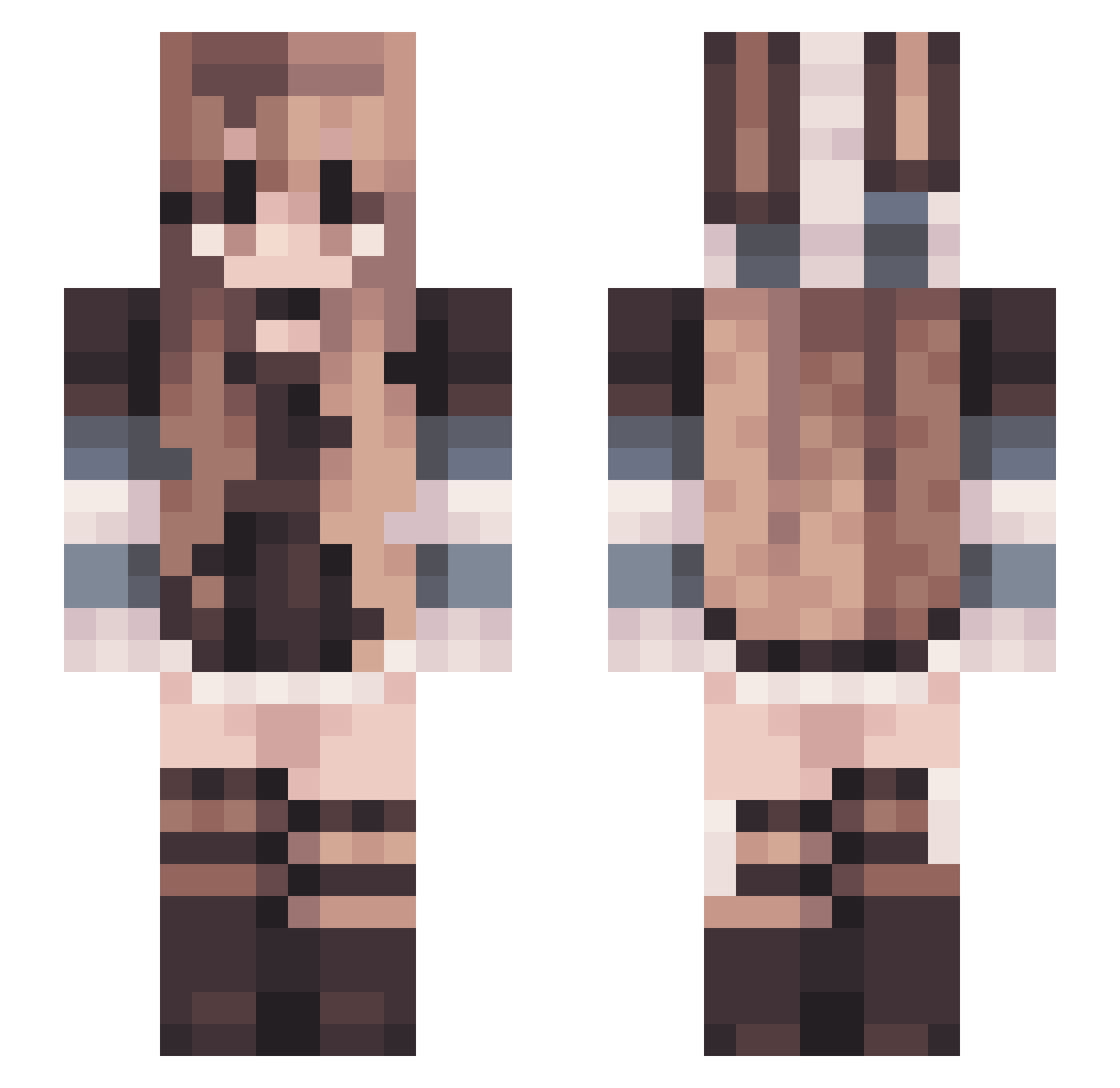
Current Minecraft skin of the player Vixl0, loaded from the official Mojang API. Rotate the 3D model with your mouse or finger, then download the skin as a PNG file and use it in Minecraft: Bedrock Edition or Java Edition for free. When Vixl0 changes their skin, this page updates automatically and the old skin stays in the history below.
Other players with this skin (106)
Vixl0 was the 85th player we have seen with this skin, first spotted on 08.10.2026. The same skin was seen on these players. Open a nickname to see their current skin and skin history.
 kreoger80 tankbuster04 ChicKenShEEps olisiamisia AlenaGames stvriighttss smolgae Wowsomeonecool yui_4490 0toxic02 kluvix mayvris lumi_lua PeasantOfDivan Maing_ M_SILVA0210 YearnFor lilibetann NeleKeks01 Mozi5031 LoganStayStrokin KiwinaMina Detectivetig kornelea Urakus saaytong ELMagee1 ginger1MD LilNorskie IssyWei Galaxy_Eryk Sa064 Aviviii siziino Soccera1 MajorBrik isolobeann chaojiAon Gh0stDuck Orochirisu magdax16x WildBlossom_7 ailubec Evonjr Hydrrangea RugSniffer ImaMusti Amber56733 Produalx Mchemo Berdy0619 sqwishiii Astcue TannOF07 Julcixvx lendrixStrike Anouka_ LordKermitt Bittybop67 KuroMaggie
More Striped Sleeves Minecraft skins
See all 1189 Striped Sleeves skins
How to install the Vixl0 skin
- Press the Download button above to save the skin as a PNG file.
- Minecraft: Bedrock Edition (PE): open the Dressing Room from the main menu (or tap your character → Edit Character), go to Classic Skins → Owned, press the + (new skin) button, choose the downloaded PNG and pick the Slim (Alex) model. Works on PC and mobile; consoles cannot import custom skins.
- Minecraft: Java Edition: open the Minecraft Launcher, go to the Skins tab, click New Skin, load the PNG, pick the Slim (Alex) model and press Save & Use. You can also upload it at minecraft.net → Profile → Change Skin.
The skin does not show up after import - what should I do?
Restart Minecraft and open the Dressing Room again - imported skins sometimes appear only after a restart. Also make sure you selected the imported skin and picked the Slim (Alex) model.
Which model should I choose, Classic or Slim?
This skin is designed for the Slim (Alex) model. If you pick the wrong model, the arms of the skin will look stretched or squeezed.
Is the skin of Vixl0 free to download?
Yes. Press Download, save the PNG file and use it in Minecraft: Bedrock Edition or Java Edition - no payment or registration needed. The skin also works on multiplayer servers and Realms.
More skins
Looking for more? Go back to all Minecraft skins and check the top skins of the week, month and all time, or find any player's skin by nickname.