
Vilum - Minecraft Skins & Skin History
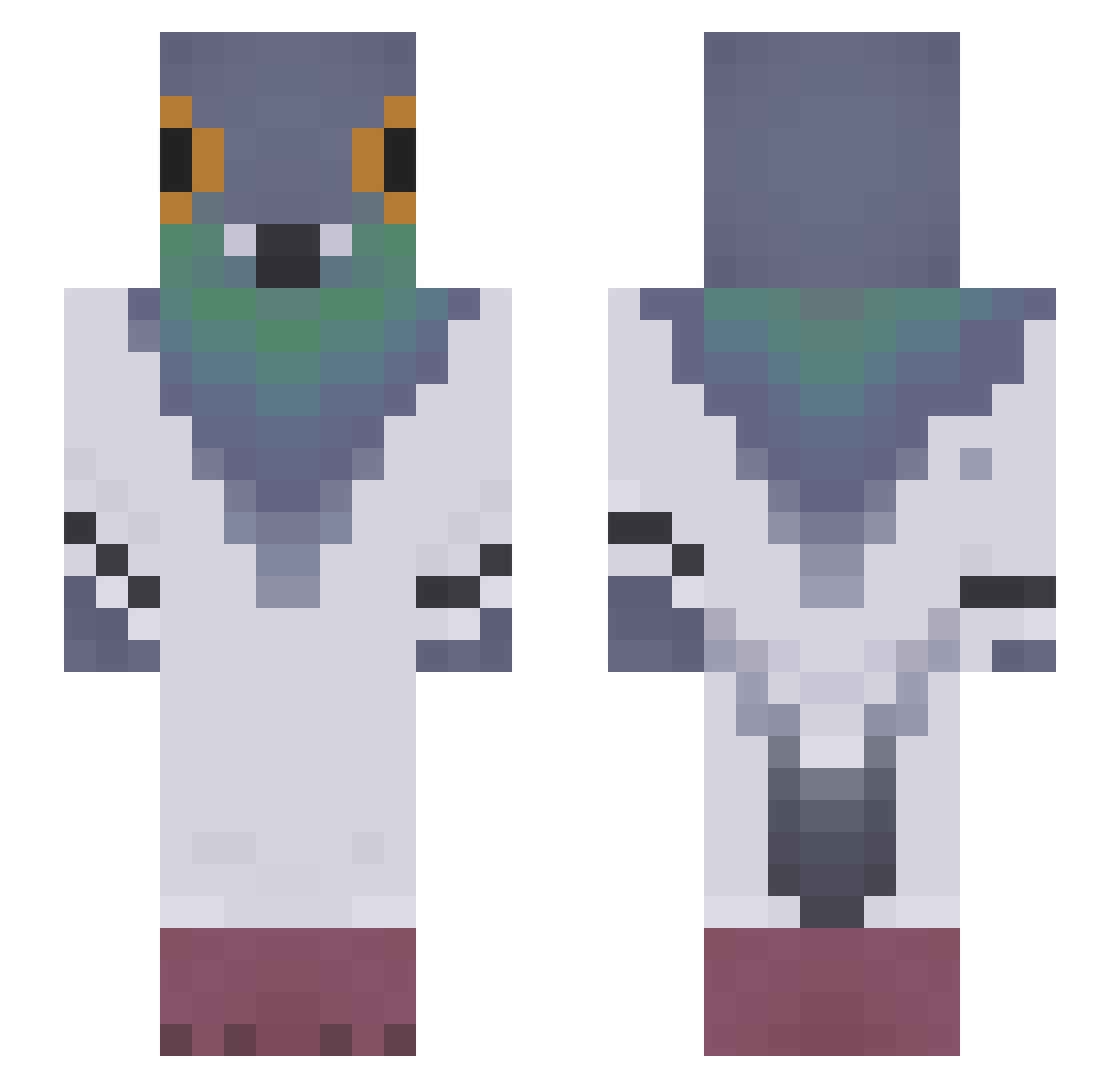
Current Minecraft skin of the player Vilum, loaded from the official Mojang API. Rotate the 3D model with your mouse or finger, then download the skin as a PNG file and use it in Minecraft: Bedrock Edition or Java Edition for free. When Vilum changes their skin, this page updates automatically and the old skin stays in the history below.
Other players with this skin (43)
Vilum was the 33rd player we have seen with this skin, first spotted on 02.10.2026. The same skin was seen on these players. Open a nickname to see their current skin and skin history.
 Ayarkal ChickenMousz lofalezi Boyraz pp_Vinye Riles7901 RejiGod97 loqunnyluvr Mazurek2010 ItchyPigeon54 mistyypinini Skattebedrager Neyr1um dedeco0 BoshBoshfr steveboi000 audi9898 notzc__ Diamond561 user7831 Mastermax29 InfiniteWolf87 EpgLight MerelyMaki Bleu_Lapin taratuuuu KcDbouche CsabikaTaBest manyak123
 Nachier SbrandAdam EINSTElN WalterKnight_ GLMTGYI SumoFerrariF8 ___D4rk____ Slikxer
 Viol3tStar rayomat1 Aw360_ chucky67power Nixi33 betinabest
More Pigeon Minecraft skins
How to install the Vilum skin
- Press the Download button above to save the skin as a PNG file.
- Minecraft: Bedrock Edition (PE): open the Dressing Room from the main menu (or tap your character → Edit Character), go to Classic Skins → Owned, press the + (new skin) button, choose the downloaded PNG and pick the Slim (Alex) model. Works on PC and mobile; consoles cannot import custom skins.
- Minecraft: Java Edition: open the Minecraft Launcher, go to the Skins tab, click New Skin, load the PNG, pick the Slim (Alex) model and press Save & Use. You can also upload it at minecraft.net → Profile → Change Skin.
The skin does not show up after import - what should I do?
Restart Minecraft and open the Dressing Room again - imported skins sometimes appear only after a restart. Also make sure you selected the imported skin and picked the Slim (Alex) model.
Which model should I choose, Classic or Slim?
This skin is designed for the Slim (Alex) model. If you pick the wrong model, the arms of the skin will look stretched or squeezed.
Is the skin of Vilum free to download?
Yes. Press Download, save the PNG file and use it in Minecraft: Bedrock Edition or Java Edition - no payment or registration needed. The skin also works on multiplayer servers and Realms.
More skins
Looking for more? Go back to all Minecraft skins and check the top skins of the week, month and all time, or find any player's skin by nickname.