
Villager205 - Minecraft Skins & Skin History
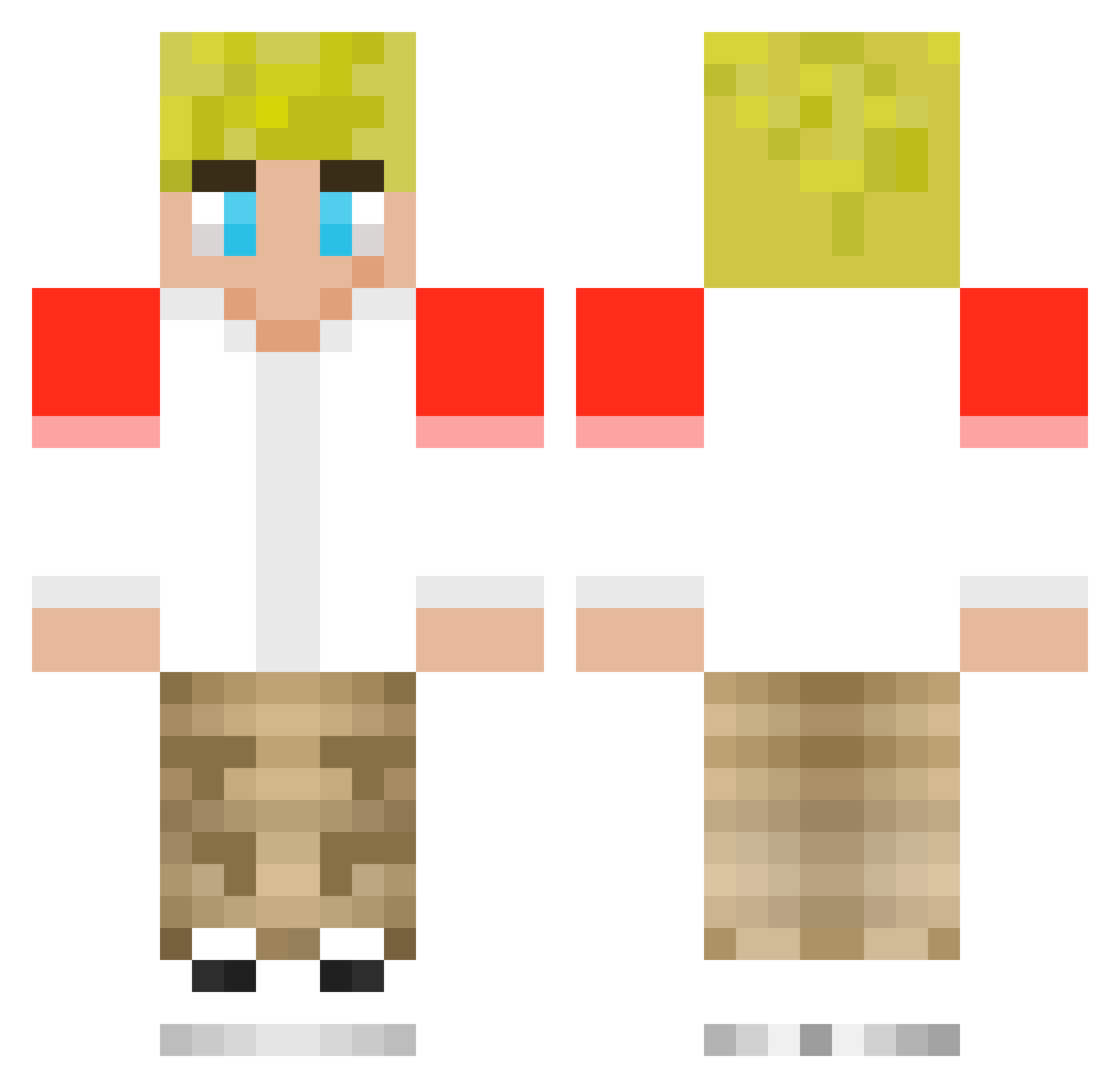
Current Minecraft skin of the player Villager205, loaded from the official Mojang API. Rotate the 3D model with your mouse or finger, then download the skin as a PNG file and use it in Minecraft: Bedrock Edition or Java Edition for free. When Villager205 changes their skin, this page updates automatically and the old skin stays in the history below.
Other players with this skin (202)
Villager205 was the 4th player we have seen with this skin, first spotted on 22.07.2026. The same skin was seen on these players. Open a nickname to see their current skin and skin history.
 That1player7369 IXJAYDANIX BearGamer2011 Tommyinnout connorstubbe TommyInnit malea_ SeamedPlace1027 SunDazeHQ THESTOPTURTLE BrookIsTaken Mj_Drawz kentut09 Tyler22LR AllFuzzball1014 SNMlegend Snowy0111 Jonathan_bugone Carter51254 54321Xxme triniteay kokogroot V0P LittleBunny18 josiemorrow Marlon25 Lizziegamer06 Djemka Ananim303_v2 ydoesitmatter PAYPRANKSTER RiPTiDe1979 nightwing12345 unknown_bolt pqir SwampyMedal6448 WilsonHappy420 sportoDrai
 gavinspace matyjuju Arthywathy BentVdW Dawn11037 ttvtdot13 jingle5 tinomax10 Pravish NO_ONE12345 NS_Brian5k Noha1220 K127512 gvingaming Luke_AZ jaxoninnit Serpher88 Flextape10101 Vladayyyy dreamstar286637 Ulpikk69 FreddieGamingYT
More Tommyinnit Minecraft skins
How to install the Villager205 skin
- Press the Download button above to save the skin as a PNG file.
- Minecraft: Bedrock Edition (PE): open the Dressing Room from the main menu (or tap your character → Edit Character), go to Classic Skins → Owned, press the + (new skin) button, choose the downloaded PNG and pick the Classic (Steve) model. Works on PC and mobile; consoles cannot import custom skins.
- Minecraft: Java Edition: open the Minecraft Launcher, go to the Skins tab, click New Skin, load the PNG, pick the Classic (Steve) model and press Save & Use. You can also upload it at minecraft.net → Profile → Change Skin.
The skin does not show up after import - what should I do?
Restart Minecraft and open the Dressing Room again - imported skins sometimes appear only after a restart. Also make sure you selected the imported skin and picked the Classic (Steve) model.
Which model should I choose, Classic or Slim?
This skin is designed for the Classic (Steve) model. If you pick the wrong model, the arms of the skin will look stretched or squeezed.
Is the skin of Villager205 free to download?
Yes. Press Download, save the PNG file and use it in Minecraft: Bedrock Edition or Java Edition - no payment or registration needed. The skin also works on multiplayer servers and Realms.
More skins
Looking for more? Go back to all Minecraft skins and check the top skins of the week, month and all time, or find any player's skin by nickname.