
Viklena - Minecraft Skins & Skin History
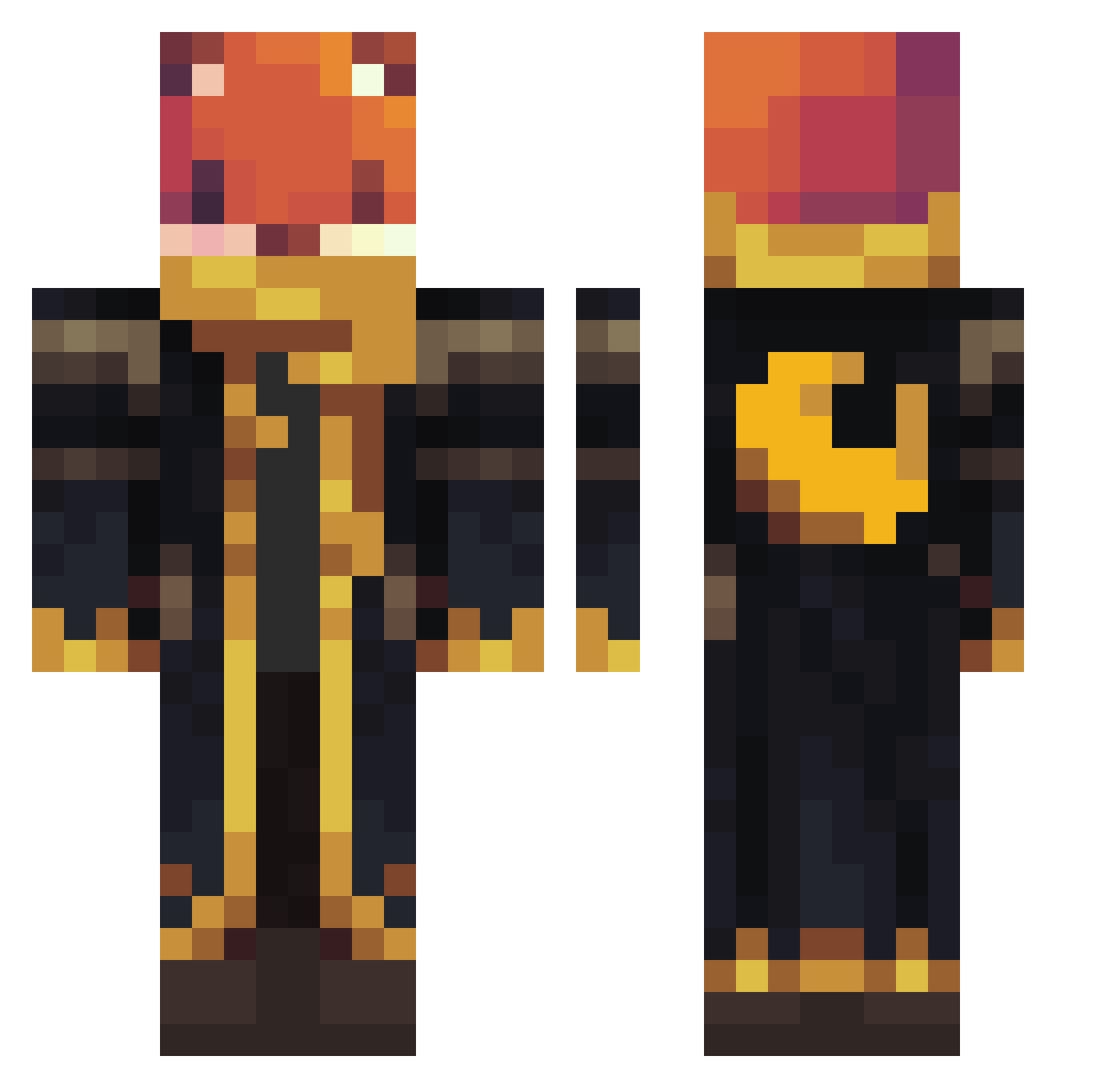
Current Minecraft skin of the player Viklena, loaded from the official Mojang API. Rotate the 3D model with your mouse or finger, then download the skin as a PNG file and use it in Minecraft: Bedrock Edition or Java Edition for free. When Viklena changes their skin, this page updates automatically and the old skin stays in the history below.
Other players with this skin (1063)
Viklena was the 732nd player we have seen with this skin, first spotted on 07.10.2026. The same skin was seen on these players. Open a nickname to see their current skin and skin history.
 atlastuna SrutiRahman Rotothe_1 Cloudfoxyy FakeShots owen106106_tw X2_J AmokuSick Necrezle iGolD_AD0X Coelho2015 SupermanLuke222 robbyx2 BearerZero Albo7401 LucasGame23 Kiebasa444 FaronII Ancalon77 sacx05 SharlzGames Drakon122456 Marcel_K15 skoualaie ty909080 EKKOREE_JNAv4ZC Achtag23 Bear2044 Voidus9 amarised57 YagelG09 Backgrounde SuNNyD4E Gamenett oBenyei crayon_muncher Landan3575 bubbles6998 wormhill Ghost1305 BigBoss5678 NFRAVEN JAnnes2564 Hyyypps Underground_Lama Allah_the_Savior Xp_191 SirQuibble mmbbbb PamJJ TedWW Saprofit009 mateicreative helpfulll Leowro _karch Eevee660 Luca290712 Ziie LionMane23
More Crescent Moon Minecraft skins
See all 274 Crescent Moon skins
How to install the Viklena skin
- Press the Download button above to save the skin as a PNG file.
- Minecraft: Bedrock Edition (PE): open the Dressing Room from the main menu (or tap your character → Edit Character), go to Classic Skins → Owned, press the + (new skin) button, choose the downloaded PNG and pick the Classic (Steve) model. Works on PC and mobile; consoles cannot import custom skins.
- Minecraft: Java Edition: open the Minecraft Launcher, go to the Skins tab, click New Skin, load the PNG, pick the Classic (Steve) model and press Save & Use. You can also upload it at minecraft.net → Profile → Change Skin.
The skin does not show up after import - what should I do?
Restart Minecraft and open the Dressing Room again - imported skins sometimes appear only after a restart. Also make sure you selected the imported skin and picked the Classic (Steve) model.
Which model should I choose, Classic or Slim?
This skin is designed for the Classic (Steve) model. If you pick the wrong model, the arms of the skin will look stretched or squeezed.
Is the skin of Viklena free to download?
Yes. Press Download, save the PNG file and use it in Minecraft: Bedrock Edition or Java Edition - no payment or registration needed. The skin also works on multiplayer servers and Realms.
More skins
Looking for more? Go back to all Minecraft skins and check the top skins of the week, month and all time, or find any player's skin by nickname.