
Victor_Kwak - Minecraft Skins & Skin History
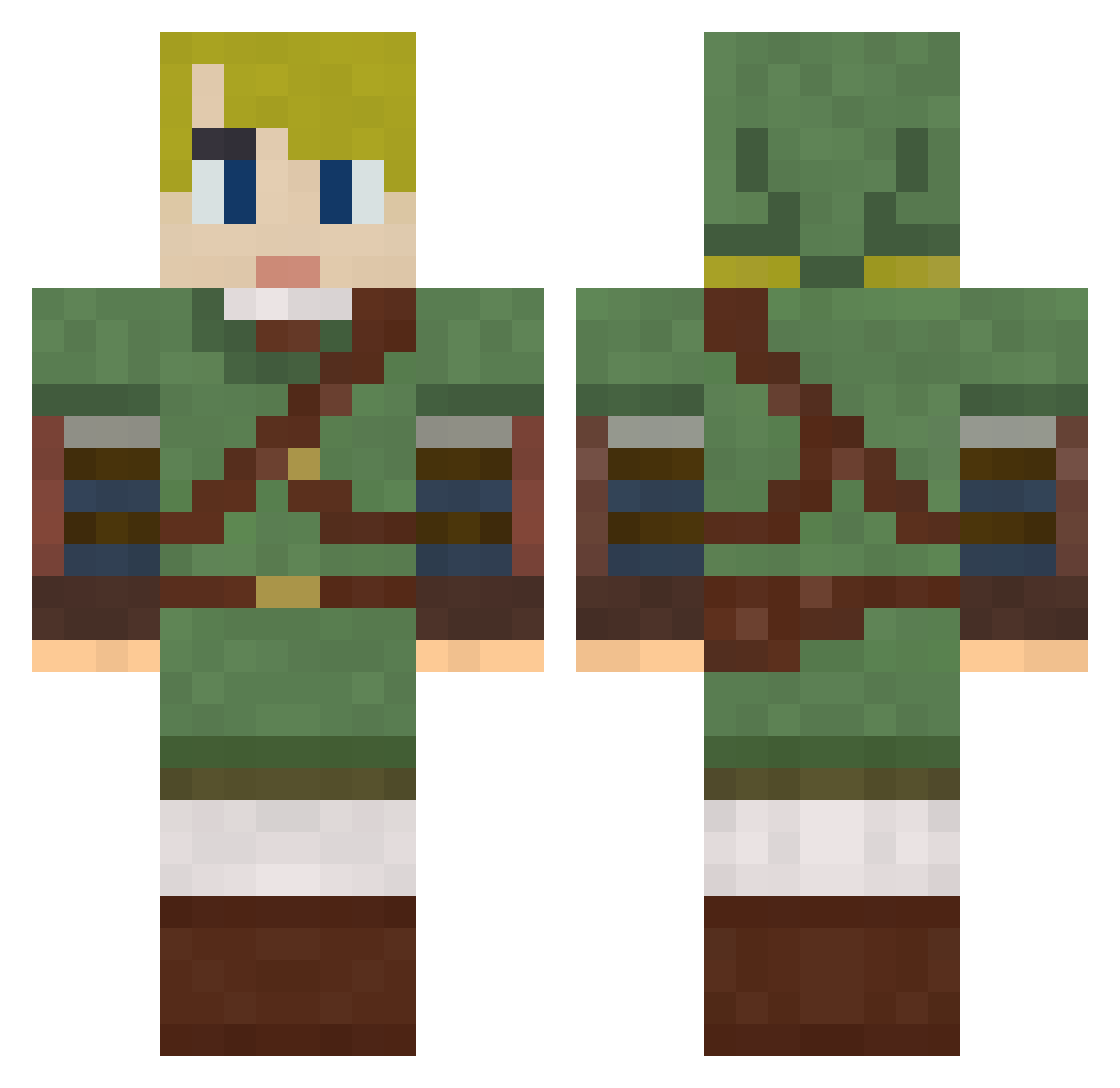
Current Minecraft skin of the player Victor_Kwak, loaded from the official Mojang API. Rotate the 3D model with your mouse or finger, then download the skin as a PNG file and use it in Minecraft: Bedrock Edition or Java Edition for free. When Victor_Kwak changes their skin, this page updates automatically and the old skin stays in the history below.
Other players with this skin (287)
Victor_Kwak was the 91st player we have seen with this skin, first spotted on 22.08.2026. The same skin was seen on these players. Open a nickname to see their current skin and skin history.
 Kamiduuck Thorpe02 LookToTheStar ovosam f3rna25
 spectrum0602 TheRogue002 QuiGon69 vanVaust Dj_Arthritis yust Drextd jwill11 Shaman137 Imaginezz fanafana212 alakazam318 Herzoger Cristian933 Sl3id3rharp alexfer85 kenneth97hk TobyTofu Xyriantos CocoGold Swordthief BartBlokker firice3 Bounded Igor12462 Sgt_Shootstuff Bambino1703 BeShaaX FanGame4 Yxuan1012 steakbakecraik Ketal71 xeduardoisalivex s5048218 stuka92 NetheriteCat735 LordGengar95 Alexander_HRK GrandTheftCorgi Mojomsqu Panda90 Rey1023 plugin420 WombedAphid _Zeneph_ G4IN3N Permondilac Mariondf TreKopperTe SlySloth19 DerpWasTaken DexxLabs CyberViking44 L1fthras1l njbizzle
More Zelda Minecraft skins
How to install the Victor_Kwak skin
- Press the Download button above to save the skin as a PNG file.
- Minecraft: Bedrock Edition (PE): open the Dressing Room from the main menu (or tap your character → Edit Character), go to Classic Skins → Owned, press the + (new skin) button, choose the downloaded PNG and pick the Classic (Steve) model. Works on PC and mobile; consoles cannot import custom skins.
- Minecraft: Java Edition: open the Minecraft Launcher, go to the Skins tab, click New Skin, load the PNG, pick the Classic (Steve) model and press Save & Use. You can also upload it at minecraft.net → Profile → Change Skin.
The skin does not show up after import - what should I do?
Restart Minecraft and open the Dressing Room again - imported skins sometimes appear only after a restart. Also make sure you selected the imported skin and picked the Classic (Steve) model.
Which model should I choose, Classic or Slim?
This skin is designed for the Classic (Steve) model. If you pick the wrong model, the arms of the skin will look stretched or squeezed.
Is the skin of Victor_Kwak free to download?
Yes. Press Download, save the PNG file and use it in Minecraft: Bedrock Edition or Java Edition - no payment or registration needed. The skin also works on multiplayer servers and Realms.
More skins
Looking for more? Go back to all Minecraft skins and check the top skins of the week, month and all time, or find any player's skin by nickname.